
Every link shortener starts off at a few dollars a month.
But as soon as you need to add teammates, access more detailed analytics, or connect another branded domain, you’re moving up a tier or three on the pricing list.
Here’s the thing:
If you occasionally want to shorten a link or two, you can do that for free.
If you need much beyond that (like analytics, link routing, deep links or conversion tracking), you’ll need to be on a paid plan. And for many teams, there’s a fair chance that the most basic paid plan isn’t going to be enough.
This guide walks through what a link shortener actually costs for different kinds of teams. We’ll discuss the main factors that determine what you pay, and why. Then, we’ll look at four common scenarios and outline what you should expect to budget for those situations based on real tools available today.
What determines how much a link shortener really costs?
Below are the main factors that change what a link shortener costs, and how they impact price depending on the tool you’re using.
Link volume
Most tools set a limit on the number of links you can create per month, though some plans have a lifetime limit (like Short.io’s Hobby plan).
This is one of the main factors that pushes teams up from the most basic plans (which have the lowest limits). For instance, Bitly only gives you 500 monthly links on the Growth plan ($29 a month), and if you need any more than that, you have to move up to the Premium plan ($199 a month).
Some tools allow you to just increase the number of monthly links you get without going up a tier, like TinyURL’s plans.
QR codes count toward this too. Some tools count them separately from links (like Bitly), so a plan with plenty of links can still run short on QR codes. With Rebrandly, every link comes with its own QR code and the two count together.
Free plans are tighter still. Rebrandly’s includes 10 links a month and tracks 100 clicks a month, and links keep redirecting after that.
Custom domains
The first question is whether a plan allows you to connect a custom domain at all (for example, Bitly’s Core plan doesn’t, so all links go to Bit.ly).
The second is how many custom domains you can use. The limit usually increases as you move through pricing tiers. With Rebrandly, for example, you get 3 custom domains on the Professional plan and 10 on the Growth plan.
Connecting a domain you already own is included up to your plan’s limit, while registering a new one costs extra and renews every year, so check the renewal price before you buy.
Link editing
Link editing is the ability to change a link’s destination after it's live. Some tools offer unlimited link editing on all plans, like Dub.
Others set limits, meaning you have to move up a tier once you hit that limit. Bitly, for example, includes 20 link edits on the Growth plan and 110 on the Premium plan.
Users and workspaces
This one depends a lot on the tool’s pricing structure.
Per-seat pricing means your bill increases for every new user you add. That’s less common with link shorteners than with other marketing software, though.
You’re more likely to find that basic plans come with only one user, with additional users reserved for more advanced tiers. For example, Short.io is single-user until you hit their second-highest pricing tier (Team, $48 a month), which means this single factor could see you jumping several steps up the pricing ladder.
The other question to ask here is how many people you can actually add once you do unlock multiple users. Rebrandly gives you 2 teammates and workspaces on the Professional plan and 5 on the Growth plan, though you can add more as you need them without jumping up a pricing tier.
Security and admin features
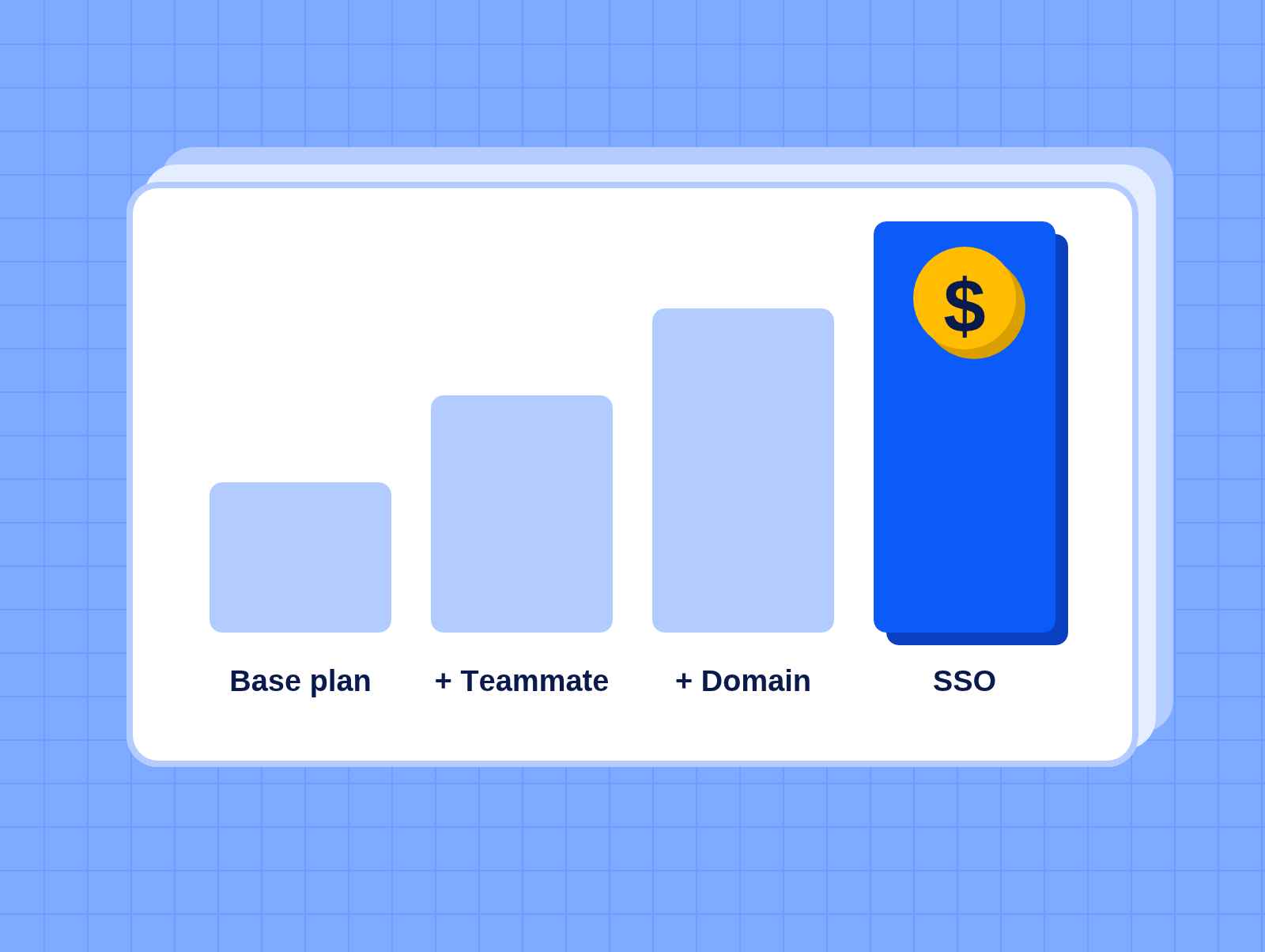
Security and admin features like SCIM, SSO, and audit logs are almost always available only on enterprise plans (e.g., Rebrandly, Bitly, Short.io).
That usually means custom pricing, which makes it a little harder to budget for, but you can safely assume you’ll be paying more than the most expensive self-serve plan.
With Rebrandly, SOC 2 Type 2 and GDPR compliance apply to every plan. What moves you to a custom plan is the paperwork around it, like a BAA, a security review, or custom contract terms.
Analytics limits
When comparing analytics across different pricing tiers, you’ll need to look at three factors:
- What you can see (e.g., broken down by country, city, device)
- How much you can see (monthly click tracking limits)
- How long you can see it for (analytics retention window)
Every tool does this a bit differently, but the general rule is that all three are tiered. For example:
- Rebrandly breaks down clicks by country on its entry-level plan and by city, state, and region on Professional and higher
- Dub gives you 250K tracked events/month on Business and 1M on Advanced
- Bitly gives you 4 months of click and scan data on Growth and 1 year on Premium
Advanced features
Features like mobile deep linking, link expiration, conversion tracking, or a dedicated account manager are usually binary—you either have them, or you don’t, depending on your plan.
For example, Rebrandly includes mobile deep linking and conversion tracking on its self-serve plans, while a dedicated customer success manager comes with a custom plan.
The short version
Three things determine what a link shortener costs for a team:
- Which features you need: Things like SSO, conversion tracking, or deep linking are usually available on higher plans.
- How much you use it: Number of links and QR codes, number of clicks and scans tracked in analytics (most commonly going up a tier).
- How many people: Most commonly going up a tier, or several. On per-seat tools, this can increase the cost per person added.
What link shorteners cost in the real world: 3 examples
Below are three common team setups, with real tools and real numbers for each, so you can get a rough sense of what you’ll need to budget for a link shortener for your team.
1. Growing marketing team running multiple campaigns
Say your marketing team has outgrown a small single-user plan. You need to work with teammates, connect a few branded domains, build link-in-bio pages, and use dynamic routing. Plus, you need more detailed analytics to show how each campaign is performing.
At that level, you’ll likely be paying between $30 and $50 a month.
For instance, Rebrandly’s Professional plan costs $32 a month and comes with 3 custom domains, 1,500 links a month, and space for 2 teammates. Short.io’s Team plan, at $48 a month, covers similar ground.
2. Agency managing multiple clients
For an agency working with multiple clients, workspaces are going to be a non-negotiable feature, and you’ll probably need multiple users and advanced role permissions.
Beyond that, volume limits for links, QR codes, link-in-bio pages, and destination edits are what will be driving your monthly bill.
Rebrandly’s Growth plan ($149 per month) fits for agencies getting started, with 5 teammates, 3,500 links a month, and 10 custom domains. That’s the lower end of what you’re looking at, though. You’ll be on custom pricing with Bitly, as its Premium plan ($199 per month) doesn’t have group permissions or user management.
For a scaling agency expect to budget $200+ a month for a link shortener, especially once you grow past a handful of clients and users.
3. Larger team with security or compliance requirements
If your team needs single sign-on, a security review, a BAA or custom contract terms, invoice billing, or a dedicated customer success manager, you’re looking at a custom plan with most tools, Rebrandly included. Custom plans are quoted around what you need instead of just what’s listed, so there isn’t one number that would be fair to put here.
Before a vendor can quote you, they’ll usually want to know:
- How many links and QR codes you create each month
- How many teammates and workspaces you need
- How many domains you’ll connect
- Whether you need SSO, and what kind
Procurement and legal review can add time, and heavy contract redlines can affect the price, so it helps to start those conversations early.
As a rough guide, most Enterprise customers pay somewhere between $400 and $900 a month for a link shortener, billed annually. Teams with many workspaces, high link volume, or extra service can run higher though.
What happens when you outgrow a plan?
Most teams outgrow their first plan, so here’s what happens when you hit your limits for links, QR codes, domains, or users. With Rebrandly, you can buy add-ons for extra links, teammates, and domains instead of moving to a higher tier plan depending on the features you need. Plus you can upgrade at any time and have what you’ve already paid prorated.
Monthly billing gives you the most flexibility, since you can cancel any time, while annual billing costs less per month. Custom plans are billed annually.
With any tool, ask whether going over a limit blocks your links, charges you automatically, or just prompts you to upgrade, and whether the price stays the same at renewal.
So what should you actually budget for a link shortener?
Like any software tool, what you end up paying depends on what you need. With link shorteners specifically, it's volume caps, user limits, and advanced features that move you up pricing tiers.
A small team that needs a couple of teammates and a few domains often gets by in the $30-$50 range. Larger teams and agencies managing multiple clients should expect to land closer to $150-200 a month. Enterprise companies that need additional options like SSO, a security review, or more hands-on service, will usually land $400-$900/month or more.
Check out Rebrandly’s pricing to get an idea of what your team might be paying, or book a call with our sales team if you have a more complex use case. We’d be happy to walk you through your options and help you find the right plan.