Dynamic links that route every click
One branded link that sends each person to the right destination, based on their device, location, language, or platform.
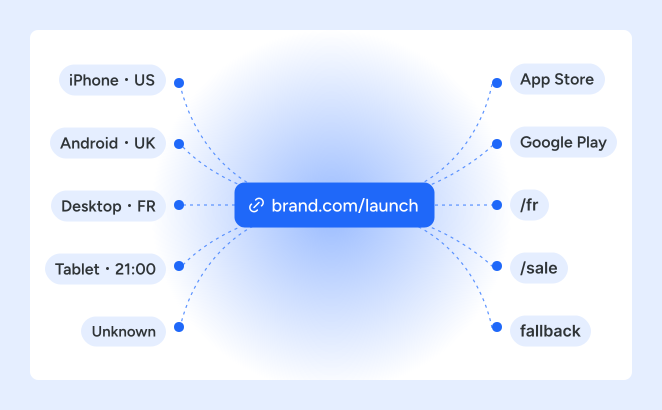


















Route clicks by device, location, or time
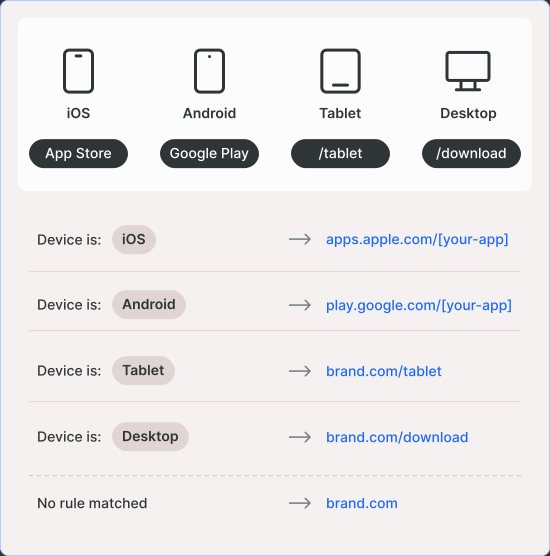
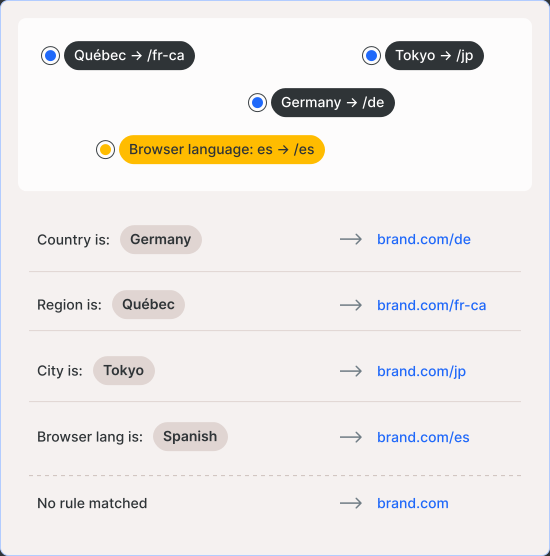
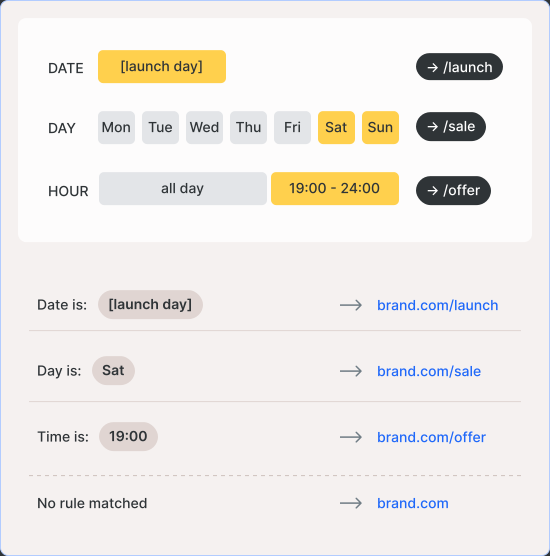
Set rules without writing code

Dashboard rule builder
Pick a filter, set the destination for each rule, save. No code and no ticket.

AND/OR logic
Make a rule as narrow or as broad as you need. Set it to match all filters or any of them.

Live rule editing
Update where a link points mid-campaign. The link you already distributed keeps working.
Predict where every click goes
Ordered rule checks
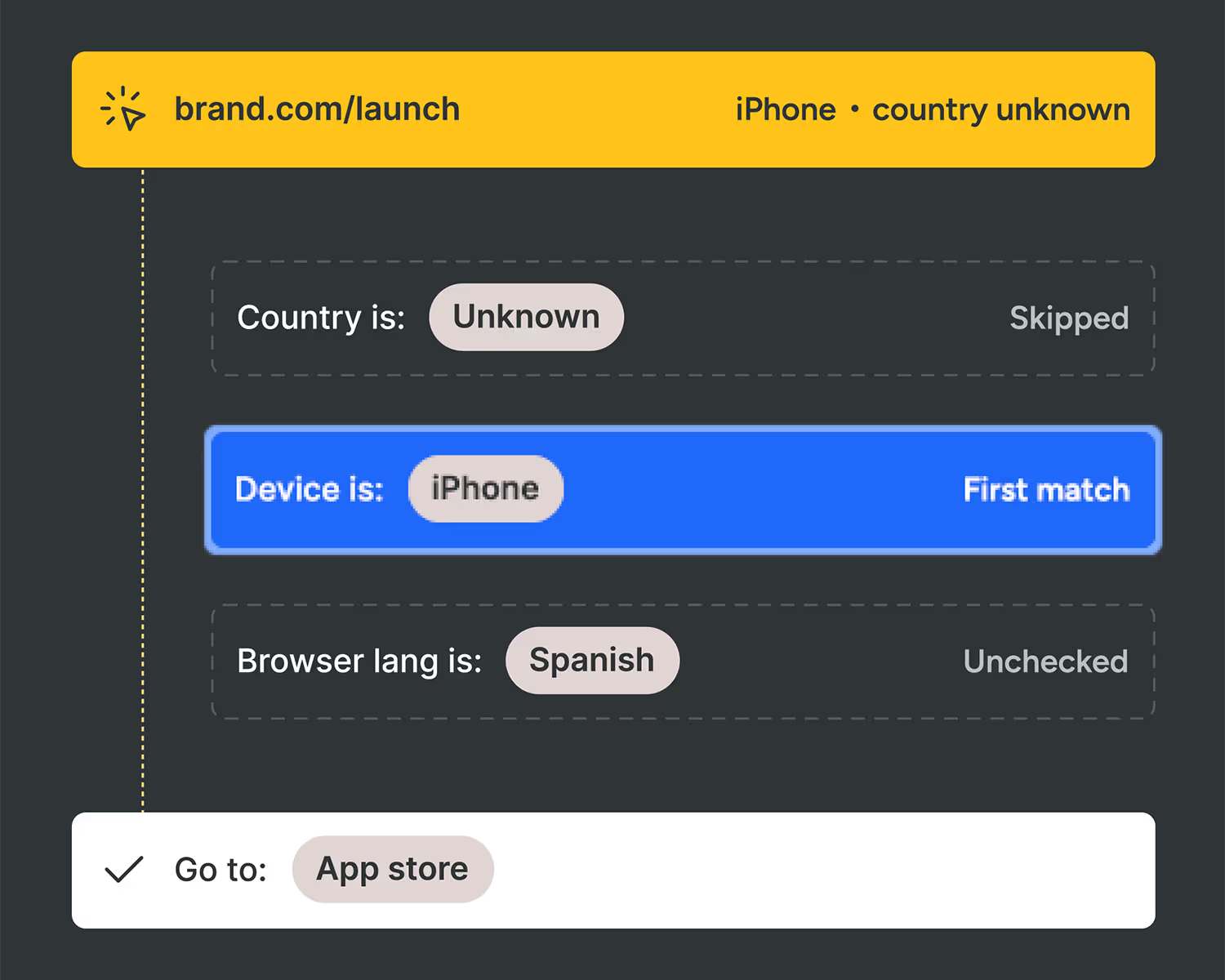
Rules are checked in the order you add them. Each click goes to the first one it matches.
Missing data handling
Can’t detect a visitor’s country? Rules that need it are skipped, and the click moves on.
API rule management
Add routing rules to a link, and list the ones it already has, with our REST API.
When to use dynamic links
Instantly connect Rebrandly to your marketing automation platform, CMS, and analytics tools, or create custom integrations with our REST API, webhooks, and MCP.
Global launches
Show each visitor the right regional page, with local pricing, shipping, and content.
Multilingual audiences
Detect country, region, city, or browser language and serve the matching regional page.
App downloads
Send iOS users to the App Store and Android users to Google Play from one link.
Printed QR codes
Print one code and route each scan to the right page.

Pass your security review with every routed link
Regulated teams need the link layer to clear the same review as the rest of the stack, and our SOC 2 Type II, HIPAA, and GDPR compliance documentation is public.


Why teams choose Rebrandly

Rebrandly is the best we've seen, they can create a crazy amount of volume with the highest deliverability and performance, more than a million links in a minute.


Rebrandly empowers us to keep tabs on our campaign performance worldwide.

Dynamic link questions, answered
A dynamic link is one short URL that sends different visitors to different destinations based on rules you set. Rebrandly reads each visitor's device type, location, or browser language, then sends them to the destination that matches. Any click that doesn't match a rule goes to your default fallback.
They solve different problems. A dynamic URL in web development is an address carrying query parameters generated by a database, such as example.com/products?id=123, where the parameters change what the page displays. A dynamic redirect link routes one short URL to different destinations based on rules you set.
Rebrandly supports multiple routing methods: device type including iOS, Android, desktop, and tablet; location by country, region, or city; browser language; and timing including a specific date, day of the week, or time of day.
Yes. You can edit routing rules and the default fallback after a link is distributed, without creating a new URL. Links already sent by SMS, printed on QR codes, or handed to partners keep working while you change where they point.
Your Rebrandly dashboard works as a dynamic link generator. Create a branded link, open Traffic Routing, add rules, and set a default fallback. No code is required at any step.
Dynamic traffic routing is available on Professional plans and above. Mobile deep linking, which opens a specific screen inside a native iOS or Android app, is available on Growth and above. Routing sends people to different URLs. Deep linking moves them into an app. See plans and pricing.
Firebase Dynamic Links shut down on August 25, 2025, and existing links stopped resolving. Rebrandly’s dynamic links cover the web routing and fallback behavior those links provided. Dynamic app links that open a native app need Growth or above. See our guide to migrating from Firebase Dynamic Links.
Yes. Our REST API creates links programmatically, with Python and Node.js SDKs, webhooks, OAuth, and an MCP server. Rate limits scale by plan.

Follow us


Download the app