
You share links everywhere—SMS, email, social, paid ads, influencers, QR codes, support messages. But here's the problem: every person who clicks goes to the exact same page. Your mobile users land on desktop sites. UK shoppers hit US storefronts. Android users see iPhone download pages they can't use. One link, one destination, countless frustrated users. These aren't edge cases. They're conversion killers happening every day.
Dynamic link routing (also called traffic routing) fixes this. Instead of everyone landing on the same page, one branded link automatically sends each person where they actually need to go. It detects their device, location, language (whatever matters), and redirects them instantly. One URL that works differently for everyone.
Here's how dynamic routing works, why it's become essential for multichannel marketing, and why Rebrandly has this while Bitly doesn't.
What is dynamic link routing?
Dynamic routing lets you share a single branded link that sends users to different URLs based on who they are and where they click. The redirect happens instantly. Users just see a working link that takes them where they need to go.
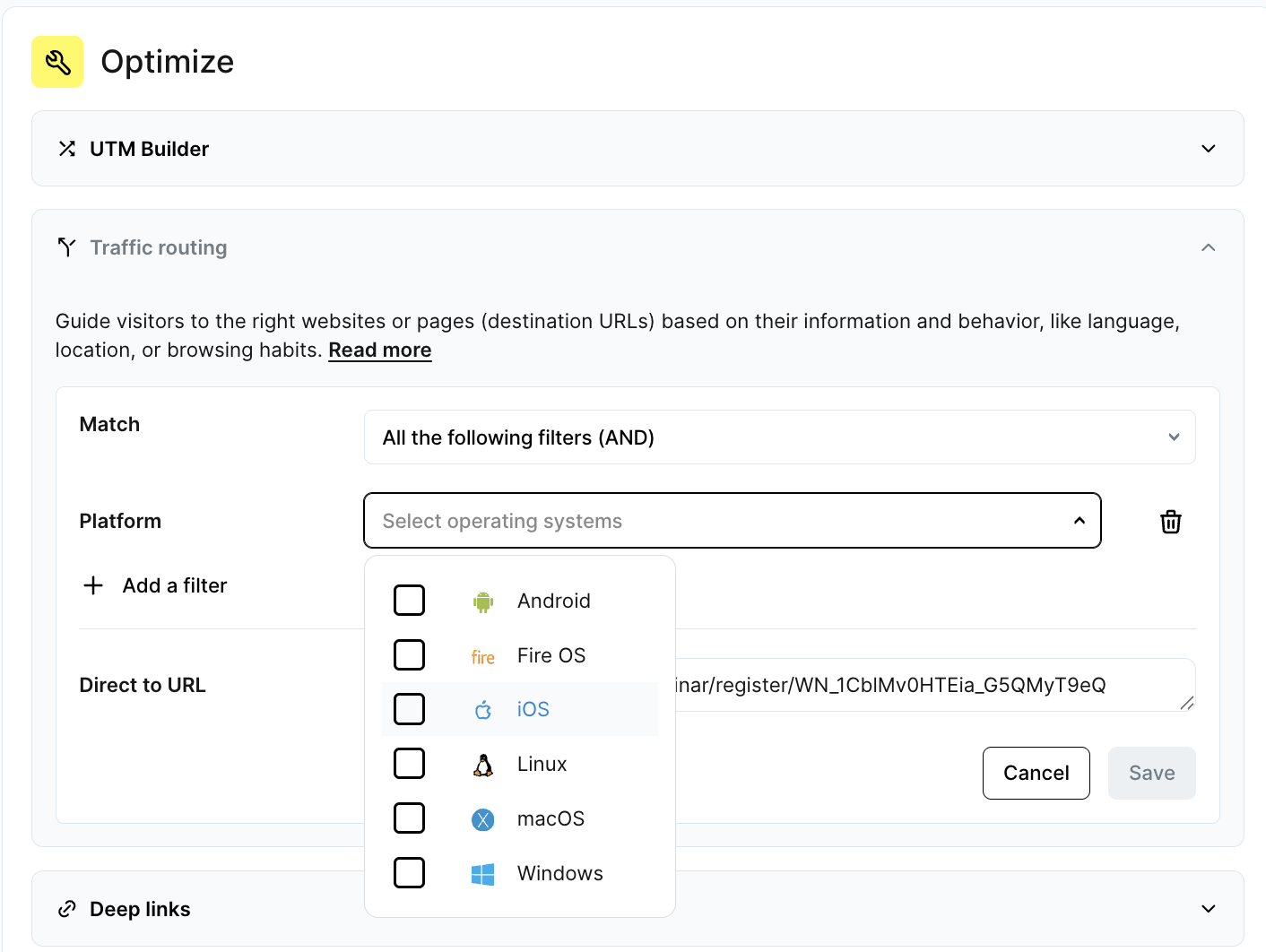
A basic routing flow looks like this:
- A user clicks your link.
- Rebrandly detects key attributes (device type, location, browser language, URL parameters).
- The link redirects to the destination matching your rules.
- If no rule applies, they hit your default fallback URL.
For example, rebrand.ly/summer-sale can send iOS users to the App Store, Android users to Google Play, and desktop visitors to a landing page. One link replaces three URLs and nobody ends up in the wrong place.
Learn more about how to set up traffic routing in our help center.
Now that you understand the mechanics, here's why dynamic routing has become essential for modern marketing teams.
Why you need dynamic link routing
Dynamic routing used to be nice-to-have. Now it's essential for multichannel campaigns, global launches, and mobile-first experiences. Most marketers start using it to solve one problem and quickly realize it fixes five others they didn't know they had.
Dynamic link routing removes conversion-killing friction
Users bounce when they hit a page that doesn't match their device or expectations. Dynamic routing ensures the experience fits: mobile visitors get mobile pages, app users get the right store, shoppers see their regional site. Fix the mismatch, fix the conversion rate.
Dynamic link routing reduces link clutter and operational chaos
Without routing, teams create separate links for every device, country, and language. That gets messy fast, especially across SMS, social, and email. Dynamic routing consolidates everything into one link. Fewer errors, easier updates, less chaos.
Dynamic link routing creates a smoother user experience
Users shouldn't have to pick their country or language after clicking your link. Routing skips those unnecessary steps, taking people straight to content that makes sense for them. It builds trust and cuts support tickets.
Dynamic link routing gives you cleaner, unified analytics
Multiple URLs mean scattered analytics. With Rebrandly, all routing destinations feed into one master link. You get the complete picture of performance by device, location, or language without juggling spreadsheets. Simpler reporting, better attribution, cleaner insights.
Learn more about Rebrandly's analytics capabilities and UTM parameters.
The different types of traffic routing (and how marketers use them)
Rebrandly offers four routing methods:
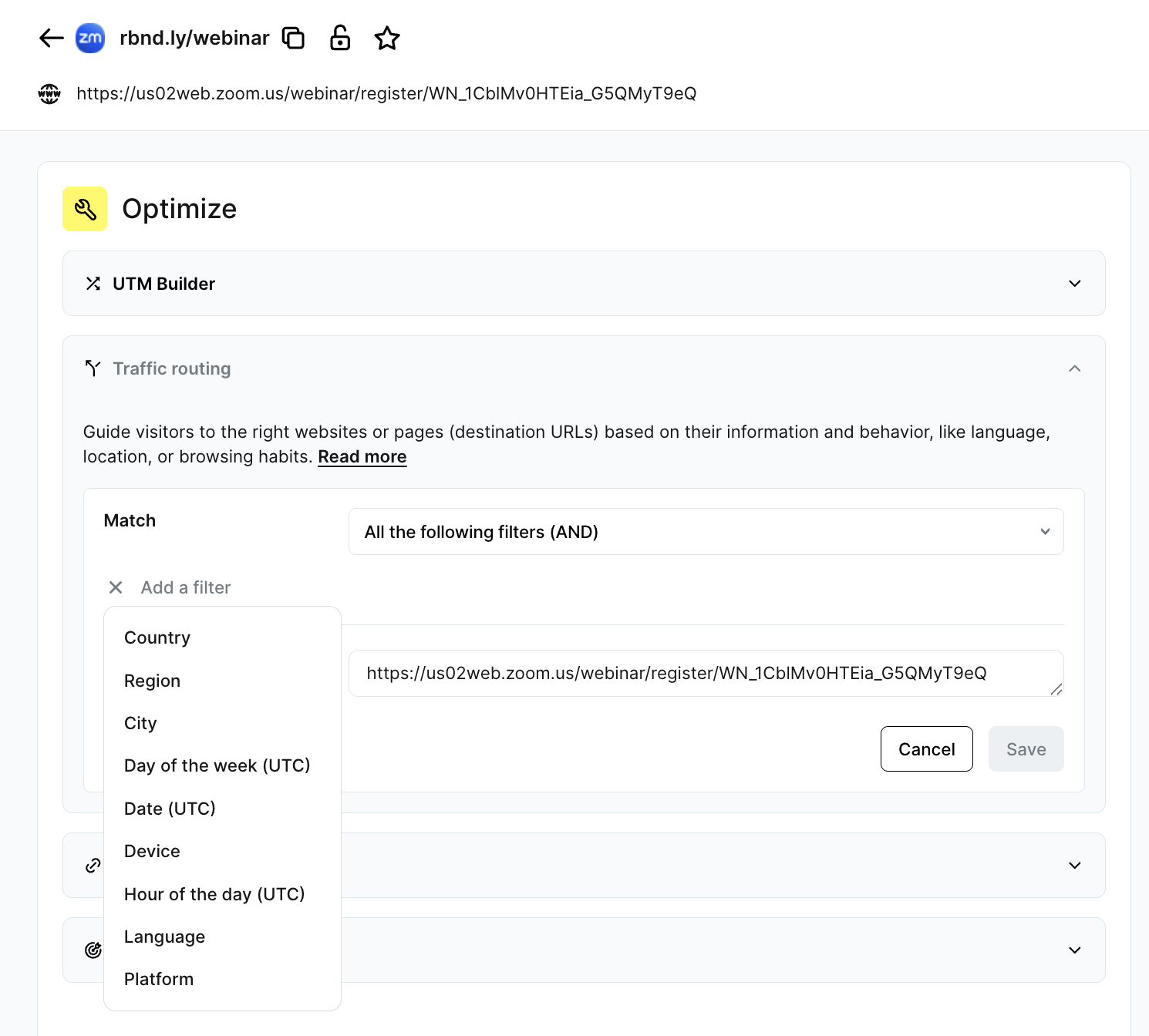
Device-based link routing
Device routing detects whether someone's on iOS, Android, desktop, or tablet and sends them to the right place. Essential for mobile app marketers, SMS campaigns, and cross-channel product launches.
This is where Rebrandly beats Bitly. Bitly doesn't offer device routing at all, so their users still manage and distribute multiple URLs manually. See more Bitly alternatives that offer advanced features.
Location-based link routing
Location routing detects where users click from and sends them to the right regional experience. Global brands need this to show correct pricing, shipping options, and local content.
Language-based link routing
Language routing reads the user's browser language and serves content in their preferred language automatically. Perfect for multilingual websites, international organizations, and global enrollment flows. Users see content in their language immediately, which builds trust from the first click.
Custom-parameter link routing
Parameter routing uses UTM tags or custom parameters to personalize journeys. Great for A/B testing, influencer campaigns, and attribution modeling. Want to send subscribers, affiliates, and partners to different landing pages through one link? Parameters make it happen. It's the most flexible routing option because you control the logic.
How to set up dynamic link routing in Rebrandly
Ready to implement? Setting up routing takes minutes. (Note: Traffic routing is available on Professional plans and above.)
1: Create your branded link
First, create your campaign link:
- Select the branded domain you want to use.
- Customize the URL slug (back-half).
- Add UTM parameters if needed for analytics.
This is the link you'll share everywhere. Need help? Check our guide on creating branded links.
2: Open the Traffic Routing settings
In your Rebrandly dashboard:
- Open the link you just created.
- Select Traffic Routing from the link settings.
All routing options live here.
3: Add routing rules
Pick your routing rules:
- Device type (iOS, Android, desktop, tablet)
- Location (country or region)
- Language (based on browser language)
- Custom parameters (UTMs or other URL parameters)
For each rule you add, enter the destination URL you want users to reach when they match the rule conditions.

4: Set a default destination
Set a default destination as your fallback. Anyone who doesn't match your rules goes here, so every click works.
5: Preview and test your routing
Test everything with Rebrandly's Preview tool before going live. Verify each redirect works as intended.
6: Publish and share your link
Once tested, share your single link across:
- SMS
- Social media
- Paid ads
- QR codes
- Partner campaigns
- Customer support channels
Edit your routing rules anytime, even mid-campaign. No need to create or redistribute new URLs. Learn about QR code best practices for physical marketing.
Rebrandly offers dynamic link routing, Bitly doesn't
These capabilities matter because not every platform has them.
Most marketers assume link management platforms all do the same thing. They don't. Dynamic routing is where Rebrandly pulls ahead, because Bitly simply doesn't have it.
Bitly gives you basic link shortening and click analytics. That's it. No routing functionality at all. None of this:
- Device-based routing
- Region-based routing
- Language-based routing
- Custom rule-based routing
- Unified analytics across routing variations
Rebrandly supports all of these. Plus you can edit routing rules even after a link is live, so you're not stuck with whatever you chose on day one. This flexibility matters when campaigns evolve or priorities shift.
For SMS campaigns especially, where bad links are immediately visible and damage trust instantly, this control isn't optional. It's essential.
Make dynamic link routing work for you!
Every click has intent behind it. Dynamic routing makes sure the destination matches that intent. Higher conversions follow.
Rebrandly has routing features other platforms don't. That means better control, better accuracy, better results. Try dynamic routing in Rebrandly and see what happens when every click goes to the right place.
Ready to get started? Sign up for a free trial to test it yourself.