
I get why people use Bitly.
It’s not just because they invented the category and have become a household name (though it helps).
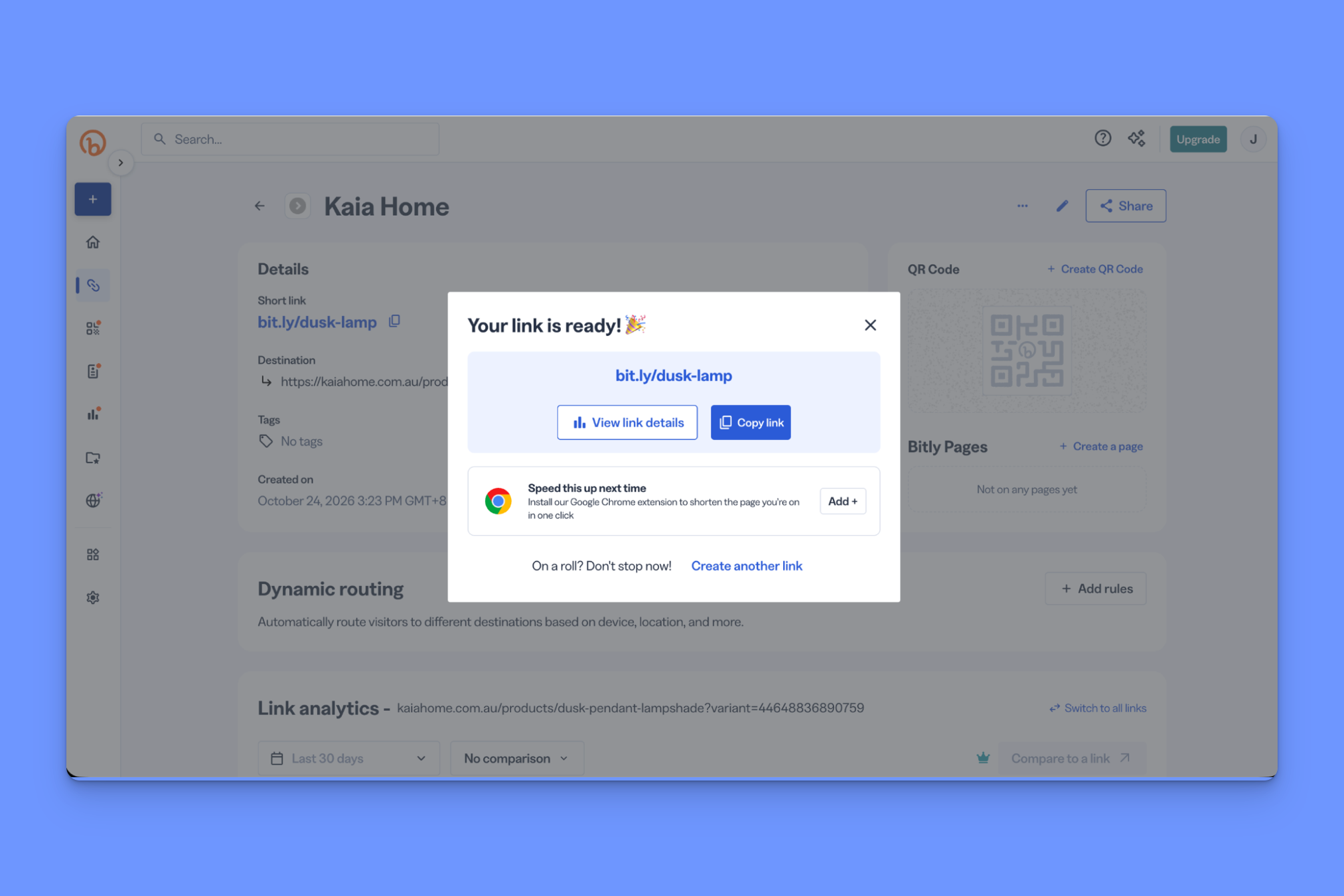
And it’s not just because they make it easy to get started (which they do—it took me just six clicks to sign up for an account, shorten my first link, and share it).
It’s because they do a lot of the basics well. And for many Bitly users, the basics done well is really all they need.
For everyone else, though, and especially for marketers, Bitly has a few genuine weak spots that are worth interrogating before you invest any significant amount of time into it.
Let me clear something up, though.
I’m a writer for Rebrandly, a link intelligence platform and Bitly competitor. So this would be the part where I tell you, “Bitly bad. Rebrandly good.”
I’m not going to do that.
Instead, I’m going to present five Bitly alternatives I’ve personally tested, and explain why and when I’d recommend using each one (one of them is Rebrandly, of course).
Already know you don’t want to use Bitly? Jump straight ahead to the five alternatives.
Key takeaways
- Choose Rebrandly if you want conversion tracking, city-level routing, and HIPAA compliance that Bitly doesn’t offer, plus deeper analytics at a lower price
- Choose Dub if you’re running an affiliate program
- Choose Short.io if Bitly’s edit and delete limits are your problem or bulk link creation is a core part of your workflow
- Choose TinyURL if you only need to shorten links and want to pay only for the volume you use
- Choose Replug if you want retargeting pixels on your links or location data more precise than city level
- Stick with Bitly if the basics are all you need and you’re not hitting its caps
What Bitly does well (and where it stops)
The case for Bitly is simple: it's the biggest player in the space, it’s trusted, and it's an all-in-one space for link management, QR codes, and link-in-bio pages.
I wanted to know why a marketer would choose not-Bitly, so I spent some time in both the free and paid versions to see for myself.
These are the three big limitations I found:
- The tools businesses actually need (like more granular click data or a reasonable monthly link limit) are really only on the Premium plan
- Analytics are comparatively light, with no way to tell whether a click led to a conversion event (e.g., a purchase or a signup)
- Dynamic link routing is pretty limited, and half of Bitly’s available options are gated behind the Premium plan
If you need detailed click data, conversion tracking, and granular control over how you route traffic, one of the five options below might be a better alternative to Bitly.
Read Dominique Jackson’s full-length Bitly review: What I liked (and didn't) after testing every feature.
Bitly alternatives at a glance
Here’s the quick version, with Bitly in the first row so you have a baseline. Prices are for the lowest-paid plan, assuming annual billing.
Best Bitly alternative overall for businesses: Rebrandly
What separates Rebrandly from Bitly: Conversion tracking, dynamic routing capabilities, HIPAA certification, and click reporting depth
Rebrandly is the best Bitly alternative for marketers who are finding analytics capabilities to be too shallow for real-world use.
Here’s the first issue.
Bitly gives you engagement data (a total number and the trend over time), and breaks it down by referrer and location.
The thing is, on the Growth plan, you only get country-level data, and you have to upgrade to the Premium plan if you want city or device-level engagement data, which, as a marketer, you do.
Rebrandly’s click data goes much deeper. You get:
- Country
- City
- State
- Region
- Device
- Browser
- Platform
- Language
- Time of day
- Clicks over time
- Bot vs human traffic
- Unique vs non-unique clicks
Say you’re running an SMS campaign. Naturally, customers respond to SMS messages differently depending on the time of day, and those trends can differ across audiences.
With Bitly, you’d have to take a guess at the best time to send. With Rebrandly, you could analyze how the same link performs at different times of day, then time future SMS sends to go out within that same window.
Rebrandly AI can also explore that data for you and tell you the optimal time to share a branded link.
My bigger issue is that Bitly only tells you that someone clicked a link. It doesn’t connect those links to actions like signups or purchases, which are the things marketers actually care about.
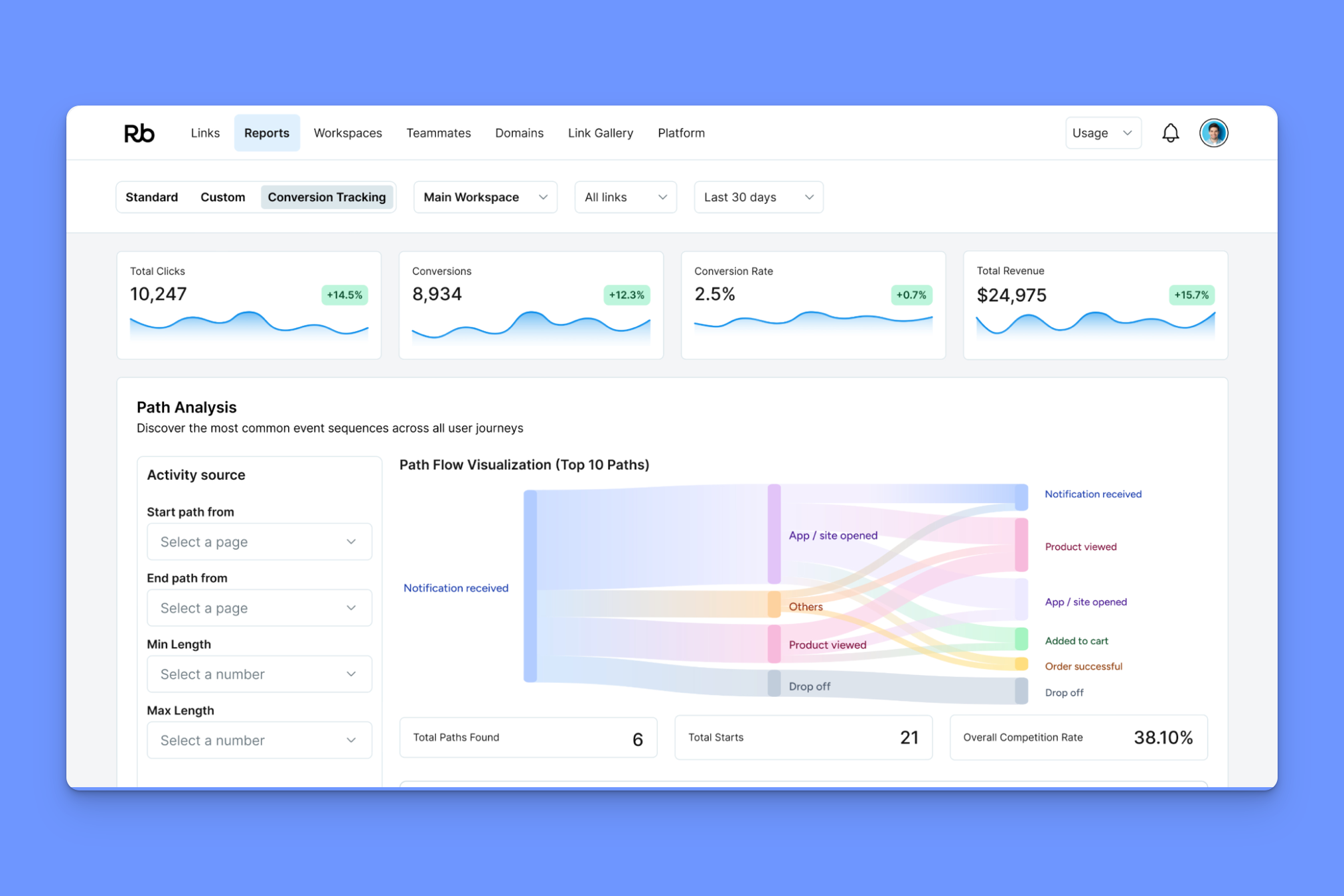
Rebrandly’s Conversion Tracking does.
It tells you not just that someone clicked, but what happened after, so you see which links brought in revenue.
In the Conversion Tracking tab, you can see:
- Which links led to signups, purchases, or whatever else you’ve defined as a conversion, with revenue attributed per link
- Where people dropped off between the click and that outcome
- How that looks across channels that are otherwise hard to measure, like SMS and printed QR codes
I particularly like the Path Analysis section, which gives you a visual breakdown of the different customer journeys from click to conversion.
Also, if we’re being honest, Rebrandly’s pricing structure is much more business-friendly.
With Bitly, the tools businesses actually need are really only on the Premium plan, which costs $300 a month (or $199 a month when billed annually).
There’s not much point in any of the other plans for a lot of businesses:
- The free (with ads) option is closer to a basic demo than a genuine free tier
- The Core plan still doesn’t include branded links, so it's not business-suitable
- The Growth tier ($29 a month) only includes 20 destination edits, 500 links, and 10 QR codes a month
Compare that with Rebrandly’s Professional tier ($22 a month—$7 cheaper), which includes 50 destination edits, 1500 links, and 1500 QR codes a month.
A few other things Rebrandly does better than Bitly:
- Dynamic routing: With Rebrandly, you can set up dynamic routing rules based on country, region, city, date, day of week, hour of day, device, language, and platform. Bitly only includes country and platform on the Growth plan, and you have to upgrade to a Premium plan for region and device routing.
- HIPAA certification: Rebrandly is HIPAA-compliant, making it a smarter choice than Bitly if you operate in healthcare, financial services, or government.
Best Bitly alternative for affiliate and partner programs: Dub
What separates Dub from Bitly: It’s the only alternative built around partner programs
Dub is actually two products: Dub Links and Dub Partners.
You can use Dub Links on its own, in which case it's a straight Bitly alternative. If you sign up for Partners, their affiliate marketing platform, Links is included.
I personally find the whole “one brand, multiple products” thing a bit clunky, but I get it. They started out as a pure Bitly alternative, then built the affiliate platform on top as part of a differentiation move. Assuming it plays out for them, I think they’ll eventually fold both into a single partner-focused offering.
For now, though, Links is available as a standalone tool, and that’s where I spent my time.
As far as actually creating and sharing links goes, it's pretty much what you’d expect. You set the destination URL, choose a short link (Dub has a useful AI back-half generator), set tags for link management (suggestions appear automatically), and you’re away.
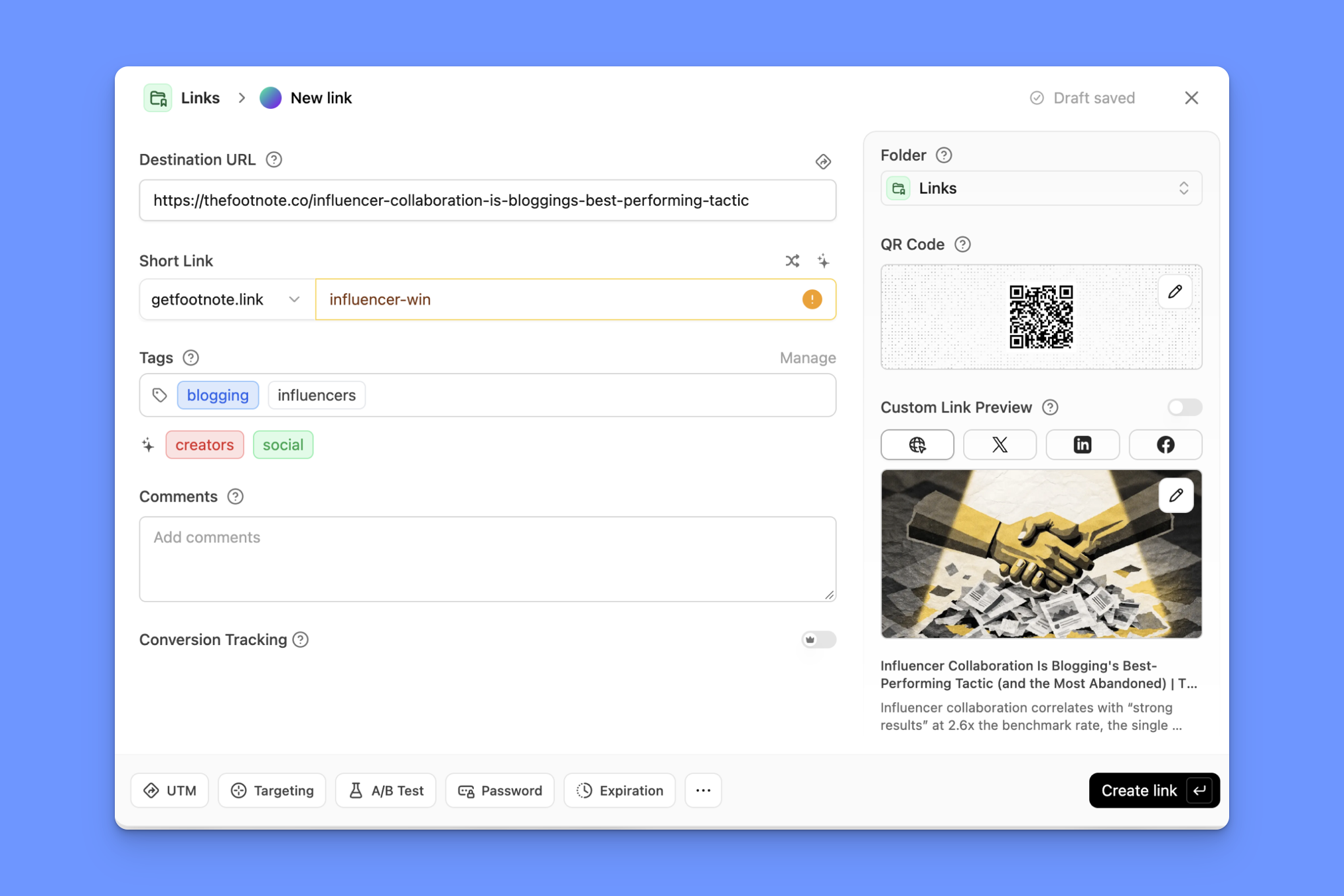
I noticed a couple of things during this experience that solidified the whole “modern link platform” positioning Dub is going after. For example, there is a key command (C) to create a new link, and you then hit Enter (Return) to finish, which creates the link and then automatically copies it to your clipboard.
Small things, but they show Dub’s developer roots and attention to what users expect from modern software. Bitly, by contrast, is very much a point-and-click tool.
Beyond that, though, Dub’s link management features are roughly comparable to Bitly. You just get higher limits on similarly priced plans.
The analytics experience in Dub is interesting, too. It's not so much that Dub gives you much more data than any other link shortener (it doesn’t). It's how Dub lets you visualize it.
In the analytics dashboard, every table also doubles as a filter. Say I click United States in the countries table.
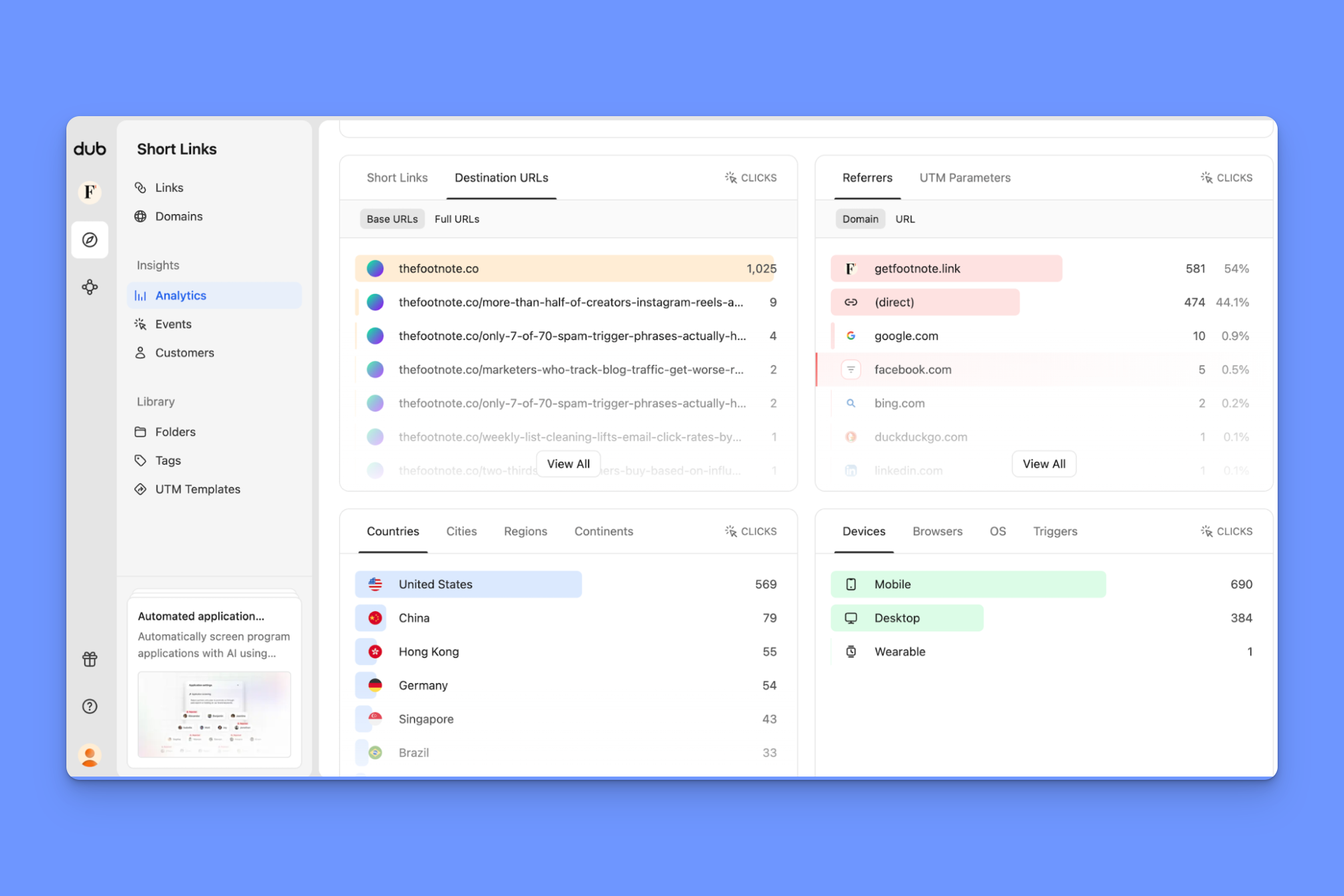
The entire dashboard shifts so that every table and graph I’m looking at is filtered to only show US clicks.

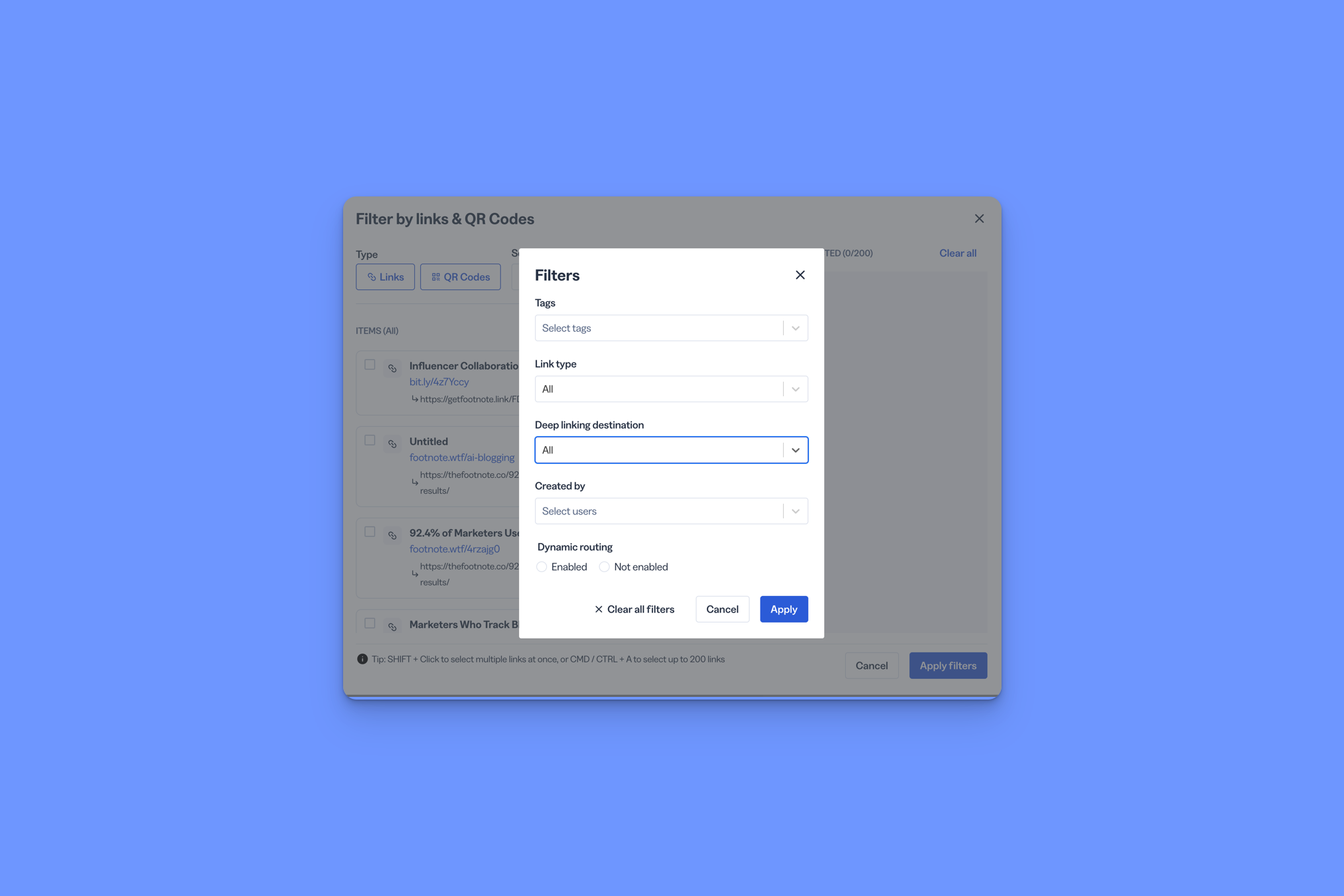
In Bitly, that same process requires you to go in and manually set up filters each time you want to visualize data a different way.
So, would I choose Dub over Bitly?
- I probably wouldn’t switch just because of Dub’s user experience (it doesn’t outweigh the pain of migrating)
- I would choose Dub as a Bitly alternative if partners/affiliates were a major part of my GTM strategy, as no other competitor covers both links and affiliates
Read the full Dub.co review (2026): Who it's really for, after 30 days of testing.
Best free or low-cost Bitly alternative: Short.io
What separates Short.io from Bitly: Affordability at scale
Short.io is known as the 'affordable Bitly' in SMB dev circles. That kind of positioning usually makes me a little skeptical, as I’ve found it often means:
- Affordable, but with limited features, and a “All of the tools SMBs need, none of that extra enterprise stuff” marketing spin
- Affordable now, with fast price hikes down the line once they’ve penetrated the market and got enough users to a place where switching would be a major hassle
After using Short.io, I’d say it's firmly in the first camp, but it's not so much marketing spin—it’s genuinely not built for marketers or enterprise teams; it's built for technical founders and developers.
Bulk Create is a good example of this, which is basically a spreadsheet built into the interface for shortening multiple links at once.
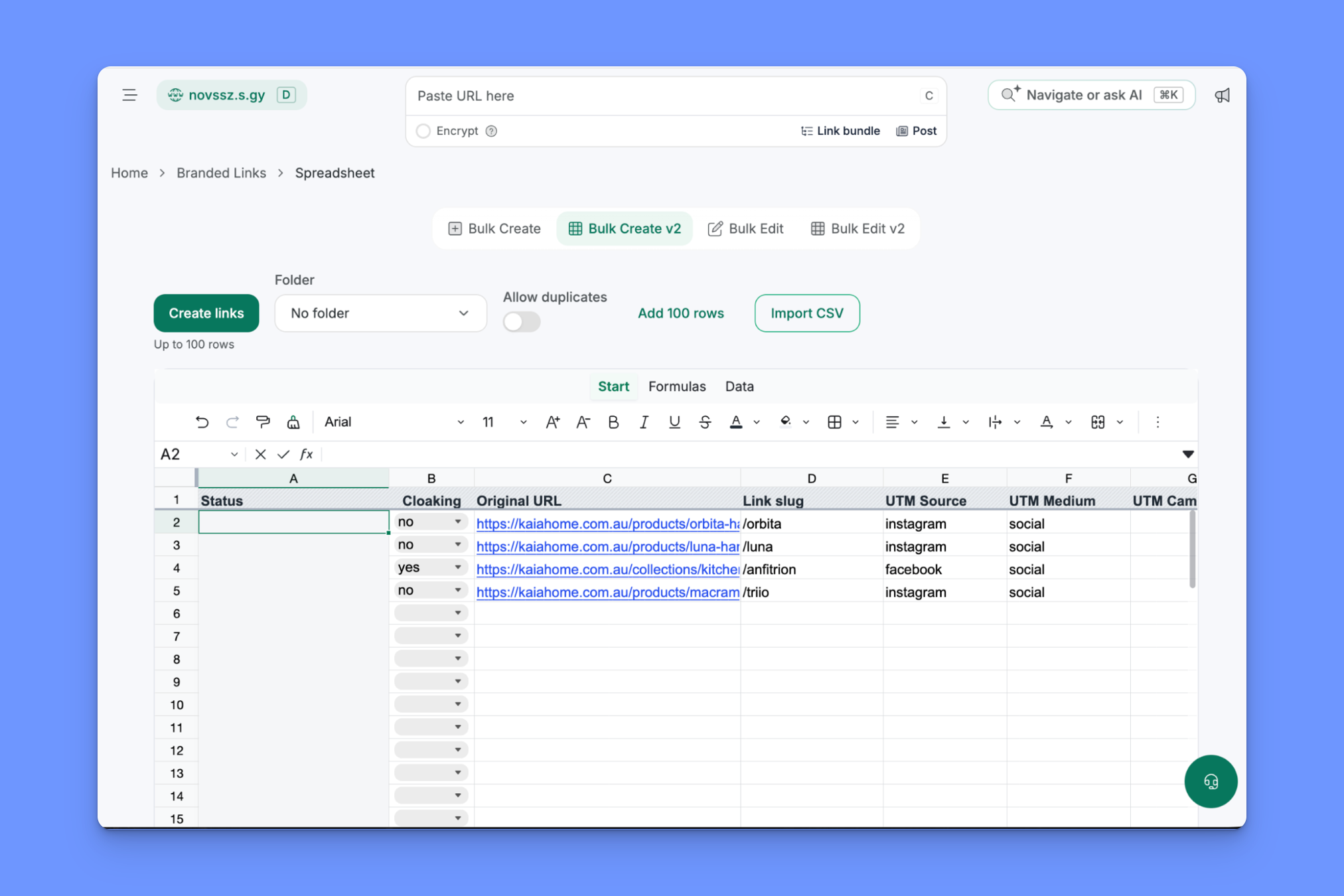
You can also import a CSV or access Short.io’s link shortening capabilities through a lightweight API.
What Short.io does solve for Bitly users looking to switch is the delete/edit problem.
Bitly gives you 20 edits (redirects) a month on the $29 plan and 110 on the $199 plan. Short.io gives you unlimited edits to a link’s destination, back half, and settings. You can also delete links, which Bitly doesn’t let you do in a lot of cases.
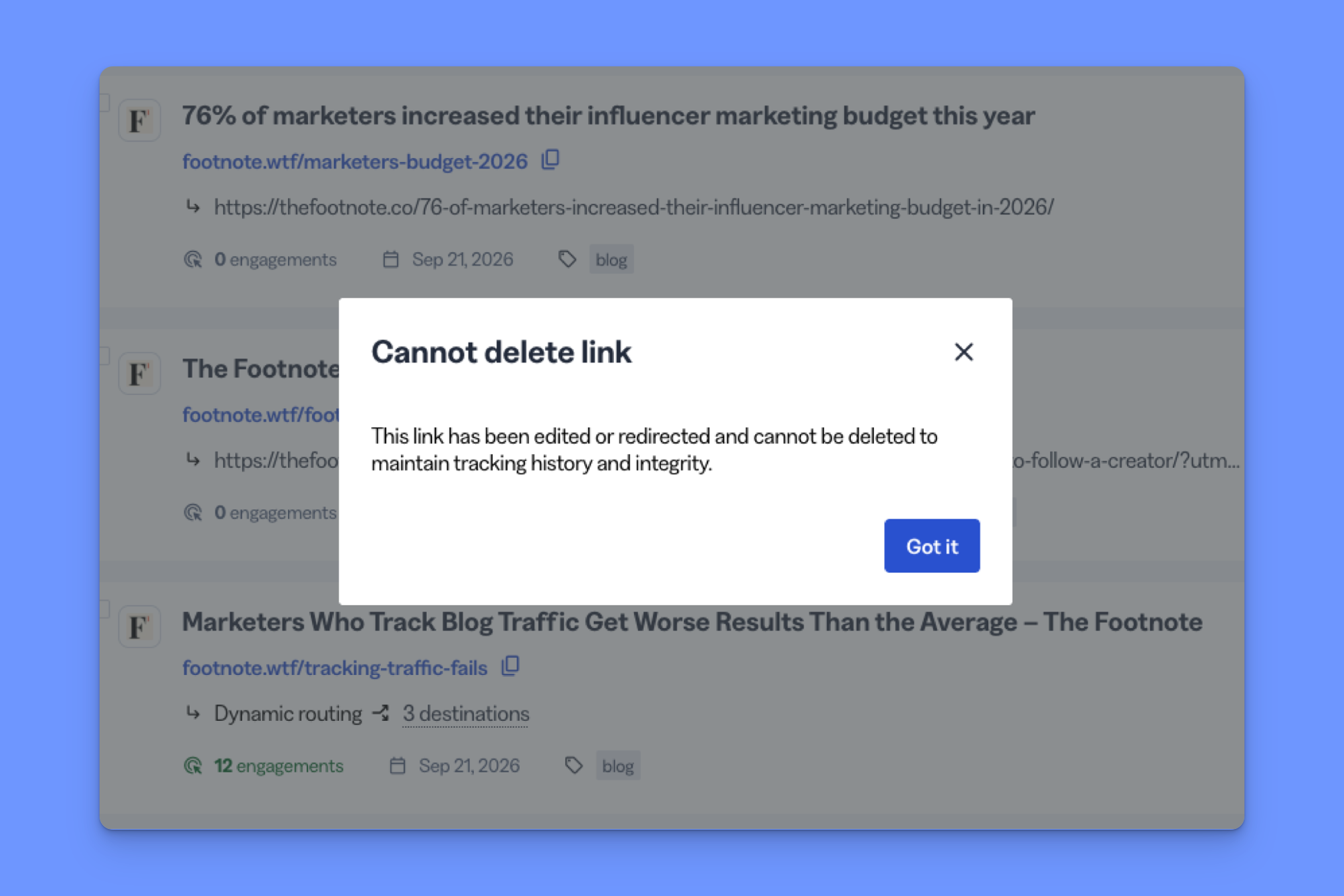
It also has far more generous link creation limits.
Bitly caps short links at 3,000 a month even on their $199 plan. Short.io gives you unlimited links starting from its $18 plan.
So, would I choose Short.io over Bitly?
- If Bitly’s cost at scale and edit/delete limitations were my big issues, and I needed strong bulk link editing tools, I’d consider it
- If I were at an enterprise company that needed dedicated support, SLAs, or SOC 2 and HIPAA compliance, I’d probably look elsewhere
Read the full Short.io review (2026): pricing, features and who it's for
Best Bitly alternative for link volume-based pricing: TinyURL
What separates TinyURL from Bitly: Plans that scale by link volume
TinyURL is a simple URL shortener, and it's not trying to do anything else.
It doesn't do dynamic routing, conversion tracking, or UTM rules for working with teams. What it does do is quite simply shorten a long URL in about a second, without requiring you to sign up for an account.
To be honest, I can’t really think of a serious, non-suspicious use case for needing to shorten links anonymously, but the point is the speed and simplicity.
I was set up with a free account and shortened URLs in just a few clicks, albeit in a strange interface (still on the website homepage) and with some pretty assertive upgrade prompts.
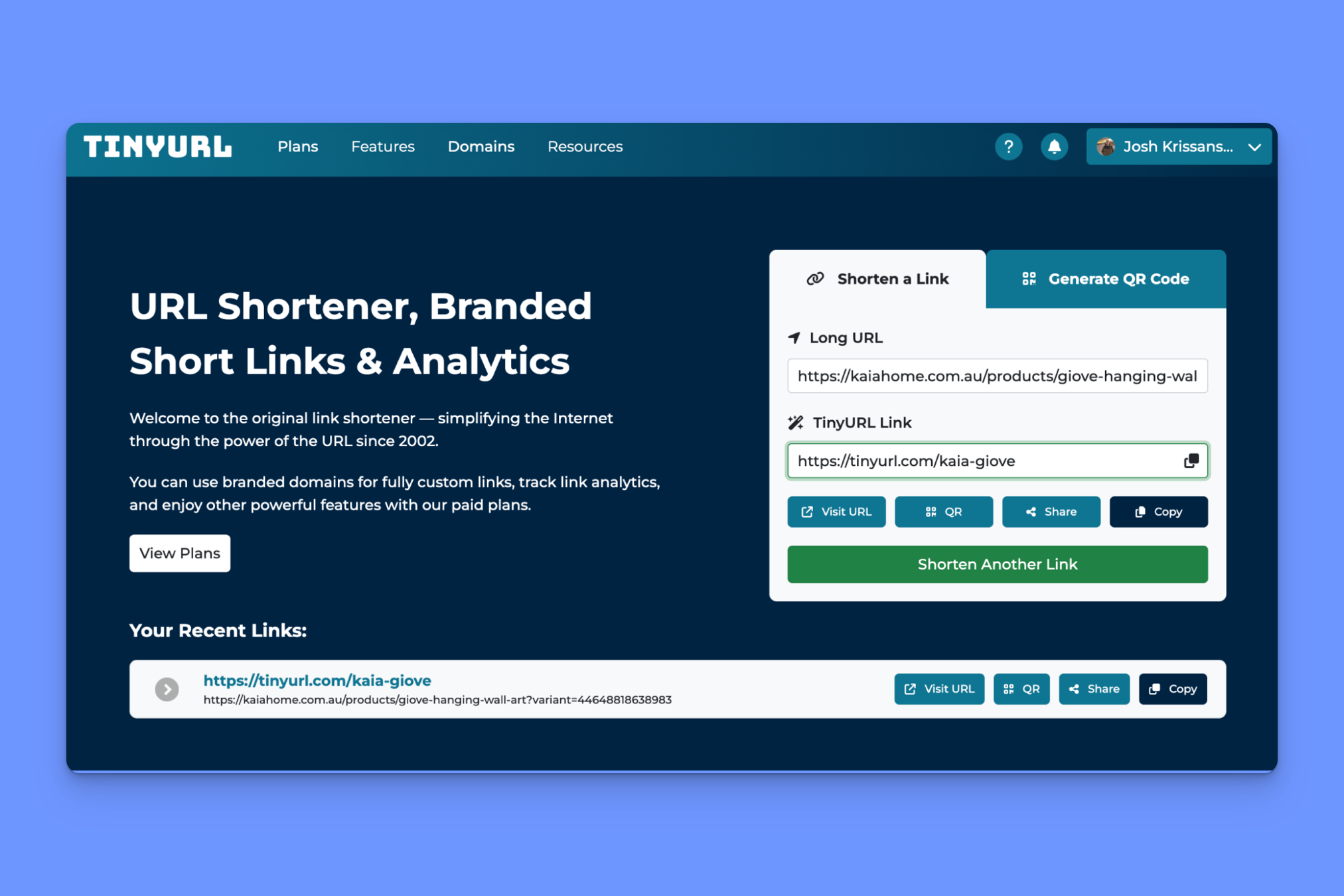
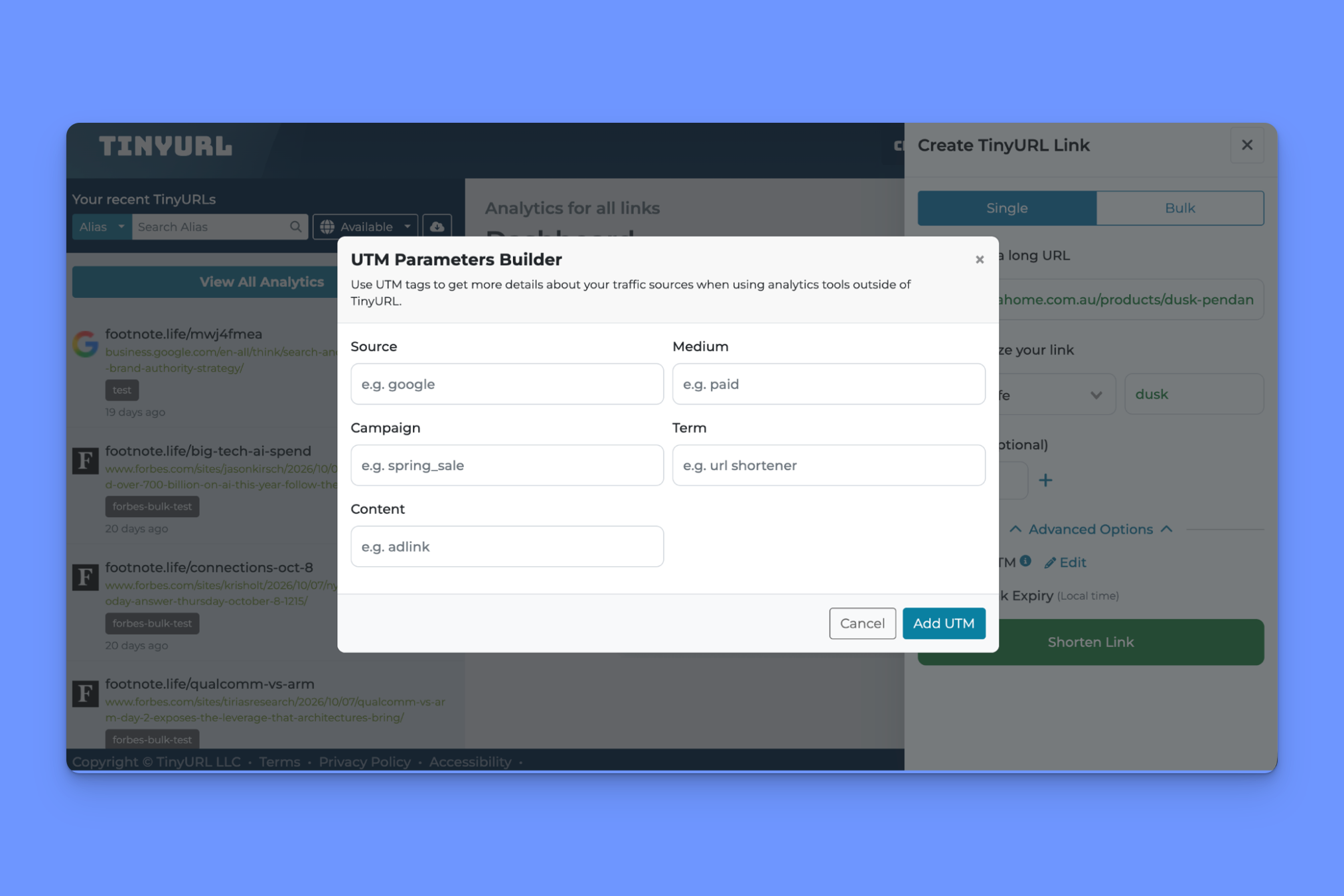
The paid version looks a lot more like what you’d expect (though the UI is admittedly basic), with a bulk link editor, branded domains for purchase inside TinyURL, and a UTM parameter builder.
The main thing that, for me, makes TinyURL appealing as an alternative to Bitly, however, is the volume-based pricing model.
With Bitly, you get 500 links a month on the Growth plan ($29 a month), and if you need more, you’re paying $199.
TinyURL lets you choose your plan and your monthly link limit, so you don’t have to pay for features you don’t need just to get more volume.
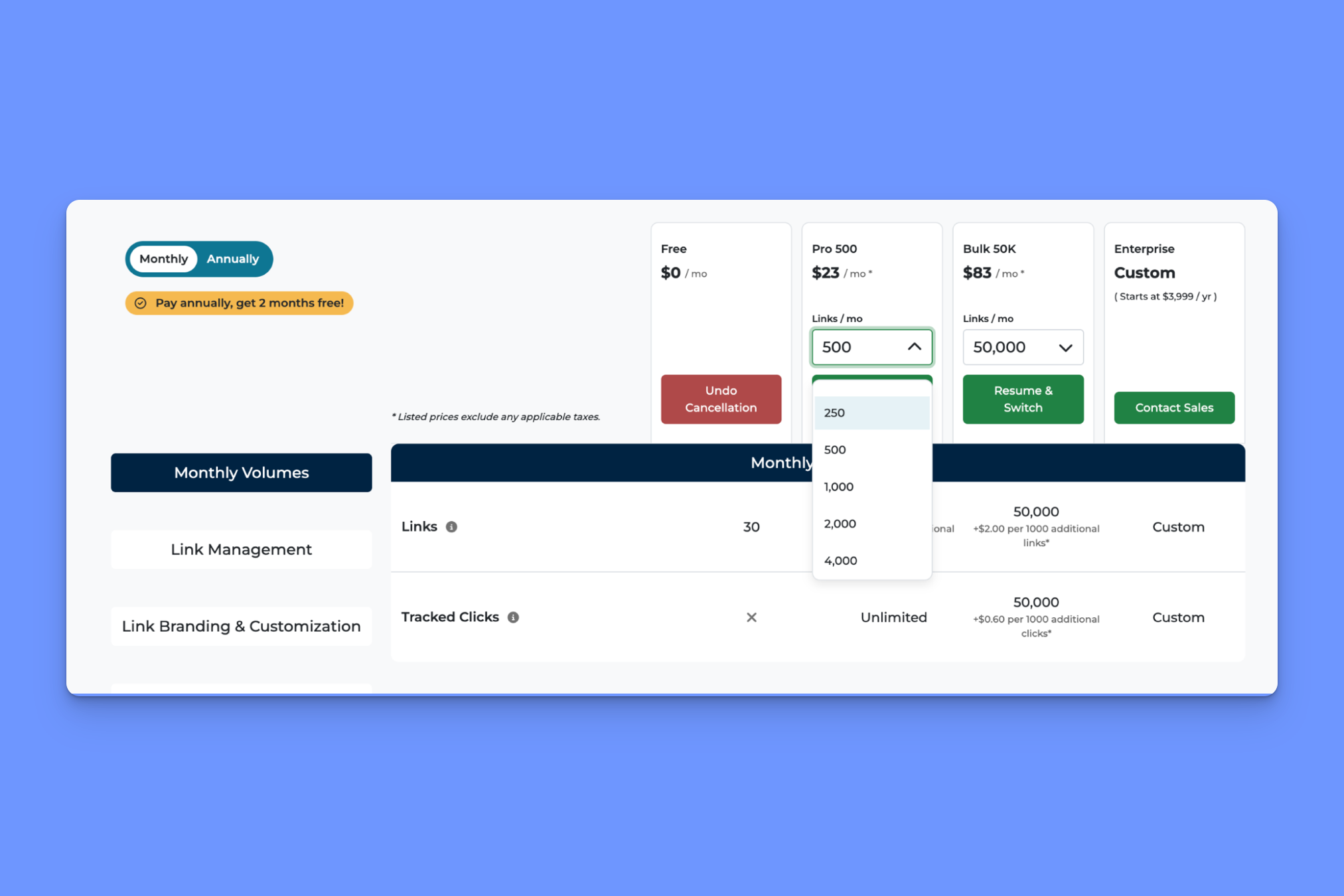
So, would I choose TinyURL over Bitly?
- If shortening links were my only use case, and I was ok with basic performance analytics, definitely. It's much more cost-effective
- As a marketer needing dynamic routing, conversion tracking, team controls, and deep linking capabilities, I’d look for a more well-rounded tool
Read our full TinyURL Review (2026): I tested every feature for a month
Best Bitly alternative for granular location data: Replug
What separates Replug from Bitly: GPS tracking for more detailed click data
Replug, on the surface, does what every other link management tool does: link shortening, QR codes, and link-in-bio pages.
It's also much more cost-friendly at scale compared to Bitly. The Scale plan ($39 a month, 40% discount when paid annually) gives you unlimited short links, bio links, and QR codes. Bitly caps you at 3,000 links and 200 QR codes even on the $199 a month plan.
But it's not a cheap, scaled-back Bitly alternative à la TinyURL; Replug has some genuinely useful features that Bitly doesn’t.
For example, you can add a pixel (Meta, Google, etc.) to any short link, link-in-bio, or QR code, so people who click get added to a retargeting audience even if they don’t land on your actual site.
Only one other tool on this list (Rebrandly) does this, and Bitly doesn’t include it even on the highest price plan.
Then there’s GPS tracking (available from the Scale plan upward), which you can toggle on per link. People who click your link are asked for permission to share their location, and if they agree, Replug can deliver much more precise location data, where most tools stop at the city-level.
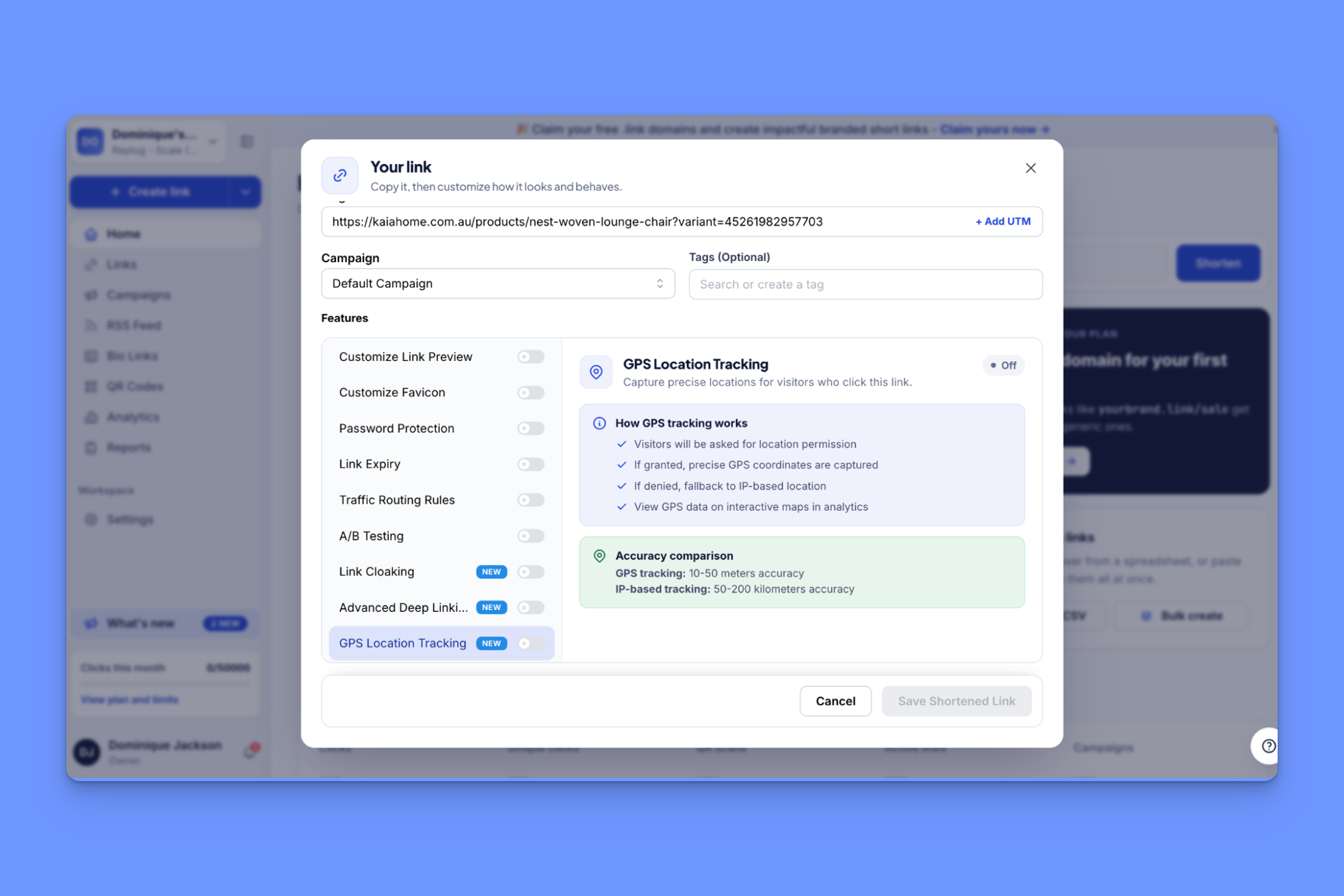
No other Bitly alternative offers that feature.
It doesn’t solve for all of the cracks that start to show when you really start to pressure-test Bitly, however. Replug, like Bitly, can only tell you if someone clicks a link, but not if that click leads to any kind of conversion activity later (e.g., a purchase).
So, would I choose Replug over Bitly?
- If I specifically needed the kind of granular location tracking that GPS gives you, or I wanted link retargeting but didn’t care about conversion data, yes
- If, like most marketers, I wanted to know what happens after someone clicks my links, or if I were concerned about HIPAA compliance (Replug doesn’t advertise it), then no
Which Bitly alternative should you pick?
For most marketing teams, Rebrandly is the one I’d start with. The right choice for you, though, ultimately depends on what you want out of a link tool. Here’s how I’d think about it:
- You want to know which links led to signups or sales: Rebrandly, since Bitly stops at the click and doesn’t connect it to anything that happens after.
- You create links in bulk and want to stay on a budget: Short.io.
- You need to route people by city, language, or time of day: Rebrandly, which Bitly doesn’t do at all and the others don’t match.
- You run an affiliate or partner program alongside your links: Dub, since it’s the only tool here that covers both.
- You work in healthcare, finance, or another regulated industry: Rebrandly, with SOC 2 Type II and HIPAA.
- You just need to shorten links and want to pay for the volume you use: TinyURL.
- You want retargeting pixels on your links, or location data more precise than city level: Replug.
If you're still deciding between more than these five, our roundup of the best URL shorteners compares them side by side.
How to switch from Bitly (without breaking your existing links)
If you’re currently using Bitly and looking to jump ship to one of the alternatives discussed above, you may or may not hit a wall, depending on what domains your links live on.
Here’s what you need to know:
- Links on bit.ly itself: These can never move. They resolve through Bitly’s domain, so they work only while you keep paying. Nothing you do in the new tool changes that. That includes QR codes, since they encode the full URL. Anything printed (packaging, signage) will need to be redone.
- Links on a domain you bought yourself. No issues here. If you own your branded domain, you can export your links as a CSV, import them into the new tool, and then point the domain's DNS to it, so old links keep working. QR codes on that domain survive the move too, since the URL they encode doesn’t need to change.
- Links on Bitly’s complimentary domain. Bitly says these domains can’t be transferred to you or to anyone else, which means if your domain came free with your Bitly plan, switching requires a new domain and new links. Once you remove the domain from your account, Bitly stops renewing it with the DNS host. Your links only continue to work until the registration expires.
Naturally, each alternative has its own way of bringing your links over. For example, Dub has a one-click Bitly importer, while Short.io is CSV only.
Rebrandly has a Bitly importer and a documented no-downtime process. You add your Bitly domain to Rebrandly, we verify it, you import your links, and then repoint your DNS. Links are live on the new domain the moment it resolves.
Before you switch anything, it's worth running through a short checklist:
- Export your links and any analytics you want to keep
- Check who owns each domain in use, and make a plan for any links that can’t come over
- Import your links into your new tool
- Check for missing or renamed rows (for instance, when Dominique tested Dub’s CSV import, it skipped a row that reused an existing back half without saying anything. Short.io also skipped a duplicate, but reported it in a results file emailed after the import)
- Repoint your domain’s DNS, and wait for the records to update before cancelling your Bitly subscription
- Test a handful of old links to make sure they still redirect
Is Bitly worth it?
Bitly does the basics well, and if that’s all you need from a link tool, there’s no reason to move.
The question is what you want to know about your links.
If a click count is enough, Bitly’s Growth plan will do. If you need to know which city someone clicked from or route them somewhere different based on it, you’re looking at $199 a month with Bitly (though you still won’t be able to connect that click to a signup or a sale).
Many of the alternatives on this list do that at a more affordable price tier, and each fits a different kind of user.
You can try Rebrandly for free and see how it handles the links you're sending today.