In the Bitly vs. TinyURL matchup, TinyURL is the faster and cheaper way to get a short link. Bitly does more, though, if you want added features like custom QR codes or link in bio pages.
And if you need to manage links across a team or see which ones lead to sign-ups and sales, there's a third option to consider before you commit to either one.
Key takeaways
- TinyURL is better for fast link shortening (even without an account).
- Bitly has a QR code designer and better link management options.
- Rebrandly is a link intelligence platform with everything you get from TinyURL and Bitly, plus conversion tracking, more dynamic routing options, workspace roles and enterprise controls like SSO.
What are Bitly and TinyURL?
Bitly and TinyURL are two of the longest-running link shorteners, which are tools that turn long URLs into short, shareable links. TinyURL launched in 2002, and Bitly followed in 2009.
Since then, the two have gone in different directions. TinyURL stayed close to its roots as a simple shortener, while Bitly kept adding features around it.
How I compared Bitly and TinyURL
I personally tested Bitly and TinyURL on their paid plans. I created links, set up branded domains, built QR codes, tested their analytics, and dug into all the key features.
This Bitly vs. TinyURL comparison sticks to the differences that matter when you're choosing between them. If you want every detail, I wrote a full Bitly review and TinyURL review.
How do Bitly and TinyURL compare?
Here's Bitly vs. TinyURL side by side, with Rebrandly added as a third column.
Prices are each tool's lowest paid plan, billed annually.
Which one is easier to use?
TinyURL takes fewer steps to get a short link, while Bitly gives you more settings for each one.
TinyURL lets anyone create a short link, even without an account. However, the downside is you don’t get to use a branded domain, which is a must-have in my opinion.
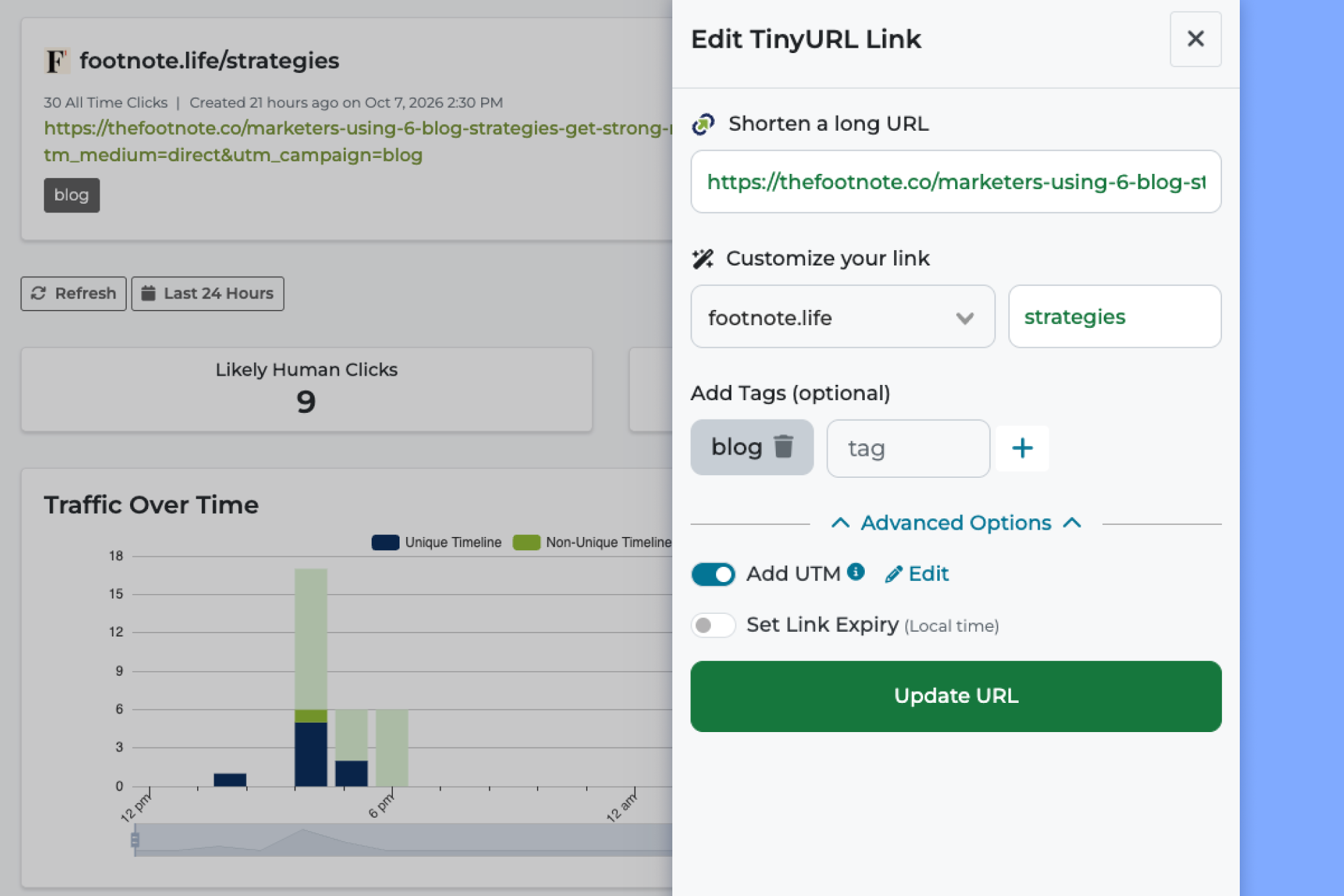
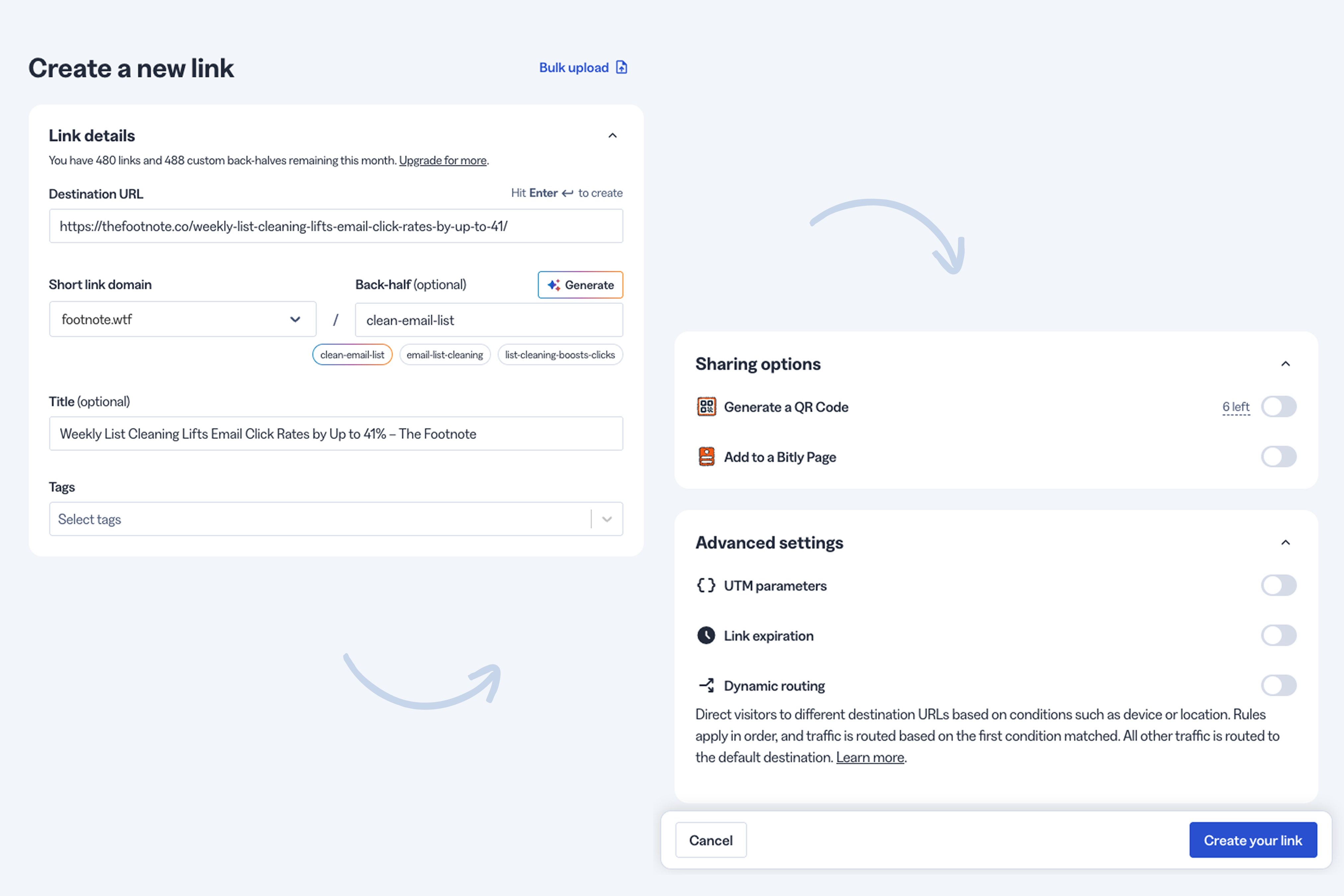
Bitly asks you to sign up first, but its link creator puts a lot in one place, like a custom back-half (the part after the slash), tags, UTM parameters, a QR code and routing rules.
Are Bitly and TinyURL free?
Bitly and TinyURL offer free plans, but they have drawbacks.
Bitly's free plan only gives you 5 links a month, and each link sends people to a preview page with an ad before they reach your destination. Plus, you’re limited to Bitly’s bit.ly domain instead of your own.
TinyURL's free plan is more generous at 30 links a month, but you can't edit or delete links, and there's no click tracking (although limits like that are pretty common for free URL shorteners). TinyURL also turns free links to some shopping sites into affiliate links (they earn commissions from) unless you switch the setting off.
For casual use, I think TinyURL's free plan is the better of the two. If you want links people will trust without paying yet, Rebrandly's free plan includes a branded domain.
Which one is better for branded links?
TinyURL gives you more branded domains than Bitly for less money. A branded domain (also called a custom domain) replaces "tinyurl.com" or "bit.ly" with a short domain you own, so your links show your name instead of theirs.
With TinyURL, paid plans start at $9 a month and include 3 branded domains. You can buy a domain inside TinyURL, and it handles the DNS and SSL for you, so mine worked the same day.
Bitly, by comparison, starts branded links at $29 a month, with 1 complimentary custom domain.
Which one gives you more control over your links?
Bitly gives you more control than TinyURL, but Rebrandly gives you the most control of the three, especially once routing and UTM consistency come into play.
Editing and organizing links
Bitly has tags, custom dashboards, Campaigns and a change log that records every edit. TinyURL keeps every link in one long list that you can only search by alias (TinyURL's name for the back-half) or tag.
One thing I liked better about TinyURL is that you can delete or archive any link. In Bitly, you can’t fully delete links once you’ve edited them.
Routing and deep linking
Dynamic routing sends people who click the same link to different destinations based on rules you set, like their country or device. Bitly lets you route links by location or device, and it also offers deep linking (opening a link inside a mobile app instead of a browser).
TinyURL doesn't offer dynamic routing or deep links.
Rebrandly takes it further than both. You can route links by country, region, city, date, day of the week, time, device, language and platform, and deep links handle the app side.
UTM tracking
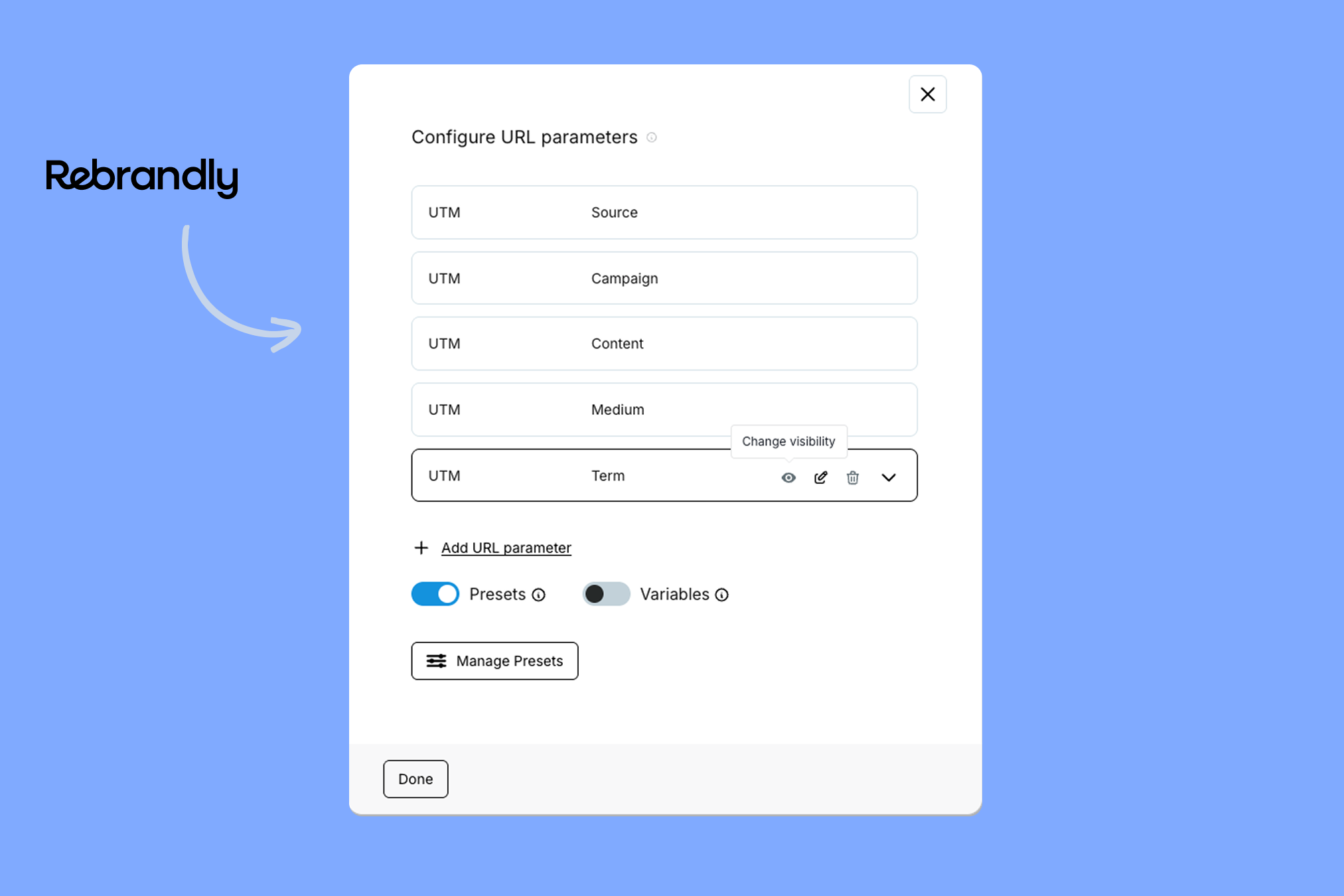
Both tools have a UTM builder for adding campaign tags to your links. Bitly also lets you save UTM Presets, while TinyURL's builder is basic, with no saved presets at all.
Presets are important if you have multiple people creating short links, because inconsistent tags makes your analytics messy. That’s how you end up with three different variations of the same UTM source parameter.
Rebrandly handles UTM tracking at the workspace level, where you can save presets, lock parameters to approved values and set defaults.
What about QR codes?
You can create QR codes in Bitly and TinyURL, but the experiences are different. Bitly gives you a full QR code designer that lets you customize the color, style, and shape of every code.
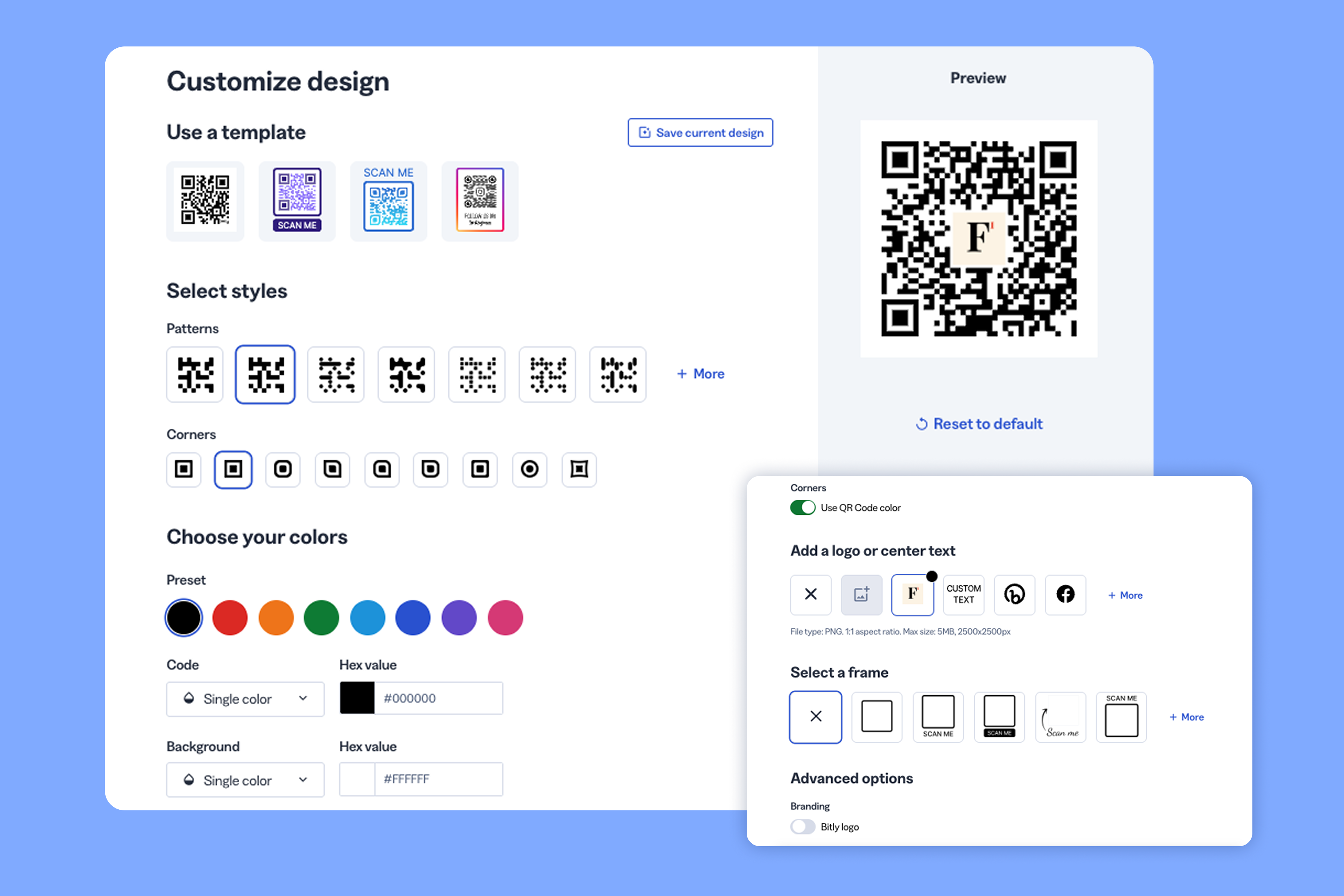
However, unlike most URL shorteners, Bitly doesn’t give you a QR code for every short link you create. For instance, their cheapest paid plan comes with 100 links per month but only 5 QR codes.
You can create a lot more QR codes with TinyURL, but you don’t get any of the customization options you have with Bitly. If QR codes are important to you, then you have to weigh design vs volume when you’re choosing between Bitly and TinyURL.
Rebrandly gives you the best of both worlds. Not only do you get a QR code for every short link, but you can customize each code with your brand colors, logo, and other design options.
Which one has better analytics?
For counting clicks, Bitly and TinyURL are closer than you might expect.
Both tools track clicks in near real time. TinyURL breaks location down to the region (and state in the US) and separates likely bot clicks from human ones, while Bitly can break location down to the city and show device data.
Bitly's dashboards are easier to work with, since you can build custom views and filter by tag. However, the depth of data you get depends a lot on your plan.
On the conversion side, Bitly’s Shopify integration shows orders, revenue and conversion rate for links and QR codes you create through the Shopify app.
That's useful if you sell on Shopify, but it only covers that one store.
Rebrandly's Conversion Tracking connects your branded links to sign-ups, purchases and downloads on your own website or app, so you can see which campaigns bring in revenue no matter where you sell.
TinyURL doesn't offer conversion data at all.
Which one works better with your other tools?
Bitly integrates with far more tools than TinyURL. It connects with apps like HubSpot, Salesforce and Canva, and it has an API.
TinyURL has an API that connects to automation tools like Pipedream, but it doesn't have a library of ready-made integrations.
Rebrandly comes at this from the developer and automation side. It has 50+ integrations, plus a REST API, webhooks, a Python SDK and an MCP server for AI tools, all covered in its developer resources.
Is Bitly or TinyURL better for teams?
TinyURL isn't really built for teams, while Bitly lets you add team members, and Rebrandly goes furthest, with separate workspaces and more detailed roles.
TinyURL's standard plans come with one login per account. Everyone shares the same email and password, which means you can’t track who changed a link, and you can't give someone view-only access to your analytics.
Bitly lets you invite team members and give them user, group admin or account admin roles, so each person can have their own login. However, those additional seats are add-ons. There’s also an audit trail so you can see who changed what for all your links.
With Rebrandly, workspace roles control what each person can see and do, so someone who only needs reports can have view-only access. Generation, which has a global hub and in-country teams, uses Rebrandly to run 18 separate workspaces while keeping everyone on the same practices.
Is Bitly better for enterprise companies?
Team features are a big part of why Bitly has the enterprise reputation, and some of it is earned. It's one of the most recognized names in link shortening, and its CRM integrations and SSO are strengths for large teams.
But if you're considering Bitly because you've heard it's better for enterprise companies, Rebrandly is a better option. Here's what Rebrandly's enterprise plan includes:
- Security and compliance: SOC 2, Type II, plus HIPAA, GDPR and CCPA compliance.
- Access control: SAML 2.0 single sign-on (SSO) and SCIM provisioning with Okta, Microsoft Entra ID, Google Workspace and OneLogin.
- Permissions: Detailed user roles across links, domains and workspaces, including view-only access, notes and shared reports.
- Reliability and scale: A 99.99% uptime track record and an API that scales to 100K requests per second.
- Support: A dedicated account manager from day one, quarterly business reviews and priority support.
- Migration: A structured plan for moving your existing links over, plus onboarding and training for your team.
- Domains: Multiple custom domains with automatic SSL and 500+ domain endings to choose from.
Are Bitly and TinyURL safe to use?
Bitly and TinyURL are both legitimate, long-running companies, so the links you create with them are safe to use, and the bigger risk is the shared domain, since scammers use bit.ly and tinyurl.com links too.
That's why some people and spam filters are wary of generic short links. In my testing, TinyURL didn't block a known phishing test page, and its optional preview page (which shows where a link goes) displays third-party ads, even on paid accounts.
If compliance and security matter to your team, Rebrandly is SOC 2, Type II certified and HIPAA compliant, and it runs annual penetration tests. You can review its certifications in the Rebrandly Trust Center.
Rebrandly also uses AI to detect spam and phishing in real time, and a dedicated Trust & Safety team monitors links 24/7 to take down harmful ones.
Whichever tool you use, I always recommend putting your links on a branded domain, so people can see the link comes from you.
Which is better for text message (SMS) links?
Twilio, one of the biggest SMS platforms, tells its customers not to send links shortened with shared public URL shorteners, such as free TinyURL or Bitly links, because US carriers are more likely to filter them. It recommends a short domain your business owns instead.
Rebrandly is built for SMS, with branded SMS links, integrations with SMS platforms like Twilio, Bird and Vonage, and Conversion Tracking to see which texts lead to sales.
Wonder Cave, a text messaging company, used Rebrandly's API to create a unique branded link for every recipient and saw a 60% increase in click-through rate.
How much do Bitly and TinyURL cost?
With the features covered, here's what each one costs:
For a full breakdown of each plan, see our guides to Bitly pricing and TinyURL pricing.
Should you use Bitly or TinyURL?
Here's how I'd decide the Bitly vs. TinyURL question, plus when to choose Rebrandly instead.
Choose TinyURL if:
- You mainly need short or branded links on a budget
- You're the only person creating links
Choose Bitly over TinyURL if:
- You want well-designed QR codes or link in bio pages
- You want more control over how you manage your links
Choose Rebrandly if:
- You want to see which links lead to sign-ups and sales on your own site or app
- You need routing by location, device, language or time
- Your team needs its own logins, roles and consistent UTMs
- You need enterprise controls like SSO, SCIM and a dedicated account manager
You can start with Rebrandly for free and try it with your own links.
Frequently asked questions
Can you switch from Bitly or TinyURL without breaking your links?
It depends on the domain. Links on bit.ly or tinyurl.com stay with those companies, but links on a domain you own can keep working if you import them into a new tool and point your domain's DNS there.
One catch with Bitly is that, according to its help center, its complimentary custom domains can't be transferred to another provider. Rebrandly supports bulk link imports from a CSV, and its enterprise team builds a migration plan so existing links keep working.
Do Bitly and TinyURL links expire?
For the most part, no. TinyURL says its links never expire, except on its Bulk plan, where links expire after 90 days by default.
Bitly's help center says its links and QR codes don't expire unless you set them to or delete them. Just keep in mind that links on Bitly's complimentary domain stop working if you cancel or downgrade.
Do Bitly or TinyURL offer a free trial?
Neither one offers a free trial of its paid plans, so you'd have to pay to test the features I covered here. Rebrandly has a free trial if you want to try routing, Conversion Tracking and team features first.
Which is better for social media links, Bitly or TinyURL?
Bitly is the better fit for social media, mainly because of its link in bio pages and QR code designer. Whichever one you use, put your links on a branded domain, since some social platforms treat generic shortener links with suspicion.
What are the best alternatives to Bitly and TinyURL?
Rebrandly, Dub and Short.io are the alternatives I'd look at first, depending on whether you need team features, affiliate tools or a low-cost plan. We compared them in our guides to Bitly alternatives and TinyURL alternatives, and in our roundup of the best URL shorteners.