


Dub.co is a fast-growing link tool you’ve probably seen promoted by influencers on YouTube and across social media. But if you’re searching for a Dub.co alternative, it’s probably because you care more about what the product can actually do than who’s promoting it.
And on that front, Dub is a great fit for some teams and an expensive detour for others. If you run an affiliate or partner program, it’s hard to beat. But if you mainly want a tool to create, brand, and track links, other options might work better.
Whether you’re comparing Dub before you sign up or you’re already using it, this guide covers four alternatives (Rebrandly, Bitly, Short.io, and TinyURL), who each one fits best, and how to move your links if you decide to switch.
Key takeaways
- Choose Rebrandly if you’re a business that needs link management, analytics, conversion tracking, QR codes, and more all in one place
- Choose Bitly if you’re a small business or solo marketer who needs an easy way to create links.
- Choose Short.io if you’re a technical founder or need a link shortener for a side project.
- Choose TinyURL if you want to create links for free and don’t need analytics.
- Stick with Dub if your main use-case is creating links for an affiliate or partner program.
What Dub does well (and where it stops)
Dub has two main products: Dub Links for short links, branded domains, QR codes, and analytics, and Dub Partners for running affiliate and partner programs.
I wrote an entire review of Dub focused on the link features. And I liked a lot of what I saw. It does all the basics you’d expect from a link shortening tool (branded domain, some routing options, QR codes, and adding UTMs). The UI is also pretty modern and clean, including their analytics dashboard.
It’s also developer friendly since it’s open source, which gives you a lot more flexibility than some other tools.
But it’s not all sunshine and rainbows (otherwise you wouldn’t be looking for an alternative). Some of the downsides of Dub.co:
- Attribution costs more. Conversion tracking and A/B testing start on Business ($90/month), three times the price of Pro.
- Routing is basic. You can send people to different pages by country and device, and that's it.
- UTMs have no guardrails. You can save UTM templates, but you can't add your own parameters or make anyone use a template.
- Organizing has caps. Pro limits you to 3 folders and 25 tags.
- A few rough edges. When you rename a link's back half (the part after the slash), the old link stops working, and a new branded domain shows a Dub landing page until you change two separate settings.
- No link-in-bio page. You can’t make a hosted page to send people to all your different links.
- Compliance is partial. Dub is SOC 2 Type II compliant, but I couldn't find any mention of HIPAA.
Whatever your reasoning for wanting to explore other options, let’s take a look at the alternatives I’d suggest.
Dub.co alternatives at a glance
Here's the quick version, with Dub in the first row so you have a baseline. Prices are for the lowest paid plan, assuming annual billing.
| Tool | Best for | Free plan | Paid plans start at | Custom domains | Standout features |
|---|---|---|---|---|---|
| Dub | Affiliate and partner programs | 25 links a month | $27/mo | Every plan (up to 3 on Free) | Partner payouts, a filterable analytics dashboard, open source |
| Rebrandly | Businesses and marketing teams | 10 links a month | $11/mo | Every plan | Conversion Tracking, dynamic routing, link in bio page, team workspaces and roles, deep linking, SOC 2 and HIPAA compliant |
| Bitly | Solo marketers and creators | 5 links a month | $10/mo | Growth and up (one included) | Links, QR codes, and link-in-bio pages in one dashboard, lots of integrations |
| Short.io | Side projects | 1,000 links total | $4/mo | Every plan (up to 5 on Free) | Accurate referrer data, bot filtering, low prices for one person |
| TinyURL | Quick, one-off links | 30 links a month | $9/mo | Pro and up | No account needed, branded domain setup handled for you |
On paper, a few of those rows look alike. The differences get clearer once you look at who each tool is built for, starting with the best overall pick.
Best Dub alternative overall for businesses: Rebrandly
Pros
- Conversion Tracking that shows which links led to sign-ups, purchases, and revenue
- Branded links and dynamic QR codes on every plan
- Routing by country, region, city, device, language, platform, date, and time
- Workspace-level UTM rules that keep everyone's tags consistent
- Workspaces with separate users and roles
- SOC 2 Type II and HIPAA on every plan
Cons
- The free plan is small (10 links a month and watermarked QR codes)
- You get 10, 50, or 150 destination edits a month, depending on the plan (unless you're on Enterprise)
- SSO is only on Enterprise

Rebrandly is the best Dub alternative for businesses that need branded links, analytics they can act on, and control over who does what, without paying for partner tools they won't use. If conversion tracking is what drew you to Dub, that's where the difference starts.
Conversion Tracking is a Rebrandly feature that connects each branded link to the sign-ups and purchases that came from it. So instead of "this link got 400 clicks," you see how many of those people signed up or bought something, with an attribution window of up to 90 days.
Routing is the next big difference. Where Dub stops at country and device, Rebrandly's dynamic linking can also send people to different pages by city, language, platform, date, or time, so one link can switch to a "sale's over" page the minute a promo ends.
UTMs get the same kind of attention. Rebrandly handles UTM parameters at the workspace level, so you can save presets, set defaults, lock a parameter to a list of approved values, and hide the ones you don't want people touching.
That level of governance matters more as your team grows, and Rebrandly's workspaces give each person their own roles and permissions. Generation, for example, runs 18 workspaces and more than 10,000 links across its country teams while keeping the same practices everywhere.
Rebrandly is also the safest pick here for regulated industries. SOC 2 Type II comes with every plan, and it's HIPAA compliant which is where Dub left me with a question mark.
Pricing: Free; Essentials $11/mo; Professional $32/mo; Growth $149/mo; Enterprise is custom. Rebrandly also has a free trial.
Best Dub alternative for solo marketers and creators: Bitly
Pros
- Links, QR codes, and a link-in-bio page in one place
- A well-designed QR code builder
- A well-known brand that connects to lots of other tools
Cons
- A very limited free plan with a preview page on every link
- Tight monthly caps on QR codes and destination edits, even on Growth
- No conversion tracking, and city data needs Premium
- Multiple users require Enterprise
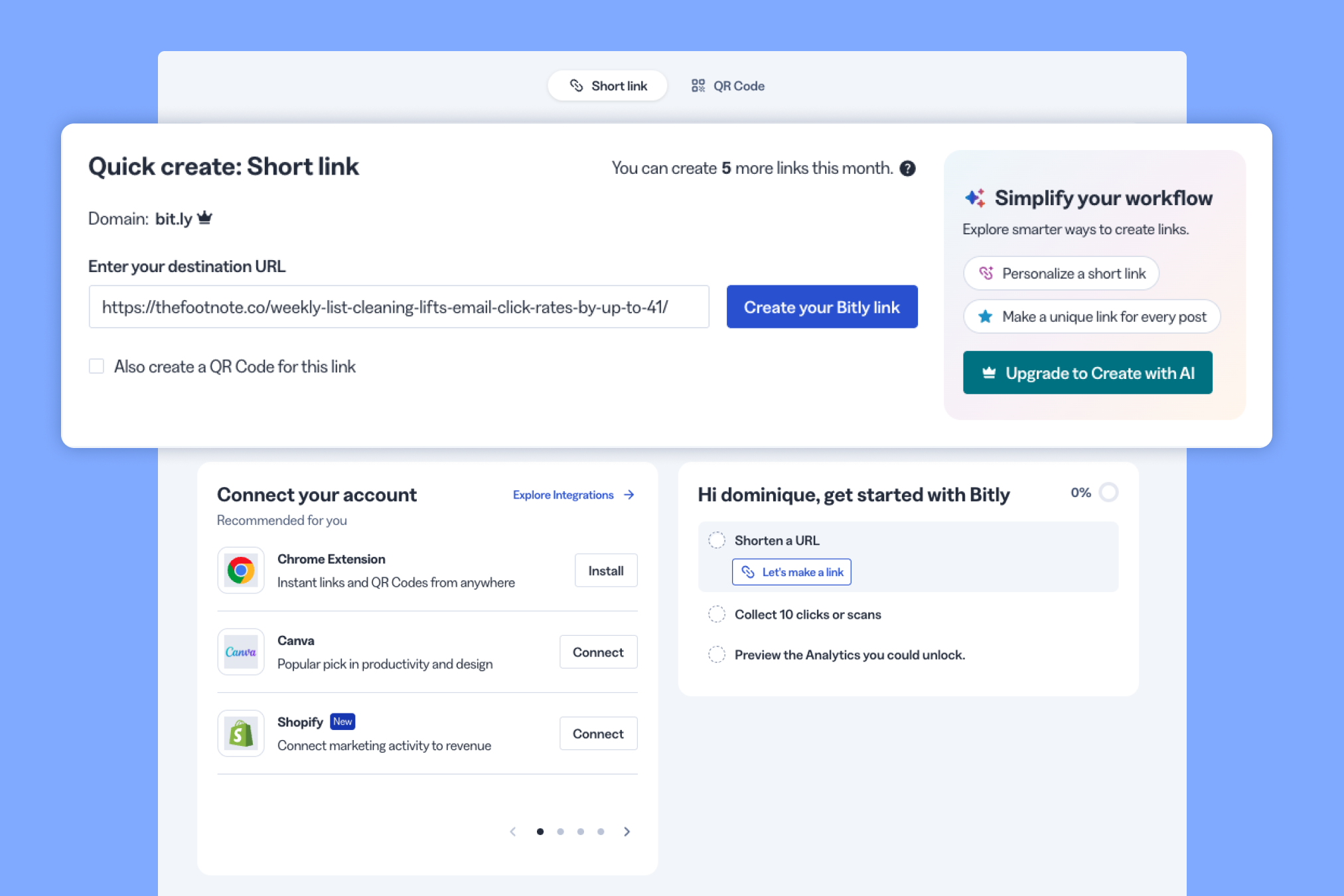
Bitly fills the gap Dub leaves for solo creators. Dub doesn't have a link-in-bio page, while Bitly Pages sits right next to your short links and QR codes, so one person can handle all three without switching tools.
That also answers a question a lot of people ask about these two, which is whether Dub is a good Bitly alternative. As a link manager, Dub's Pro plan is roughly comparable to Bitly, so for most solo marketers it comes down to whether you'd rather have Dub's dashboard or Bitly's.
Once you lean on Bitly harder, the cracks start to show. The free plan covers 5 links and 2 QR codes a month, and every free link opens on a Bitly preview page before it redirects.
Growth, the plan most businesses will likely use, has its own drawbacks:
- Branded domain: One complimentary domain. If you downgrade, Bitly won't renew it, and links on that domain stop working once it expires.
- QR codes: 10 a month, against 500 links.
- Edits: 20 destination edits a month, and you can't delete a link once you've edited it (only hide it).
- Analytics: Country-level clicks with about four months of history. City and device data need Premium, and there's no conversion tracking.
So if it's just you and a steady trickle of links, Bitly does the job. But once a second person needs access or you're creating QR codes every month, you'll run into those caps fast (my Bitly review goes into more detail).
Pricing: Free; Core $10/mo (billed annually only); Growth $29/mo; Premium $199/mo; Enterprise is custom. There's no free trial. The Bitly pricing breakdown goes plan by plan.
Best free Dub alternative for side projects: Short.io
Pros
- The most generous free plan of the tools here
- Low prices for a single user
- Accurate referrer data and good bot filtering
Cons
- One user until you move up to Team
- A cluttered interface where it's easy to lose unsaved work
- Most useful analytics filters require Team
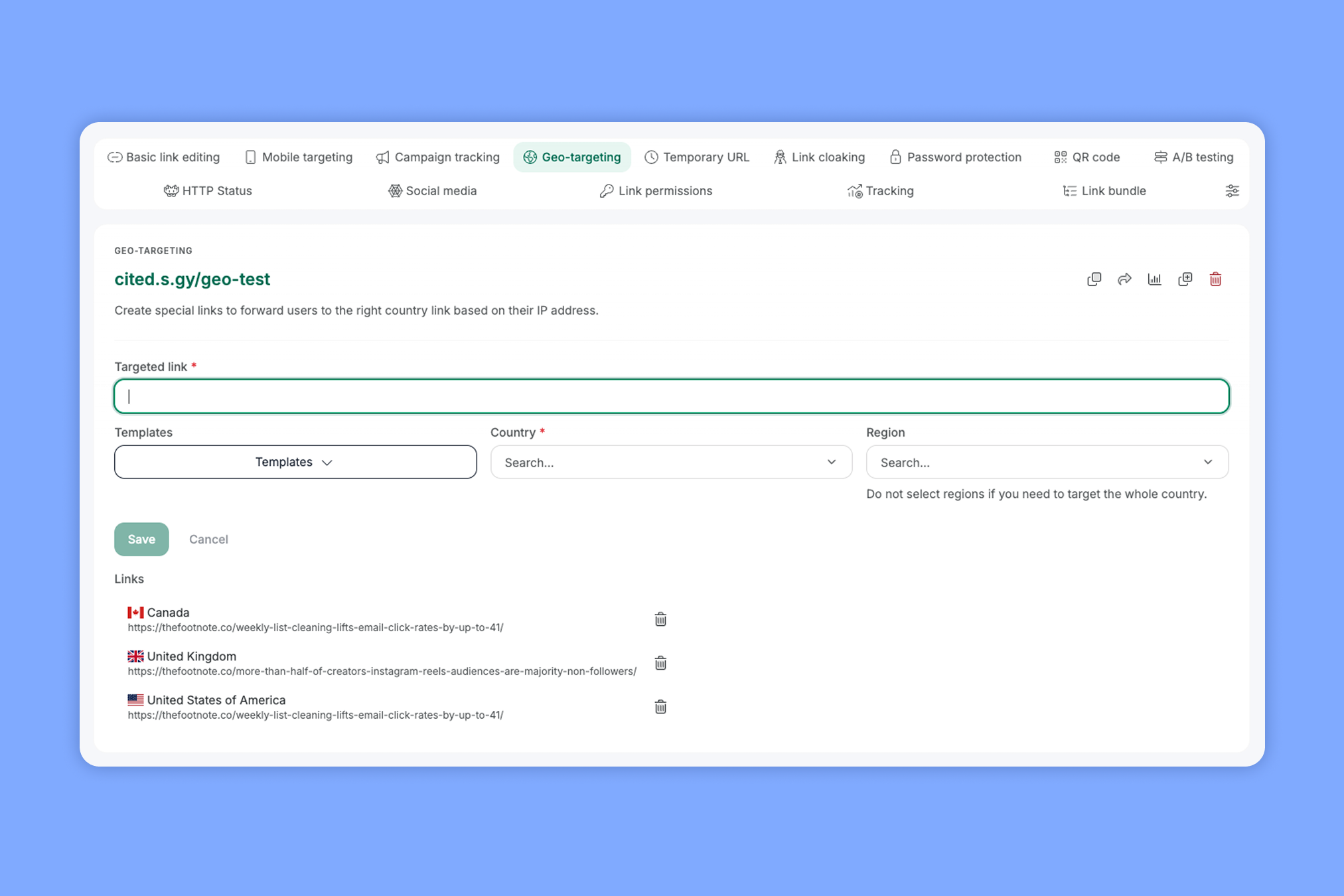
Dub's free plan is decent, but Short.io's is better. You get 1,000 links total and up to 5 custom domains for free.
Short.io's analytics also held up better than Dub's in one of my tests. Referrer data tells you which site or app sent each click (LinkedIn, a newsletter, a text message), which is how you figure out which channels are actually working.
To check it, I shared the same test link on LinkedIn, X, and Threads and clicked it once from Short.io and Dub. Short.io labeled all three correctly, while Dub only got LinkedIn right, counting my X click as "direct" traffic (meaning it couldn't tell where the click came from) and turning my one Threads click into three.
Short.io also filters out bots, like the link preview bots that visit a link as soon as you post it. On that same test link, it counted 6 of 36 clicks as human and listed the other 30 by bot name, so your numbers stay closer to real people.
Using it every day takes some patience, though. Settings are spread across a lot of tabs, I lost unsaved work more than once, and you need the Team plan to filter your stats by country or campaign.
That's also where the "one person" part comes in. Pro is a single user, so once a teammate needs access, you're paying Team prices for a tool that still feels built for one (more in my Short.io review).
Pricing: Free; Hobby $4/mo; Pro $15/mo; Team $40/mo; Enterprise $123/mo. Paid plans include a 7-day free trial.
Best Dub alternative for a quick link with no account: TinyURL
Pros
- No account needed for quick short links
- Easy to set up a branded domain
- Plans scale by link volume, so you pay for what you create
Cons
- No analytics or link editing on the free plan
- One shared login and no team controls
- No routing, conversion tracking, or customizable QR codes
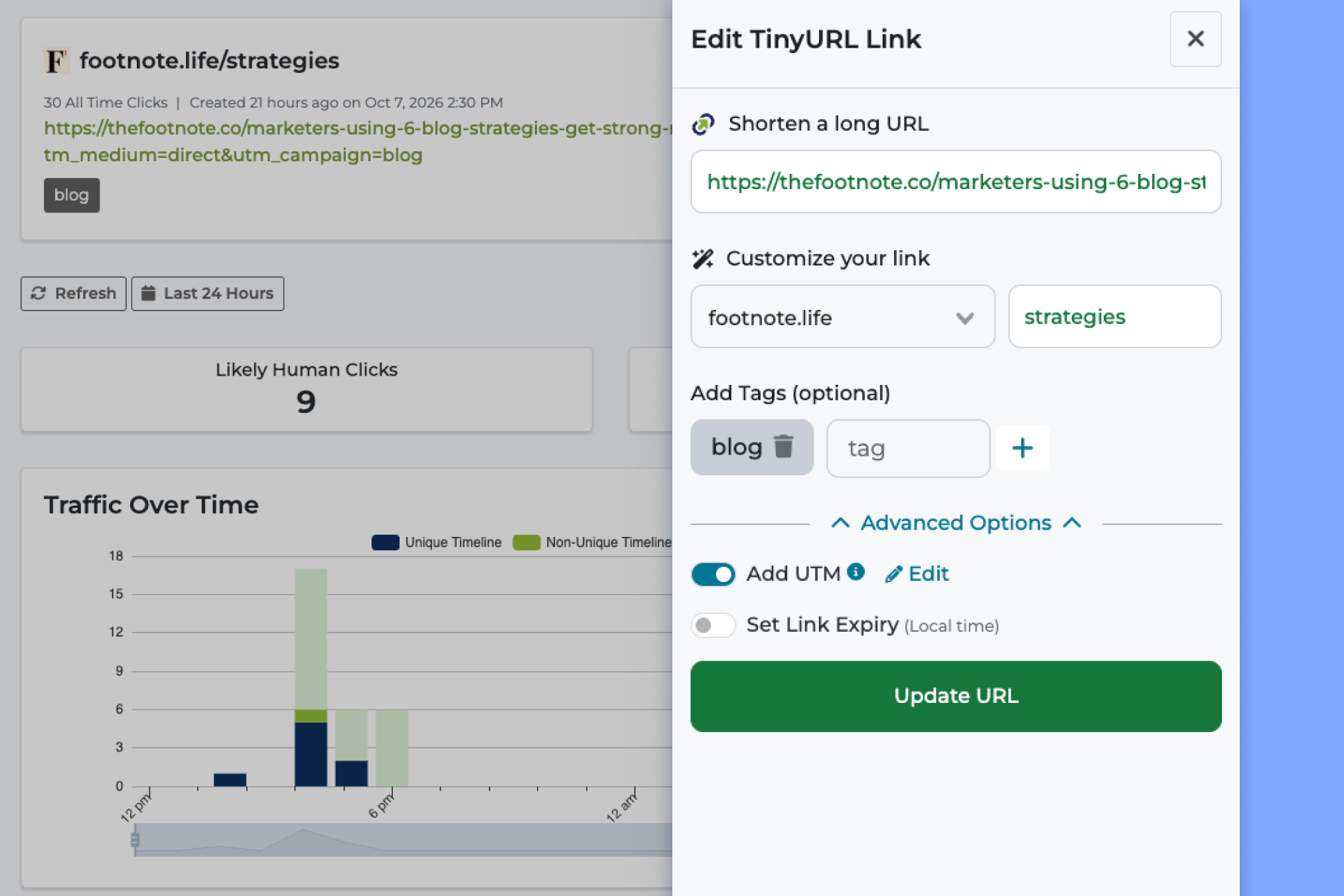
If all you need is a working short link right now, you can use TinyURL without signing up for anything. You paste a URL, get a short link back in about a second, and move on.
That speed comes with some trade-offs on the free plan. You don't get analytics, and once you make a free link, you can't change where it goes or delete it (pretty common for free URL shorteners, to be fair).
There's one more free-plan detail worth knowing, especially if affiliate links are part of why you looked at Dub. TinyURL has partnered with Sovrn Commerce to automatically turn free and guest links to shopping sites into affiliate links, so when someone buys through one of those links, TinyURL can earn a commission.
That's pretty much the opposite of what Dub is built for. Dub helps you run your own affiliate program, while TinyURL's free plan can make money from the product links you share.
TinyURL says those links still reach the right page. But if the person clicking has an ad blocker, they can end up on the store's homepage, an ad, or a 404 page instead.
You can turn affiliate tagging off in your account settings, but you'd have to know the setting exists (it's not something TinyURL points out). And since guest links, the ones you make without signing in, aren't tied to an account, there's no setting to change for those.
So if you share product or partner links on TinyURL's free plan, it's worth checking that setting before you start sharing your links.
Even with a paid account, don’t expect the bells and whistles of some of the other tools on the list. TinyURL is a barebones link shortener built for people who just want to be able to shorten links and track how many clicks you're getting.
It's built for personal use more than marketing teams:
- Teams: One shared login for everyone.
- Analytics: Clicks by region, with no city data and no conversion tracking.
- Missing features: No routing, deep links, UTM presets, or folders.
- QR codes: You can't customize them.
If you don’t need any of that, the lower price tag makes it a solid alternative to Dub.co as a link shortener. You can check out my full TinyURL review to see the rest of my thoughts on the tool.
Pricing: Free; Pro plans start at $9/mo for 125 links and scale up to 4K; Bulk plans start at $69/mo; Enterprise starts at $3,999 a year. No free trial available.
Which Dub alternative should you pick?
For most businesses that mainly need Dub for links, Rebrandly is the one I'd start with. The right pick still comes down to what you need your links to do, so here's how I'd match them up:
- You run (or plan to run) an affiliate or partner program: stay with Dub, since that's what the product is built around.
- You want to know which links led to sign-ups or sales, but don’t need the partner tools: Rebrandly.
- More than one person creates links, or you need consistent UTMs: Rebrandly, for separate users, roles, and workspace-level UTM rules.
- You work in healthcare, finance, or another regulated industry: Rebrandly, with SOC 2 Type II and HIPAA on every plan.
- You're a solo creator who wants a link-in-bio page: Bitly.
- You want the most you can get for free: Short.io.
- You need one link, right now, with no account: TinyURL.
If you're still deciding between more than these four, our roundup of the best URL shorteners compares them side by side.
Thinking about moving your links off Dub?
If you're already using Dub, the good news is that moving is mostly painless when you own your domain. Links on Dub's own domains are a different story, so it's worth checking which kind you have before you start.
Here's what to keep in mind:
- Links on your own domain can come with you. Export your links from Dub, import them into the new tool, then point your domain's DNS records to it, and the links people already have keep working.
- dub.sh links stay with Dub. You can't take Dub's shared domain with you, so any dub.sh links you've shared will keep running through Dub.
- Check the free .link domain. If your domain came free with Dub Pro, check whether you can take it with you before you cancel.
- Check your renamed links. Since renaming a back half in Dub breaks the old link, any old versions are already dead, so test a few before and after the move.
Each alternative has its own way of bringing links in. Rebrandly lets you import links in bulk from a CSV, Short.io has a CSV import where you map each column, and TinyURL Pro creates links in bulk from a CSV.
Before you switch anything, it's worth running through a short checklist:
- Export your links and any analytics you want to keep.
- Check who owns each domain you use.
- Import your links into the new tool.
- Update your domain's DNS records.
- Test a handful of old links to make sure they still redirect.
So, which half of Dub do you need?
Dub is a solid product, and the question that decides whether you should use it is which of its two products you'd actually use. If it's Dub Partners, the rest of the tool comes along for the ride, and you probably don't need an alternative at all.
If it's Dub Links, there are a lot of other options on the market. You can try Rebrandly for free and see how it handles the links you're sending today.





