
Look at your browser's address bar right now. This page's own URL ends in /url-slug, and that short stretch of text is doing more work than it gets credit for.
A well-crafted page slug does more than just label a page—it improves your site’s search engine visibility, helps users understand what they’re clicking on, and strengthens your brand identity. This guide explains what URL slugs are, why they matter for SEO, and how to create effective ones for your website.
It's called a URL slug, and depending on how it's written, it can shape whether someone actually clicks a link, whether a search engine understands what's on the page, and, increasingly, whether an AI answer engine cites it at all.
This guide covers what a URL slug actually is, why it matters (a little) for SEO, and what's changed now that AI search reads URLs too.
Quick aside before we go further: if you landed here Googling "slug meaning" expecting mollusks, you're in the wrong place. A garden slug and a URL slug share more history than you'd think, though (more on that below).
Key takeaways
- A URL slug is the readable part of a URL that comes after the domain, like "url-slug" in rebrandly.com/blog/url-slug.
- Google's own documentation confirms words in a URL are "a very, very lightweight" ranking factor.
- Changing an already-indexed slug carries real risk and little reward. Google's John Mueller has said there's "very, very rarely" any SEO benefit to it.
- Slug wording barely affects whether AI engines cite a page. A 2026 study of nearly 2 million AI citations found almost no correlation between URL length and citation frequency (r = -0.025), though URLs without query strings got cited 31% more often.
- Keep slugs short, descriptive, and hyphenated, and skip the keyword stuffing. It doesn't help the slug, and it can actively hurt the page if the same pattern shows up in your body copy.
What is a URL slug?
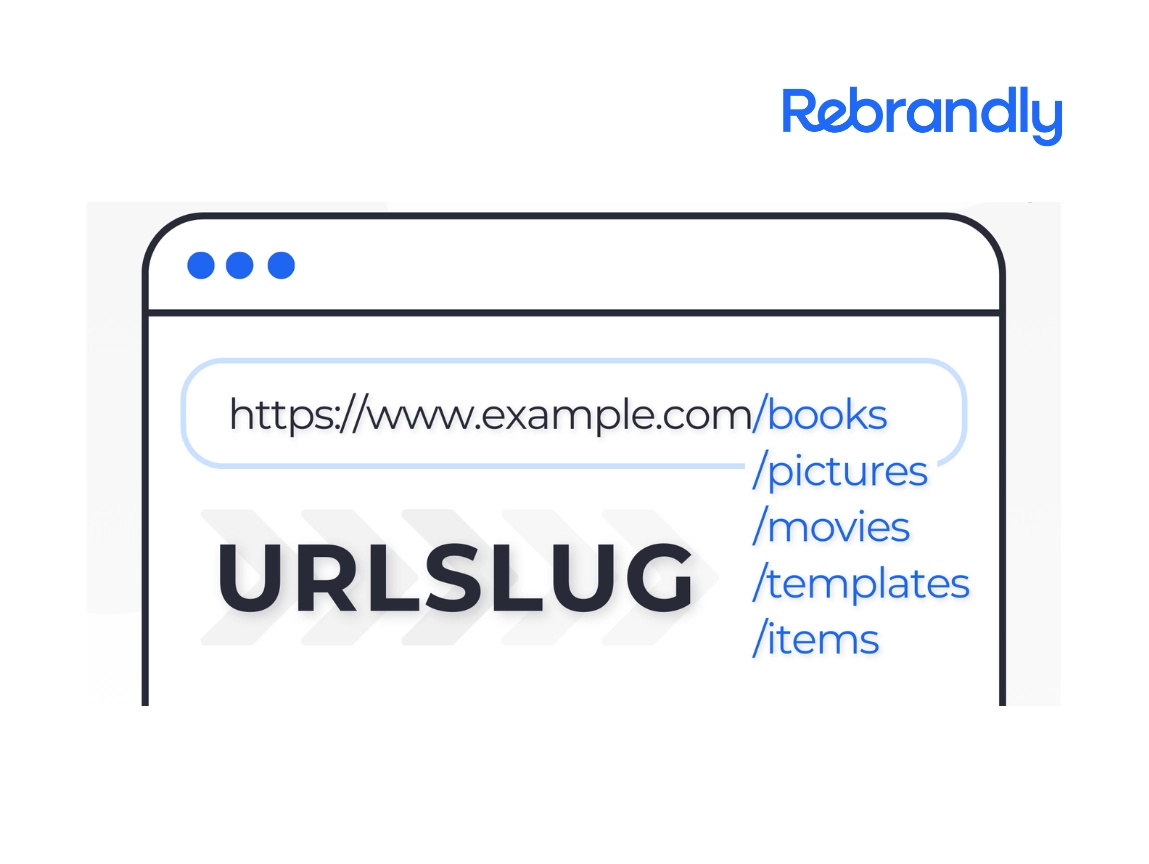
A URL slug is the readable part of a URL that describes a web page's content. It sits after the domain name and any subdirectories, separated by slashes.
Slugs exist for two audiences at once: people, who can glance at one and guess what's on the page, and web crawlers, which use it as an early signal of the page's topic. A good slug is lowercase, hyphenated, and built from a handful of words relevant to the content. Most content management systems generate one automatically from the page title, but nearly all of them let you edit it (more on how, by platform, later in this guide).
A note on terminology: "slug" vs. "back half"
Most of this article uses "slug" and "URL slug," because that's the term people actually search for and the one competitors use. You'll see it throughout.
When we're talking specifically about the short-link version, the piece after your branded domain in a Rebrandly link, we call it a back half instead. A back half is a URL slug, just for a short link rather than a full webpage.
If you see both terms in this article, that's why: "slug" for the general web concept, "back half" when the context is a Rebrandly short link specifically.
Where the term "slug" actually comes from
"Slug" is newsroom slang, not a web-native term. Long before URLs existed, editors used short internal labels, called slugs, to identify articles before they were laid out and published.
A slug was a quick, readable tag, like "budget-cuts" or "election-recap," that staff could reference without typing out a full headline.
Web developers borrowed the word for the same reason editors used it: a short, readable label that identifies a piece of content. The garden-variety mollusk shares the name by coincidence, not etymology, whatever the "leaves a trail back to the source" jokes floating around SEO Twitter want you to believe.
Why is a URL slug important for SEO?
A URL slug matters for SEO mainly because it helps people, and to a much smaller degree search engines, understand what a page is about before anyone clicks. Creating an SEO-friendly URL is worth doing, but it's worth being precise about how much a slug itself actually moves rankings.
Google's own documentation says words in a URL are "a very, very lightweight" ranking signal, one it leans on mostly before it has crawled a page's actual content. Once a page is indexed, what's written in the body matters far more than what's written in the slug.
That doesn't make slugs pointless. It just means the real payoff is readability and click confidence, not a guaranteed ranking boost.
What is an "SEO slug"?
An SEO slug is just industry shorthand for a URL slug written with search in mind: short, descriptive, lowercase, hyphenated, and built around the page's actual target keyword. It's not a different technical thing from a regular slug.
It's a slug someone deliberately optimized instead of leaving on CMS autopilot.
The bar for a good SEO slug is lower than a lot of content implies: readable, relevant, and free of clutter clears it. You don't need to engineer it further than that.
Short URL slugs vs. regular URLs
Short URL slugs (back halves, per the terminology note above) work differently than the slugs on a regular webpage. URL shorteners like Rebrandly use 301 redirects to send people from a short link to a longer destination URL, and that redirect tells search engines to credit the destination URL, not the short one.
SEO benefits from keywords in a short link's back half don't transfer to the destination page. Adding a keyword to a short link won't boost that page's rankings, because search engines evaluate the content of the destination page, not the short link itself.
Do you need to change your existing URL slug?
Usually, no. If a slug is already indexed and reasonably descriptive, changing it purely for SEO reasons is more likely to cost you than help you.
Google's John Mueller has been blunt about this in a Reddit thread: "If you're an SEO, and billing by the hour to implement this change, then it'll help your bottom line. Will it help the site? Very, very rarely... Some risk + usually no gain = ...?"
That statement traces back to 2021 and 2022 comments from Mueller, and nothing more recent has updated or walked it back. It's an old position, but it's old because nothing has replaced it, not because it's gone stale.
Practitioners who work on this daily back that up. Sara Taher, an enterprise SEO and AEO consultant, put it plainly: she rarely recommends clients change URLs, and reserves it for a handful of genuinely broken slugs on already-underperforming pages, never as a blanket cleanup across a whole site.
The one real exception is a slug that's actively broken, like one full of random IDs or characters nobody can read or copy. In that case, a change plus a clean 301 redirect can be worth the risk.
The risk isn't hypothetical. SEO practitioner Zahid Qalandar described a site redesign that quietly changed the URL structure with no redirect mapping in place. Within a week, organic traffic dropped almost 40%, since every backlink and every page Google had indexed for years started hitting dead ends. Recovery took about a month, and only because the team went back and mapped every old URL to its new one.
If you do decide to change a slug, set up a 301 redirect from the old URL to the new one immediately. Skip it, and visitors land on a 404 page while your search position takes the hit anyway.
Do URL slugs matter for AI search?
Barely, and not in the way a lot of SEO advice assumes.
Otterly.ai analyzed more than 1 million URLs and nearly 2 million AI citation instances across six platforms, including ChatGPT, Google AI Overviews, and Perplexity, in a 2026 study. It found almost no correlation between URL length and how often a page got cited: a correlation of -0.025, which is effectively none.
Path depth didn't matter either. A URL five folders deep got cited about as often as one with a single folder.
What did matter: whether a URL had a query string at all. Clean URLs without one got cited noticeably more often than ones with query strings attached.
Page type mattered even more: guide-style pages consistently out-cited other formats regardless of URL structure.
A separate, also-credible study complicates this slightly. A January 2026 Semrush analysis of 378,000 URL citations across ChatGPT Search and Google AI Mode found a slug-length "sweet spot" of 17 to 40 characters, with both very short and very long slugs getting cited less. Semrush's own authors flagged this as correlation, not causation: very short slugs tend to belong to homepages and category pages, and very long ones tend to belong to deeply nested or keyword-stuffed pages, so the pattern might reflect what kind of page gets a short or long slug rather than slug length itself driving citations.
These two studies don't fully agree, and we're not going to pretend they do. Different platforms, different methodologies, different definitions of "URL length" (full URL vs. slug specifically).
The honest takeaway: don't engineer your slug to hit a specific character count for AI citation. Do make sure the page underneath it is worth citing.
There's a more concrete, mechanical reason to be careful with slug changes and AI search, and it's not about wording at all. AI crawlers tolerate far fewer redirect hops than Googlebot before giving up. CaptainDNS's analysis of AI crawler behavior found Googlebot will follow a redirect chain up to 10 hops deep, but GPTBot and ClaudeBot cap around 5, and OAI-SearchBot, Claude-SearchBot, and Perplexity-User cap at just 3, with no error message sent back to the publisher when a chain gets dropped.
That means a redirect chain messy enough to still rank fine in Google (two or three old slugs redirecting into each other over the years) can quietly vanish from ChatGPT, Perplexity, and Claude's answers, with nothing telling you it happened.
If you're going to change a slug, make the redirect a single, clean 301 hop straight to the final URL. Don't let it chain through two or three old versions.
Cyrus Shepard's synthesis of 54 AI-citation ranking factors for Zyppy, drawing on research and patents from several well-known SEO practitioners, ranked "URL Accessibility" as the single strongest URL-level factor for AI citation.
That's about whether a page can be crawled and reached at all, not whether its slug contains the right keyword. It's the same conclusion as the redirect-hop finding above, from a different angle: reachability beats wording.
What is a slug in web development?
In web development and CMS platforms, a slug is a field, usually auto-generated from a title, that stores the URL-safe version of that title: lowercase, hyphenated, stripped of special characters. Most frameworks and headless CMS tools (Django, Ruby on Rails, Contentful, Sanity, WordPress) expose it as an editable text field right next to the title field.
A "group slug" is the same idea applied one level up: a URL-safe identifier for a category, workspace, or parent grouping rather than a single page. You'll see this in multi-tenant CMS tools and dev platforms where a group (a team, a project, a content category) needs its own clean identifier in the URL path, separate from the individual page slugs nested underneath it.
Functionally, none of this differs from the SEO-facing definition earlier in this article. It's the same short, readable, URL-safe string.
The "web development" framing just describes where in the tech stack that string lives, as a database field with validation rules, rather than a marketing concept.
How to edit a URL slug
In Webflow
Since Rebrandly's own site runs on Webflow, here's how it works there, and it's a reasonable proxy for most modern visual-builder CMS tools.
- Open the page or CMS item you want to edit in the Webflow Designer.
- Open the page settings (or, for a CMS collection item, the item's settings panel).
- Find the Slug field, usually shown alongside the page title/name.
- Edit the slug directly, using lowercase letters and hyphens between words.
- Save and publish to apply the change.
If the page is already live and indexed, set up a 301 redirect from the old slug to the new one before you publish the change, the same rule that applies on every platform below.
In WordPress and other CMS platforms
In WordPress, the slug field (WordPress calls it the "permalink") lives right next to the post or page title, and editing it takes a few clicks.
- Open the post, page, or product you want to edit.
- Find the permalink field, usually shown just below the title.
- Click into the slug and replace it with your new one, using lowercase letters and hyphens.
- Update or publish to apply the change.
For WooCommerce products and categories, the process is the same, just under Products or Products → Categories. Shopify and most other hosted CMS platforms follow a near-identical pattern: a "URL and handle" or "SEO" field sits near the title field on the product, page, or blog-post editor.
Whatever platform you're on, the old slug usually stays live in the database even after you change it. Without a redirect, anyone who has the old link lands on a 404.
How to choose the right keyword for a URL slug
Here are the best practices for choosing a keyword for your URL slug.
Choose a descriptive slug
A good slug describes what a reader will find on the page, in a few words. Include language that signals the value someone gets from clicking, since a URL that promises something specific earns more clicks than one that doesn't.
Use memorable words
Choose words that connect with your audience and capture the page's core idea. A good slug is short enough to remember and specific enough to stand out.
Slug case matters, since URLs are case-sensitive, so keep yours consistent. Avoid strings of random letters or numbers.
Avoid stop words where you can
Words like "a," "an," "the," "and," and "for" rarely add anything to a slug, and cutting them keeps things shorter without losing meaning. For example, "/tips-effective-studying" reads just as clearly as "/the-tips-and-tricks-for-effective-studying," and it's noticeably shorter.
This isn't a hard rule. If cutting a stop word makes the slug confusing or grammatically broken, keep it.
Don't stuff your slug (or your page) with keywords
One keyword in a slug is plenty. Repeating it, or stuffing it into the page's body copy, does more harm than good.
A well-documented example: SEO practitioner Edward Sturm tracked Chewy's "dry dog food" category page repeating that exact phrase 87 times, including 19 times in a single paragraph. Its organic clicks fell from about 98,000 a month to about 21,000 a month over several months, and it dropped off page 1 of Google for its target term entirely.
Chewy's URL slug for the page stayed clean the entire time. The damage came from the body copy, a good reminder that slug hygiene alone won't save, or sink, a page.
Choose relevant keywords
Select a keyword that matches what your reader is actually searching for. That increases the odds they'll click and stay.
A custom slug like "/summer-sale" beats a generic string like "/6jle0," because it's memorable, easy to type, and clear about where the link leads.
Don't ignore branding
Working your brand into a slug where it fits can strengthen recognition and trust. This might mean your company name, a product name, or a recognizable piece of your brand voice.
This is where clean, branded URLs earn their keep beyond SEO. Cochlear Americas, a HIPAA-regulated medical device company, moved to a custom cochlear.us domain partly because their existing URLs had gotten unwieldy for a 60-person marketing team juggling print, presentations, and promotional materials.
As Kaylah Malillos, their Senior Digital Content Specialist, put it in Rebrandly's customer stories: "Our URLs are long and people love to add UTMs, so branded links are much clearer for our marketing materials." The same logic that applies to a full domain applies to a slug: the clearer and more consistent it is, the more it reinforces trust instead of quietly eroding it.
Good vs. bad URL slug examples
Seeing a few side by side makes the difference easier to spot than a list of rules does.
Getting your slug right matters less than getting your redirects right
If there's one thing worth carrying out of this guide, it's that a URL slug is mostly a courtesy to the person about to click, not a lever you pull for rankings. Keep it short, descriptive, and free of stuffing, and it'll do its job for both readers and search engines.
Where the real risk lives is in changing a slug that's already live. Do that carelessly, without a clean 301 redirect, and you can undo years of indexing in a week, whether the page you're worried about ranks in Google or gets cited by ChatGPT. Do it deliberately, with a single clean redirect hop, and it's a non-event.
That's true whether you're naming a blog post, a product page, or the back half of a branded short link. The word changes depending on context. The underlying discipline, readable, redirected, and reachable, doesn't.
FAQs
The following are common questions about URL slugs.
What is a URL slug?
A URL slug is the readable, concise part of a URL that identifies a specific page. Good slugs are descriptive, relevant to the page's content, and free of special characters or spaces.
What's the difference between a URL and a URL slug?
A URL is the complete web address: protocol, domain, path, and slug together. A URL slug is just the last piece, the short, readable identifier that comes after the domain and any subdirectories.
Why is it called a URL "slug"?
It's newsroom slang, borrowed by web developers for the same reason editors used it: a short, readable label that identifies a piece of content. See the section above for the full story, garden mollusk included.
What is an SEO slug?
An SEO slug is a URL slug written with search in mind: short, descriptive, lowercase, hyphenated, and built around the page's target keyword. It's the same technical thing as any other slug, just written deliberately instead of left as CMS autopilot.
Does a URL slug affect SEO?
Yes, but only slightly. Google has confirmed words in a URL are "a very, very lightweight" ranking factor, one it leans on mainly before it's crawled a page's actual content.
The bigger SEO value is in what a clear slug does for a person deciding whether to click, not in what it does for your ranking.
Should I change an old URL slug to add a keyword?
Usually not. Google's John Mueller has said on Reddit that there's very rarely any SEO benefit to changing an established URL, and doing so risks a temporary ranking dip while the page gets reprocessed.
Save the change for slugs that are genuinely broken, not ones that are simply not perfectly optimized.
Do URL slugs affect whether AI engines cite my page?
Barely, and less than most SEO advice assumes. One large 2026 study found almost no relationship between URL length and AI citation frequency, while a separate study found a loose length "sweet spot," so the honest answer is that wording matters less than whether the URL is cleanly reachable in the first place.
AI crawlers also give up on long redirect chains faster than Google does, so a clean single-hop redirect matters more than the words in the slug itself.
What is a slug in web development or a CMS?
It's the same concept as an SEO slug, just described from the tech-stack side: a database field, usually auto-generated from a title, that stores the URL-safe version of it. A "group slug" is the same idea applied to a category, workspace, or parent grouping instead of a single page.
What does "slug" mean besides a URL?
Outside of the web, a slug is either a small, shell-less land mollusk, or, in publishing and journalism, a short internal label used to identify a story before it's published. The web-development sense of the word comes from that second, publishing meaning, not the mollusk.