.jpg)

You get an email with a link to what looks like a Dropbox file share from a vendor. Or a text about updating your company's payment information. Or a Slack DM with a link to review a "confidential proposal." Your gut reaction is the right one: Is this link a scam?
That hesitation might save you. At least 73% of adults have experienced an online scam attempt, according to the Pew Research Center.Scam links are one of the most effective ways cybercriminals steal credentials, financial data, and access to business systems.
Scam links don't always look dangerous. Some mimic trusted business tools almost perfectly. Others use link shorteners or subtle misspellings to hide their true destination. Once you click, the damage happens fast.
This guide shows you how to tell whether a link is a scam before you click. You'll learn the most common warning signs, practical ways to verify suspicious URLs, what to do if you've already clicked, and how transparent links help reduce phishing risk. You'll also see how the Rebrandly Link Checker lets you safely inspect links without putting yourself at risk. (And if you've ever wondered "is rebrand.ly safe?"—we cover that too.)
Warning signs that a link might be dangerous
Scam links follow predictable patterns. No single sign guarantees a link is malicious, but several red flags together mean you should stop and verify before clicking.
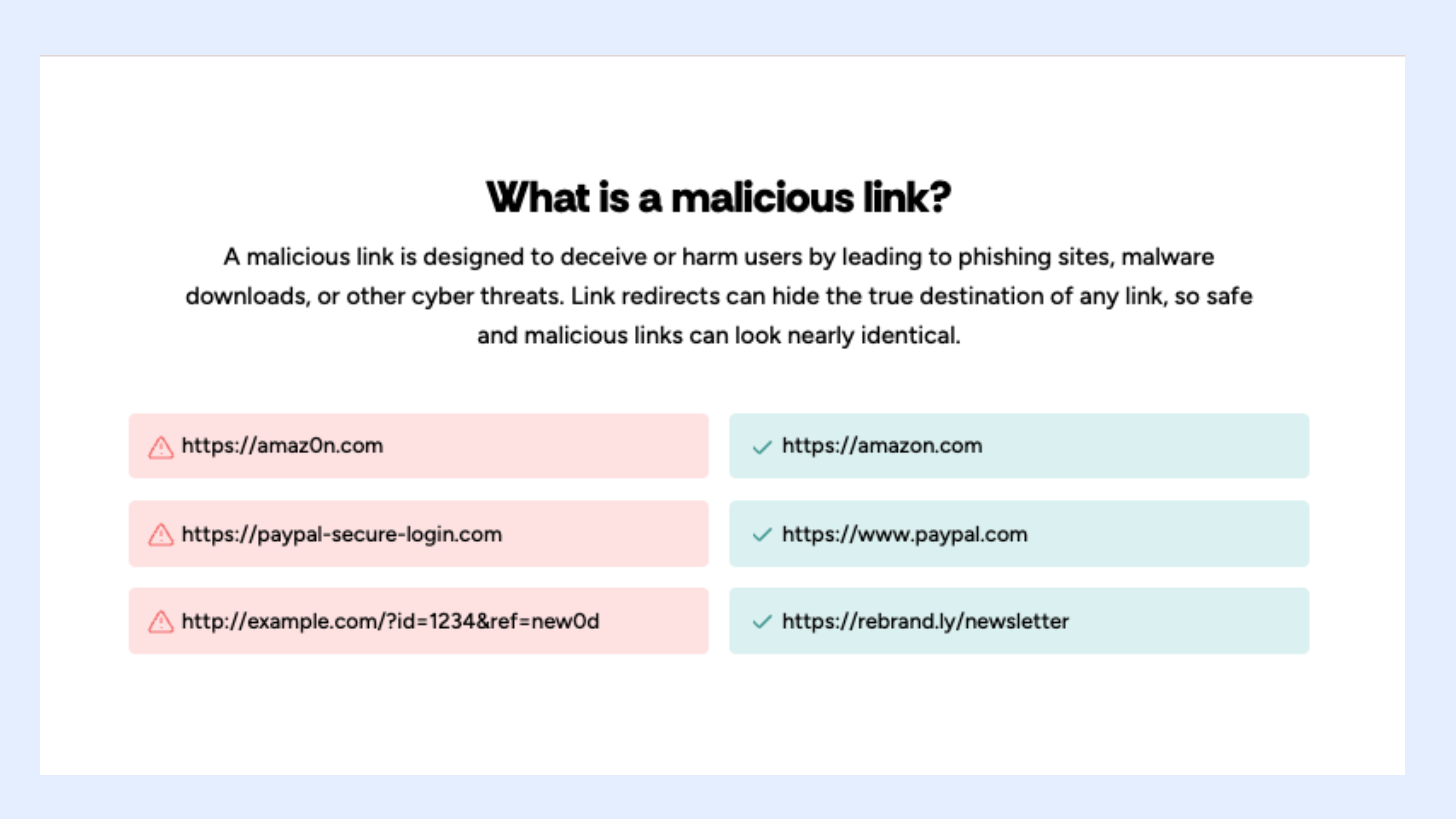
Misspelled or lookalike domains
Scammers register domains that look nearly identical to real ones—paypa1.com instead of paypal.com, or extra words tacked onto trusted brand names. This old trick still works because it's easy to miss on mobile screens.
Unfamiliar shortened URLs
Shortened links hide the final destination. When a short link comes from an unknown sender or a generic link shortening service, you can't tell where it leads. Scammers rely on this opacity.
Urgent or threatening language
Messages that pressure immediate action are a major warning sign. Phrases like "your account will be locked," "verify now," or "last chance" bypass rational thinking. Legitimate companies don't demand instant action through random links.
Too-good-to-be-true offers
Unexpected prizes, refunds, or giveaways should raise suspicion—especially if you didn't enter a contest or start the interaction. Scammers use excitement to distract from inconsistencies.
Generic greetings and vague details
Emails starting with "Dear customer" instead of your name, or messages lacking specific account details, are usually mass-sent phishing attempts.
Mismatched sender information
Sometimes the link looks fine, but the sender doesn't match. A bank message from a Gmail address, or an SMS from an unfamiliar short code, warrants caution.
Where scam links typically appear
Scam links show up wherever people communicate. Here are five common types:
- Phishing emails impersonate banks, payment providers, or subscription services, asking you to reset passwords or confirm activity.
- SMS delivery scams claim there's a problem with your package, prompting you to click a tracking link.
- Social media DMs come from hacked accounts or fake profiles, offering prizes, investment tips, or exclusive deals.
- Job offer scams link to fake applications designed to harvest personal information.
- Romance scams build trust slowly, then introduce links for "verification" or payments.
How to verify a link before clicking
If something feels off, don't guess. Here are practical ways to check whether a link is legitimate.
Preview the URL without clicking
On desktop, hover your mouse over the link to see the full destination in your browser's status bar. On mobile, long-press the link. Focus on the domain name, not just the start or end of the URL.
Watch for domain variations that mimic trusted sites—scammers register lookalike domains like F4cebook.com instead of facebook.com, or micros0ft.com instead of microsoft.com. These subtle changes are easy to miss at a glance.
Use a link checker tool
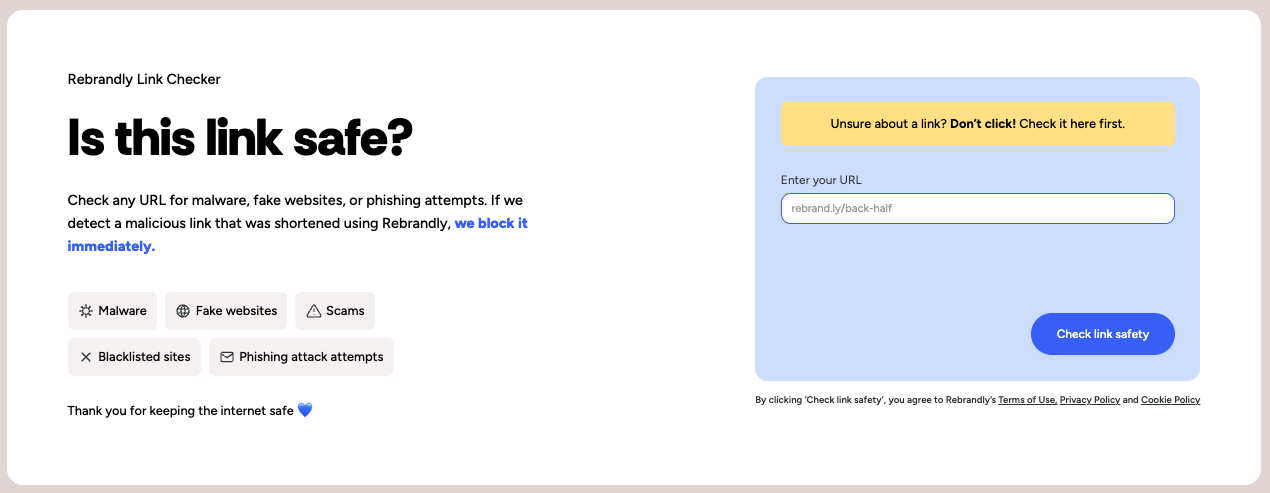
The safest option is to inspect the link in a controlled environment. The Rebrandly Link Checker lets you paste any suspicious URL and see where it leads without visiting the site. This removes the risk of accidentally loading malware or phishing pages.
Check the domain's reputation
Search the domain name with words like "scam" or "phishing" to see if others have flagged it. Repeated warnings mean stay away.
Look for HTTPS and security certificates
Scammers now routinely obtain SSL certificates, so HTTPS doesn't guarantee safety. Don't click insecure HTTP links, and review suspicious HTTPS links carefully. Link security involves multiple factors beyond just encryption.
Compare with official domains
If a message claims to be from a company you use, open a new tab and go to that company's official website yourself. Compare domains. Any difference is reason to stop.
I clicked a suspicious link. Now what?
If you clicked a link and realized it might be a scam, act fast to limit damage.
Don't enter information if a form appears. Close the page immediately. If you already entered details, change those passwords now, starting with email accounts tied to other services.
Run a malware scan on your device. Enable two-factor authentication on key accounts.
Monitor financial statements for unusual activity and report the scam to the relevant platform or authority. Early reporting protects others.
Why branded short links are more trustworthy
Scam links work partly because people can't assess generic URLs at a glance. A string of random characters tells you nothing about where you're going.
Branded short links use a recognizable custom domain—like brand.link/promo instead of gener.ic/x7k2m. When you see a link with a company's branded domain, you can judge legitimacy before clicking. That transparency builds trust and helps everyone stay safer.
Generic shorteners obscure the destination entirely. Branded domains create consistency and make phishing attempts easier to spot—scammers can't easily fake your trusted custom domain. As a bonus, branded links increase CTR by up to 39% and are less likely to be flagged on social media.
Don't guess—check with the Rebrandly Link Checker
Scam links thrive on uncertainty and distraction. The more rushed you feel, the more effective they become.
Make link verification a habit. Before clicking anything suspicious, use the Rebrandly Link Checker to see exactly where it leads—without exposing yourself to harm.
.jpg)
.jpg)