


In 1994, an engineer named Masahiro Hara set out to solve a problem for Toyota's supply chain. The barcodes on car parts could only hold about 20 characters, and the assembly line needed more.
He and one teammate at Denso Wave built a square code that could hold roughly 7,000 numbers and read 10 times faster than a barcode. It could also scan correctly even if part of it got smudged or torn on a factory floor.
They called it the Quick Response code. QR, for short.
Three decades later, that same code is on restaurant tables, concert tickets, vaccine cards, parking meters, and the side of your cereal box. This guide covers what a QR code actually is, how scanning one works, where QR codes go wrong (including the security risks worth knowing about), the difference between a static and a dynamic QR code, and how to use one well in your own marketing.
Key takeaways
- Masahiro Hara invented the QR code at Denso Wave in 1994 to track car parts through Toyota's production line, not for marketing.
- Denso Wave, the QR code's inventor, says a QR code can hold about 7,000 numeric characters, versus roughly 20 for a standard 1D barcode.
- The FBI has warned that phishing campaigns are increasingly hiding malicious links inside QR codes, a tactic security researchers call "quishing," to steal login credentials and get around multi-factor authentication.
- A static QR code has its destination baked in permanently. A dynamic QR code, per Wikipedia's entry on dynamic QR codes, points to a redirect instead, so you can change where it goes after it's already printed.
- Putting a QR code somewhere people are already looking at a screen, like a social post or an email, is one of the most common QR code mistakes marketers make. If it's printed, a QR code makes sense. If it's already digital, a link works better.
What is a QR code?
A QR code is a two-dimensional barcode. It's a square pattern of black and white pixels that stores information a smartphone camera can read. Unlike a traditional barcode, which only holds a short string of numbers in one dimension, a QR code packs data both horizontally and vertically, which is how it fits roughly 7,000 characters into the same amount of space a barcode uses for 20.
That data can be a website URL, a Wi-Fi password, contact details, a payment request, plain text, or a calendar invite. The three large squares in the corners aren't decorative. They tell a scanner the code's orientation, so it reads correctly whether you're holding your phone straight, sideways, or at an angle.
There's also a smaller variant called a micro QR code, built for tight spaces like a component label or a piece of jewelry, that trades some of that storage capacity for a smaller footprint.
QR codes also build in error correction, and Wikipedia's entry on the format puts the four correction levels at anywhere from 7% up to 30% of the pattern able to be damaged, covered, or missing and still scan correctly. That's why you can drop a logo in the middle of a branded QR code, or print one on a curved surface where part of it distorts a little, and it'll still scan. A tool like Rebrandly's QR code generator relies on that same built-in room for damage to safely add your logo or brand colors to a code without breaking it.
The history of QR codes: from car parts to your coffee cup
Denso Wave, an automotive parts subsidiary of Toyota, built the QR code in 1994 to track car parts through the company's own supply chain, not as a marketing tool. Masahiro Hara led the small team that built it, solving a real production problem: encode more data, scan it faster, and read it correctly even if the label was scuffed, torn, or printed at an angle.
Denso Wave made a decision that shaped everything that came after. It didn't patent the code's use. Anyone could scan or generate a QR code without paying a license fee, as long as they didn't try to patent the format themselves.
For most of its first two decades, the QR code stayed mostly inside factories and shipping warehouses. It didn't go mainstream with consumers until smartphone cameras got good enough to scan one instantly, and it took a global pandemic, of all things, to finally push it into daily life at scale. Contactless restaurant menus and check-in codes became a default rather than a novelty almost overnight in 2020.
How QR codes work
Point your phone's camera at a QR code, and your phone reads the pattern and decodes it instantly. Most phones can do this straight from the native camera app now, so you don't need a separate QR scanner app the way you did a few years ago.
Once it's decoded, your phone acts on whatever the code contains. That's usually opening a web page, but it can also add a contact, join a Wi-Fi network, or open a payment screen.
This is the part that makes QR codes genuinely useful for a business, not just a novelty. They turn a piece of paper, a sign, or a product package into something that can hand someone straight into a digital experience, with no typing and no searching.
Are QR codes safe? What to actually watch for
Yes, scanning a QR code is safe. The code itself can't run anything on your phone; it's just data. The real risk lives in where the code sends you, the same way a link in an email can be perfectly safe or a phishing attempt depending on who put it there.
That risk is real. The FBI has warned that phishing campaigns are increasingly embedding malicious QR codes directly in emails, aiming to steal login credentials and get around multi-factor authentication entirely. Scanning the code can move a target from a monitored work laptop to an unmonitored personal phone, where a fake Microsoft 365 or Okta login page quietly harvests credentials and session tokens.
The security industry has a name for this. It's called quishing, short for QR phishing.
It shows up outside the inbox too.
In the UK, criminals have been caught sticking fraudulent QR code stickers directly on top of legitimate parking meters and EV charging points, designed to look like the real payment app. Scan one, and you're not just handing over payment details. You might also get signed up for a subscription you never asked for, and still end up with a parking fine, since the meter never actually got paid, as security consultant Paul Fox described on LinkedIn.
So the same instincts that protect you from a suspicious link work just as well here, and there's no reason to treat QR codes as scarier than any other link.
A few things worth checking before you scan one, especially in public:
- Look at the code itself. A sticker slapped on top of a sign, a menu, or a parking meter, especially one that looks slightly misaligned or a different material than the rest of the sign, is a red flag.
- Check the URL your phone shows you before you tap through it. Most phones preview the destination link before opening it. If a parking app QR code resolves to something that isn't the parking app's actual domain, stop there.
- Be extra cautious with a QR code that arrived in an email or text, rather than one you're looking at in person. That's exactly the vector the advisory above describes.
- If you run a business and want to check whether a link (QR-encoded or otherwise) is safe before you click it or share it, a free tool like Rebrandly's link checker will tell you where it actually goes before you commit to it.
Static vs. dynamic QR codes: what's the difference, and why it matters
Every QR code is one of two types, and the difference decides what you can do with it after it's printed.
A static QR code has its destination encoded directly into the pattern itself. Once you generate it, that destination is permanent. If the link changes, the code stops working, and there's no fix short of printing a new code.
A dynamic QR code, as Wikipedia's entry on the format explains, encodes a short redirect link instead of the final destination. The code points to that redirect, and the redirect points to wherever you want, which means you can change the destination at any time without touching the printed code at all.
| Static QR code | Dynamic QR code | |
|---|---|---|
| Can you change the destination after printing? | No | Yes, any time |
| Can you track scans? | No, nothing built in | Yes: scan count, timing, location, device |
| Pattern density | Denser, since it holds the full destination | Simpler, since it only holds a short redirect |
| Needs an active service to work | No | Yes, the redirect service has to stay running |
| Good for | A one-time destination that will never change | Anything you'll want to update, measure, or reuse |
In practice, static only makes sense for something genuinely permanent, like a QR code etched into a piece of hardware. For almost everything a business actually does with QR codes, from a menu that changes seasonally to a print campaign you'll want to measure, dynamic is the better default.
A branded, dynamic QR code, generated from a short link with a custom back half (the part of the URL after your domain), is what makes it possible to update a park sign, swap a promotion, or redirect a print ad without reprinting a single thing. See dynamic vs. static QR codes for analytics for a deeper look at what that means for tracking.
Why QR codes are essential for modern marketing
QR codes changed how businesses connect offline efforts, like a sign, a mailer, or a product package, to something measurable online. A flyer or a billboard used to be a black box: you'd print it, distribute it, and mostly guess at what it did. A QR code turns that same flyer into something you can measure, which is a big part of why QR code marketing has become its own discipline rather than an afterthought.
Here's what that gets you:
- Measurable results. A QR code built from a trackable link shows you scan volume, timing, and location, the same kind of data you'd expect from a digital ad, not a piece of paper. See QR code tracking for what that looks like in practice.
- A frictionless path from offline to online. No typing a URL, no searching for your handle. Point the camera, and the destination opens.
- Low cost, high reach. A QR code prints on anything, digital or physical, without any added infrastructure.
- Wide-ranging use cases. Product packaging, event check-in, social handles, promotional offers, even a seasonal push like BFCM. The format doesn't care what you're pointing it at. Instagram QR codes are one specific example worth a closer look if social growth is the goal.
What scan rate should you actually expect?
A bare QR code with no reason to scan it gets a 1-2% engagement rate, about the same as an average digital ad's click-through rate, according to James Williamson, co-founder of Orijin Plus, on LinkedIn. That's the baseline for a code that just says "scan me" with nothing behind it worth the effort.
Give people an actual reason, a prize, a way to verify a claim, something worth seeing, and engagement jumps to 8-16%. The strongest examples Williamson shared hit 35-37%, and they all had the same thing going for them.
Each offered an incentive strong enough that scanning felt worth it, not just possible. One brand added augmented reality to a packaging QR code and reportedly hit 35% engagement. Another got 37% by letting customers earn an instant reward through a supply-chain "collection" mechanic.
What's waiting on the other side of the scan is what decides whether anyone bothers, not the code itself. That's also the case for measuring it. None of these numbers are visible unless the code is built to report them, which is exactly why a QR code tied to a trackable, dynamic link tells you far more than a bare static one ever could.
When not to use a QR code
Putting a QR code somewhere your audience is already looking at a screen is one of the most common QR code mistakes out there.
A QR code's whole job is to bridge something physical to something digital. If someone is reading your email or scrolling your Instagram post, they're already on a phone. Asking them to pull out a second device, or screenshot the code and dig through their photos to open it, adds friction a plain, clickable link never would.
Marketers who are actually running campaigns right now repeat this piece of advice constantly. Ashley R. made exactly this case on LinkedIn in a post that picked up over 1,000 reactions and dozens of reposts: "Will it be printed? Use a QR code! Is it digital? Use a link."
Another practitioner, Micah Gilkeson, put it just as directly on LinkedIn: "A QR code is perfect for a menu at a restaurant, a poster in a coffee shop, or an event flyer. It is not made for your Instagram feed, your LinkedIn post, or your Facebook ad."
The same mistake shows up in paid ads. Christopher Strebel described scrolling past an ad on LinkedIn with a QR code front and center, on his phone, the exact device he'd need to scan it with. The ad also had a working sign-up button, so the QR code added nothing and just cluttered the design.
It's an easy trap to fall into. A creative built for a billboard or a print flyer gets repurposed for social or email, and the QR code comes along for the ride without anyone asking whether it still makes sense in the new context, as Franklyne Ikediasor pointed out on LinkedIn.
Here's a simple test before you add one. Would the person seeing this already be looking at a phone when they see it?
If yes, a link almost always beats a QR code. If no, meaning it's on a physical object, a printed page, a sign, or a screen they're not holding, a QR code is the right call.
Creating effective QR codes for your business
A basic QR code generator gives you a static code, so once it's printed, the destination is locked in. That's a real limitation for a campaign that might need a fix, a seasonal update, or a destination swap later.
A dynamic QR code, built from a branded short link with a custom back half, solves that. You can update where it points after it's already printed, which means a QR code on a poster, a park sign, or a product box can outlive the campaign it was made for.
Advanced QR code strategies
A few features worth knowing about once you're past the basics:
- Retargeting. Add a retargeting pixel to your QR code's redirect, and you can build an ad audience from everyone who scanned, even the people who didn't convert. See retargeting links for how that setup works.
- Brand consistency. A custom-branded QR code, one that uses your own domain and colors instead of a generic shortener's, reinforces the same trust a branded link already builds. See branded links.
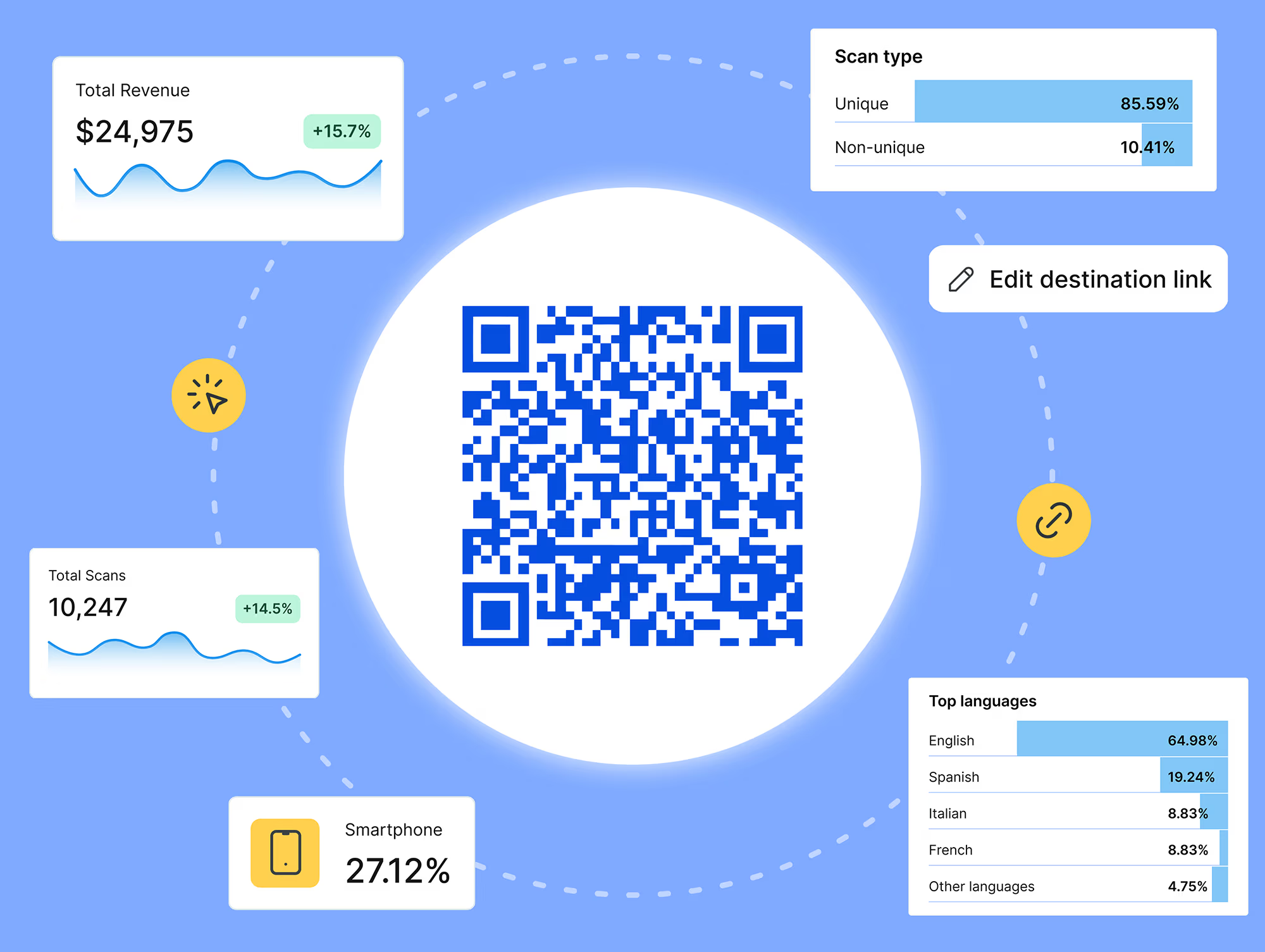
- Detailed analytics. Beyond a raw scan count, you can see when people are scanning, from where, and on what device, the same link analytics you'd expect from any other campaign channel.
Best practices for QR code implementation
To get the most out of a QR code, whether it's on a product, a sign, or an ad:
- Make sure the destination is worth the scan. A QR code that leads to a generic homepage wastes the moment; a QR code that leads to something specific, a menu, a form, a deal, earns it.
- Test the code across a few different phones and lighting conditions before you print hundreds of them.
- Add a short call-to-action next to the code explaining what scanning it gets you. "Scan for today's specials" converts better than a bare code.
- Design your landing page for mobile first. Nearly every scan happens on a phone.
- Use a reputable QR code generator, like Rebrandly's, and prefer a dynamic code over a static one for anything you might need to change later.
- Check the code's actual destination periodically, especially for a QR code that's been in the field for a while, the same way you'd audit any other link in your marketing.
Real-world example: how Three Rivers Park District uses QR codes at scale
Three Rivers Park District manages 30,000 acres across 25 parks in Minnesota, serving 14.3 million visitors a year, and QR codes are one of the main ways it connects physical signage to digital information.
The park district puts QR codes on signage throughout its parks, linking to trail maps, park information, and other resources, and those codes get scanned over 1 million times a year, according to Rebrandly's case study on the district.
What actually matters here is that the codes are dynamic. When a trail closes, a program changes, or a map needs an update, the park district updates the destination once, through a single API call, instead of sending a crew out to replace physical signs. That's saved over 300 signs from reprinting so far.
"Having a short, intuitive link is powerful for us," said Amanda Huber, GIS Administrator at Three Rivers Park District. "Being able to update destination URLs on the fly while keeping the URL the same is essential, especially with signage in the field."
Getting the most out of your QR codes
A QR code you generate for free will get someone from a physical object to a URL. A QR code built on a branded, trackable link does more. It carries your brand's own domain and colors instead of a generic shortener's, and it feeds the same scan-level analytics, volume, timing, location, device, you'd expect from any other marketing channel.
That data is what turns a QR code from a one-way bridge into something you can actually optimize: which sign gets scanned the most, which time of day drives the most traffic, whether a redesign moved the number at all. It's the same idea behind Rebrandly's move from link management to link intelligence. A scan matters less as a raw count and more as a data point connected to what happens after it, like a conversion.
Try it yourself
If you're ready to build a QR code that you can actually track and update after it's printed, get started with Rebrandly for free.
FAQ
What does QR stand for?Quick Response. The name describes the whole point of the format. It gets a scanner from the code to the data behind it almost instantly, versus a traditional barcode that holds less and reads slower.
Do I need a special app to scan a QR code?No, not anymore. Every modern iPhone and most Android phones can scan a QR code straight from the native camera app. If your phone doesn't support that, a free QR scanner app will do it.
What's the difference between a static and a dynamic QR code?A static QR code's destination is permanent once it's printed. A dynamic QR code points to a redirect link instead, so you can change the destination, and track scans, after the code is already out in the world. See the static vs. dynamic comparison above for the full breakdown.
Are QR codes safe to scan?The code itself can't harm your phone. The risk is the same as clicking any link, since it depends on where it leads. Be cautious with QR codes that arrive by email or text, and check that a code on a physical sign or payment terminal hasn't been covered by a fraudulent sticker.
Can I make a QR code for free?Yes. Most QR code generators, including Rebrandly's, offer a free tier that creates a basic QR code. A free static code works fine for something permanent; a dynamic, trackable code is worth it the moment you might need to update the destination or want scan data.
Do QR codes expire?A static QR code never expires on its own; it'll keep resolving to the same destination indefinitely. A dynamic QR code depends on the redirect service staying active, so check with your provider on how long a link and its associated QR code stay live.
.jpg)





