
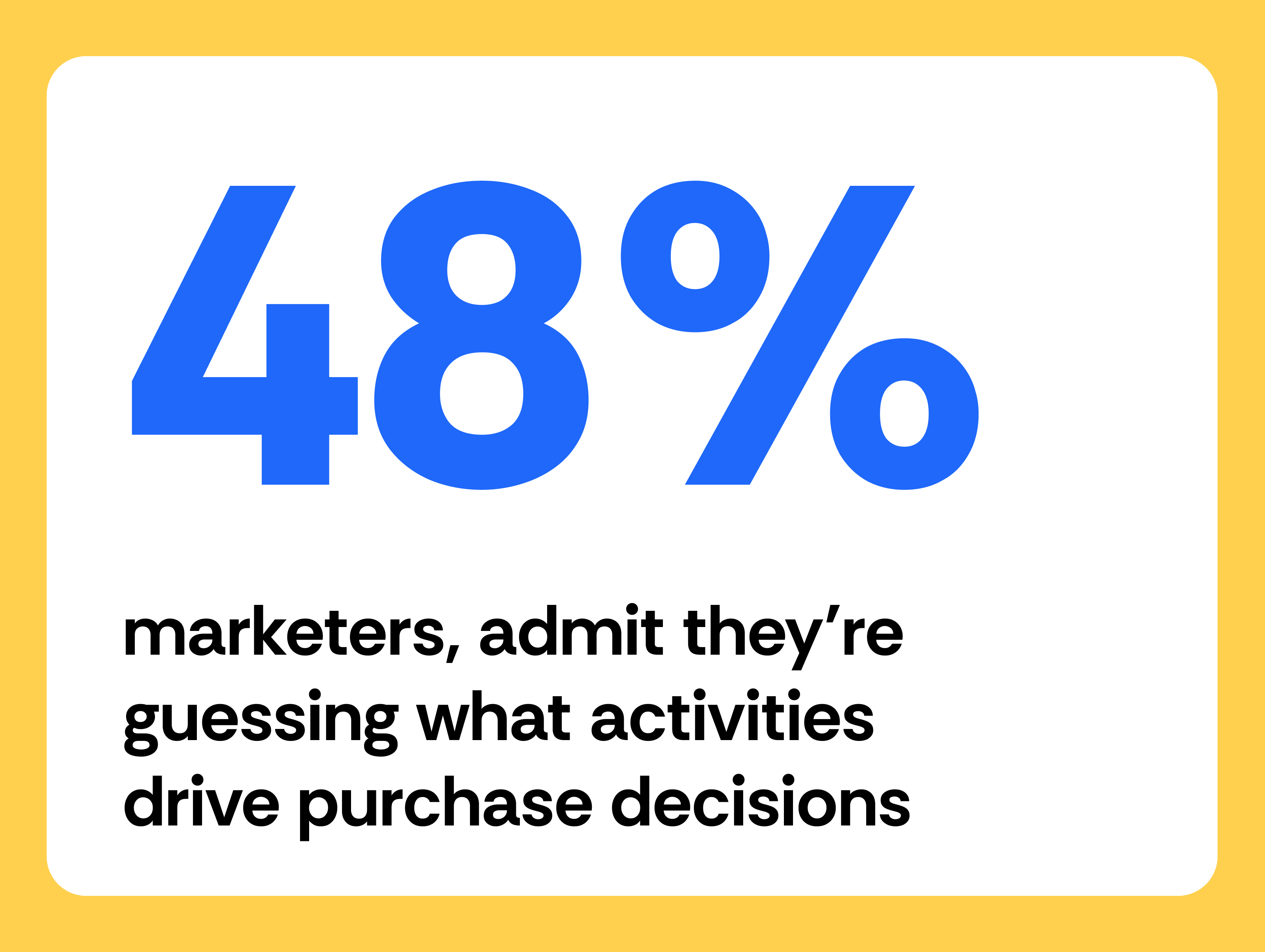

Nearly half of B2B marketers, 48%, admit they're guessing which of their marketing activities actually drive purchase decisions, according to a 2026 Harris Poll survey run for Madison Logic.
That's a lead attribution problem. Most B2B teams can count clicks all day and still have no idea which campaign actually put a real prospect into their pipeline.
Lead attribution connects your marketing activity to the leads it generates. You get to see which channels and campaigns actually move prospects into your funnel, instead of guessing from click and impression counts.
This guide covers what lead attribution is, how it works, the models B2B teams use most, and how to build a system that gives you accurate, consistent insight into where your pipeline actually comes from.
Key takeaways
- Lead source is the one channel your CRM captured for a lead. Lead attribution is the process that decides how much credit that channel, and every other touch along the way, actually deserves. A single CRM field can't hold that kind of nuance, no matter how many touches actually led to the conversion.
- B2B buying groups run 5 to 16 people across as many as 4 functions, and 74% of those buying teams show "unhealthy conflict" during the decision itself, according to Gartner's own 2025 sales survey. A single-touch model can't account for a group that size, let alone one that disagrees internally.
- 48% of B2B marketers admit they're guessing which marketing activities actually drive purchase decisions, according to a 2026 survey Madison Logic ran with the Harris Poll.
- Apple's Link Tracking Protection strips tracking parameters from links shared in Messages and Mail, and from links opened in Safari Private Browsing, according to Apple's own announcement. Link-level tracking is a backup you need now, not a nice-to-have.
- One company's own self-reported signup data found 30 to 40% of new signups traced back to dark social and word of mouth, not a trackable click, according to Databox CEO Peter Caputa.
- U-shaped and W-shaped models are usually the strongest starting point for B2B teams, because they credit both the first touch that created awareness and the touches closest to conversion, instead of picking one winner.
- Rebrandly captures attribution data at the point of click, so a lead's source survives even when UTM parameters get stripped somewhere between the original link and the conversion.
- Most B2B teams set attribution windows of 30 to 90 days or longer, since prospects often engage across multiple touches over weeks or months before converting.
What is lead attribution?
Lead attribution is a tracking process that assigns credit to the marketing interactions that influence a prospect's decision to become a lead. A click on a campaign link, a blog post, a webinar, a downloaded resource.
Lead attribution tracks these interactions and ties them to the moment a prospect converts, so you can see which campaigns, channels, and content are filling your pipeline. Without it, you're working from traffic data that doesn't connect to business outcomes.
What's the difference between lead attribution and revenue attribution?
Lead attribution focuses on the early and middle stages of the funnel, like which campaign generated a lead and which channel drives the most demo requests.
Revenue attribution picks up from there. It connects marketing activity to closed deals and revenue outcomes, tracking what happens after a lead enters the pipeline.
The two work together, with lead attribution showing where your pipeline comes from and revenue attribution showing how it converts. B2B teams that track both get a clearer picture of marketing's impact across the full buying journey.
What's the difference between lead source and lead attribution?
Lead source is a single label, the one place a lead came from, usually stored in one CRM field like "Organic search," "Referral," or "Webinar."
Lead attribution is the process behind that label. It's what decides how much credit a channel actually deserves when a prospect touched five different things before converting, not just the one your form happened to capture.
The two get used interchangeably, but a CRM record showing "Lead Source: Webinar" doesn't tell you whether that webinar was the only touch, or the fifth touch in a six-week sequence that started somewhere else entirely. A single lead-source field can't hold that kind of nuance. It just records whichever touch got captured first or last, depending on how your forms are set up.
If you want the deeper trade-offs between crediting that first touch versus the last one, see first-touch vs. last-touch attribution.
Why lead attribution matters
Without lead attribution, you know campaigns generate clicks but can't tie those clicks to pipeline. Lead attribution gives you the data to:
- Identify which channels generate the most leads
- Understand which campaigns drive high-quality leads
- Optimize spend based on pipeline contribution, not just traffic
- Report on business impact, not just activity
When you know which channels and campaigns consistently generate leads, you can put more budget behind what works and cut what doesn't. That clarity is what turns attribution from a reporting exercise into a strategic tool.
How lead attribution works
When a prospect interacts with your marketing and converts, your tracking infrastructure needs to connect that conversion back to the original campaign. For example, a prospect clicks a branded short link in an email, lands on your website, and requests a demo. Lead attribution records that conversion and ties it back to the email campaign.
Several components make that work reliably.
UTM parameters
UTM parameters are tracking codes attached to URLs that tell your analytics database where a click came from: the source, medium, and campaign name. They give every link a consistent data layer, so you can compare performance across channels without manually piecing together where traffic originated. Without them, attribution data gets inconsistent fast.
This is exactly why relying on UTMs alone is riskier than it used to be. Apple's Link Tracking Protection now strips tracking parameters from links shared in Messages and Mail, and from links opened in Safari Private Browsing, by default. The link still works, but the attribution data attached to it doesn't survive the trip.
Link tracking
Link-level tracking attaches attribution data directly to a branded link, so it doesn't depend on UTM parameters surviving the journey.
UTMs are a strong foundation, but they're not foolproof. Parameters get stripped when links are copied or shared outside of your campaigns, and Apple's own tracking-protection feature above means that's no longer a rare edge case.
Link tracking closes that gap. When you use branded links with embedded tracking, each link carries attribution data independently, so even if UTM parameters don't survive the journey, you still have a record of where the click came from and how the lead entered your funnel. And because every click is captured at the link level, you get more than a source label out of it: link analytics can show you when and where that engagement actually happened.
Wonder Cave is a useful example of what that looks like at real volume. The messaging platform runs up to 10 million branded links a month for SMS campaigns and keeps 97% of that volume inside Rebrandly specifically so attribution data doesn't fall apart at scale.
CRM integration
When a prospect converts, your CRM needs to record the lead along with its source data, whether that comes from UTMs, link tracking, or both. Over time, that record shows you where leads come from and how they move through the funnel.
HubSpot's own multi-touch attribution reporting connects every customer interaction across the buyer's journey to closed-won deals and revenue, and Salesforce describes its own multi-touch attribution as assigning "a share of conversion credit to every marketing interaction a customer has along their path to purchase." Both use this data to generate reports on lead sources, campaign performance, and conversion rates. Without that connection, attribution data stays fragmented and hard to act on.
Cochlear Americas uses this exact separation in practice. UTM parameters distinguish QR-code scans from direct link clicks, so their reporting doesn't lump two very different channels together before it ever reaches the CRM.
Attribution windows in B2B
An attribution window defines how far back you track interactions before a conversion. In B2B, where prospects may engage with your marketing for weeks or months before converting, this matters a lot.
Most B2B teams set windows of 30 to 90 days or longer. Shorter windows miss early-stage interactions that influenced the decision, while longer windows give you a more complete picture of the journey but require more experimentation to get right for your specific sales cycle.
Why lead attribution is difficult for B2B companies
B2B attribution is harder to get right than B2C, for a few reasons. As fractional revenue systems lead Andy Naumenko put it, "your attribution model is probably not the real problem": the links are inconsistent, the lifecycle stages are unclear, the CRM fields are unreliable, the campaign naming is messy, and sales and customer success follow-up rarely makes it back into the funnel.
Long, multi-touch journeys
B2B buyers rarely convert after a single interaction. A typical journey might include blog content, webinars, email campaigns, and sales conversations spread over weeks or months. The longer the cycle, the harder it is to assign credit accurately.
Multiple stakeholders
B2B purchases involve buying committees, and they're bigger and messier than most attribution systems assume. Gartner's own 2025 sales survey found B2B buying groups now range from 5 to 16 people across as many as 4 functions, and 74% of those buying teams show "unhealthy conflict" during the decision process itself. Multiple people from the same company interact with your marketing across different roles, devices, and channels, and most attribution systems struggle just to connect those interactions into one journey, let alone account for the fact that those people don't always agree with each other.
UTM stripping
UTM parameters frequently get stripped when links are copied, shared, or modified outside your campaigns. That missing data leads to incomplete attribution and underreported channel performance. Apple's Link Tracking Protection made this a default behavior across some of the most common ways B2B buyers share a link with a colleague, not just an occasional accident.
Dark social
A lot of B2B engagement happens in private channels: Slack groups, forwarded emails, LinkedIn DMs. These interactions influence decisions, but traditional attribution systems have no way to track them.
Databox CEO Peter Caputa put a real number on this gap using his own company's self-reported data. Asking new signups how they first heard about Databox showed 30 to 40% of signup volume traced back to dark social, word of mouth, and community chatter, not a trackable click. One survey respondent described prospects who mentioned seeing the company at a conference or hearing a speaker months before they converted. No tracking pixel, just an impression that paid off later. Rebrandly's own link tracking captures the click half of that gap regardless of where a link gets shared, private channel or public post, but the offline half (a conversation, a conference booth) still has to be caught with self-reported data, the same way Databox does it.
Offline interactions
Events, webinars, direct mail, and sales conversations all influence lead generation but exist outside standard digital tracking. Without additional systems, they stay invisible in attribution reports.
Cross-device journeys
A prospect might discover your content on mobile, revisit your site on desktop, and convert days later. Many attribution systems fail to connect those sessions, which creates gaps in the data.
Lead attribution models for B2B
Attribution models determine how you assign credit across multiple interactions. The model you choose shapes how you interpret performance and where you direct budget.
First-touch attribution
First-touch attribution assigns all credit to the first interaction a prospect has with your brand. It's useful for understanding which channels introduce new prospects, but it ignores everything that happens after that first interaction.
Last-touch attribution
Last-touch attribution assigns all credit to the final interaction before conversion. It shows what drives immediate action, often bottom-of-funnel content like demo pages or branded search, but overlooks the earlier interactions that built awareness and intent. It's a bit like handing all the credit to whoever happened to be in the room when the deal closed, and none to the months of content and outreach that got the prospect there in the first place.
ABM strategist Stuart Ray has described watching this play out inside a CMO working session: sales teams adjusting CRM records to reflect their own contribution to opportunities, not out of bad intent, but because last-touch's incentive structure rewards it. Marketing ends up building guardrails just to keep its own reporting consistent.
Linear attribution
Linear attribution distributes credit evenly across all interactions. It recognizes that multiple interactions contribute to conversion, but treating every one as equally valuable rarely reflects reality.
U-shaped attribution
U-shaped attribution assigns 40% of the credit to the first interaction, 40% to the lead conversion interaction, and 20% to everything in between. It works well for B2B teams because it values both awareness and conversion while still accounting for the middle of the journey.
W-shaped attribution
W-shaped attribution builds on the U-shaped model by adding a third milestone: opportunity creation. It assigns credit to first interaction, lead creation, and opportunity creation, making it a good fit for teams that track both marketing-qualified leads and sales-qualified opportunities.
Full-path and custom models
Full-path models assign credit across every stage of the funnel, including closed revenue. Custom models let teams define their own weighting based on business priorities. Both require more data and a more mature analytics setup to use reliably.
For most B2B teams, U-shaped or W-shaped models are the right starting point. They reflect multi-touch buying reality without adding unnecessary complexity.
If you're just getting attribution off the ground, start with linear or first-touch to establish a baseline, then move to U-shaped or W-shaped once you trust your underlying data. Jumping straight to a full-path model before your tracking is clean usually just produces a more complicated version of the same guesswork.
How to implement lead attribution
Lead attribution doesn't require a complex setup, but it does require consistency across your tools and your team.
Define your lead conversion events
Start by identifying what qualifies as a lead. Common conversion events include:
- Demo requests
- Trial signups
- Content downloads
- Webinar registrations
Every attribution system depends on clearly defined conversion events. Without them, you're tracking activity, not outcomes.
Standardize UTM parameters
Create consistent naming conventions for UTMs and make sure every campaign uses the same structure for source, medium, and campaign names. Consistency is what makes cross-channel comparison possible.
Add link-level tracking
Use branded links with embedded tracking across all channels. This reduces data loss from UTM stripping and gives you a reliable record of where clicks came from, even when parameters don't survive the journey.
Connect your tools to your CRM
Make sure your marketing tools pass attribution data into your CRM. That connection lets you track leads from first interaction through pipeline stages. Without it, attribution data stays fragmented.
Choose an attribution model
Pick a model that matches your sales cycle and reporting needs. Most B2B teams do well starting with U-shaped or W-shaped models. Stick with it long enough to generate meaningful data before making changes.
Build reporting infrastructure
Create dashboards that show lead sources by channel, campaign, and content, and track both volume and quality. Lead-to-opportunity conversion rates tell you more than raw lead counts alone.
Review and optimize
Review your attribution data regularly. Which channels generate the most leads? Which produce the highest-quality pipeline? Use those answers to refine your strategy over time.
Lead attribution tools to help you get started
Lead attribution relies on a combination of tools that work together to capture, store, and analyze data.
CRM platforms
CRMs like HubSpot and Salesforce provide built-in attribution reporting. They store lead data and connect it to pipeline outcomes, forming the foundation of most attribution systems.
Link tracking tools
Link tracking tools capture interactions at the link level across every channel, including channels where UTMs get stripped or lost.
Rebrandly is the link intelligence layer in your attribution stack. Every branded link captures attribution data at the point of click, so that data flows into your CRM and attribution tools regardless of what happens to UTM parameters downstream. You get more complete pipeline reporting without adding infrastructure complexity.
Multi-touch attribution platforms
Platforms like HockeyStack and Dreamdata specialize in B2B attribution. They provide advanced modeling and pipeline analysis, and work best when they receive clean, consistent data from your tracking systems.
For a broader comparison of what's out there, see the best marketing attribution software in 2026.
UTM management tools
UTM management tools enforce naming conventions across teams and reduce manual errors, keeping tracking consistent at scale. Together with a CRM, link tracking, and an attribution platform, they close the gaps that cause attribution data to break down.
Turn attribution from guesswork into a system
Lead attribution connects your marketing activity to the leads it generates, so you can see which campaigns fill your pipeline and make budget decisions based on data, not the guessing 48% of marketers admit to.
Getting it right takes consistency: structured tracking, standardized naming conventions, and tools that pass clean data into your CRM. The complexity of B2B buying journeys means there will always be gaps, but a well-built system closes most of them.
Start with clearly defined conversion events, standardized UTMs, and branded links that carry attribution data at the point of click. Build from there.
Ready to close the attribution gap?
Rebrandly's conversion tracking gives you a reliable data layer across every channel. Set it up and start connecting your links to real pipeline outcomes. Learn more.
FAQ
Here are quick answers to the questions people most often ask about lead attribution.
What does lead attribution actually mean?
Lead attribution means tracking which marketing touchpoint, or combination of touchpoints, gets credit for turning a prospect into a lead. It's a process, not a label. A CRM field that says "Lead Source: Webinar" is a snapshot; lead attribution is what produces that snapshot and decides how much credit the webinar actually earned.
What's the difference between lead source and lead attribution?
Lead source is the single channel your CRM recorded for a lead. Lead attribution is the process that decides how much credit that channel (and every other touch along the way) actually deserves.
Which lead attribution model is best for B2B companies?
U-shaped and W-shaped models are usually the best starting point. They credit both the first touch that created awareness and the touches closest to conversion, rather than betting everything on a single interaction.
How do you track lead attribution with URL parameters?
UTM parameters attached to a link tell your analytics tools the source, medium, and campaign behind a click. They work well as long as the parameters survive the journey, but they can get stripped when a link is copied, forwarded, or opened through a platform like Apple's Link Tracking Protection. Pairing UTMs with link-level tracking gives you a backup record when that happens.
What lead attribution tools work best for B2B marketing teams?
Most B2B teams end up combining four kinds of tools:
- A CRM (HubSpot, Salesforce) to store and report on lead data
- A link tracking tool (Rebrandly) to capture attribution at the point of click
- A multi-touch attribution platform (HockeyStack, Dreamdata) for deeper modeling
- A UTM management tool to keep naming conventions consistent
Does lead attribution work for lead ads on Facebook and LinkedIn?
Native lead ads capture a prospect's information inside the platform itself, without sending a click to your site, so standard link-based and UTM tracking can't see them directly. You'll need to sync that lead data into your CRM through a native integration and tag the source manually so it shows up in your attribution model alongside everything else. For the LinkedIn side specifically, see LinkedIn conversion tracking: the complete marketer's guide.
How long should your attribution window be?
Most B2B teams use 30 to 90 days or longer, since prospects often engage across multiple touches over weeks or months before converting. Shorter windows miss the early-stage touches that actually influenced the decision, so it's worth erring longer rather than shorter for a typical B2B sales cycle.
Can you do lead attribution without a CRM?
You can track the basics (UTMs, link-level data, analytics) without one, but it stays fragmented and manual. A CRM, even a lightweight one, is what turns scattered tracking data into a single, consistent record of where each lead came from and how it moved through your pipeline, which matters even more if you're managing attribution across multiple client accounts.

.jpg)
.jpg)





