
Bitly’s self-serve plans run from free to $199 a month on annual billing, and each step up buys you more links, QR codes, click history, and features.
That’s the core of Bitly pricing, but what matters more is what you get at each level and whether it’s worth paying for.
I tested a paid account for my Bitly review, and this guide covers what each plan includes, who it’s for, and where the price stops making sense.
I should say up front that I work at Rebrandly, a link intelligence platform that competes with Bitly, so I’ve stuck to what Bitly publishes and what I experienced in my own account.
Key takeaways
- Bitly’s four self-serve plans scale with volume, from 5 short links and 2 QR codes a month on Free to 3,000 links and 200 QR codes on Premium, and Enterprise is priced by quote.
- Bitly has a free plan, but it shows a preview page with an ad before visitors reach your destination.
- Branded links and a custom domain start at Growth ($29 a month annual, $35 monthly), so the Free and Core plans work for testing or light use but not for a branded business setup.
- Advanced features like Campaigns and mobile deep links start at Premium, while multiple users and group permissions require an enterprise plan.
- Bitly plans auto-renew and fees are non-refundable, even if you cancel the same day you sign up.
How much does Bitly cost?
Bitly’s self-serve pricing plans cost $0, $10, $29 or $199 a month on annual billing, and Enterprise is custom-priced.
The plans are priced by volume, so each step up raises your monthly caps and gives you extra features.
Here’s a look at every plan side by side, pulled from Bitly’s pricing page when this article was published:
Is Bitly free?
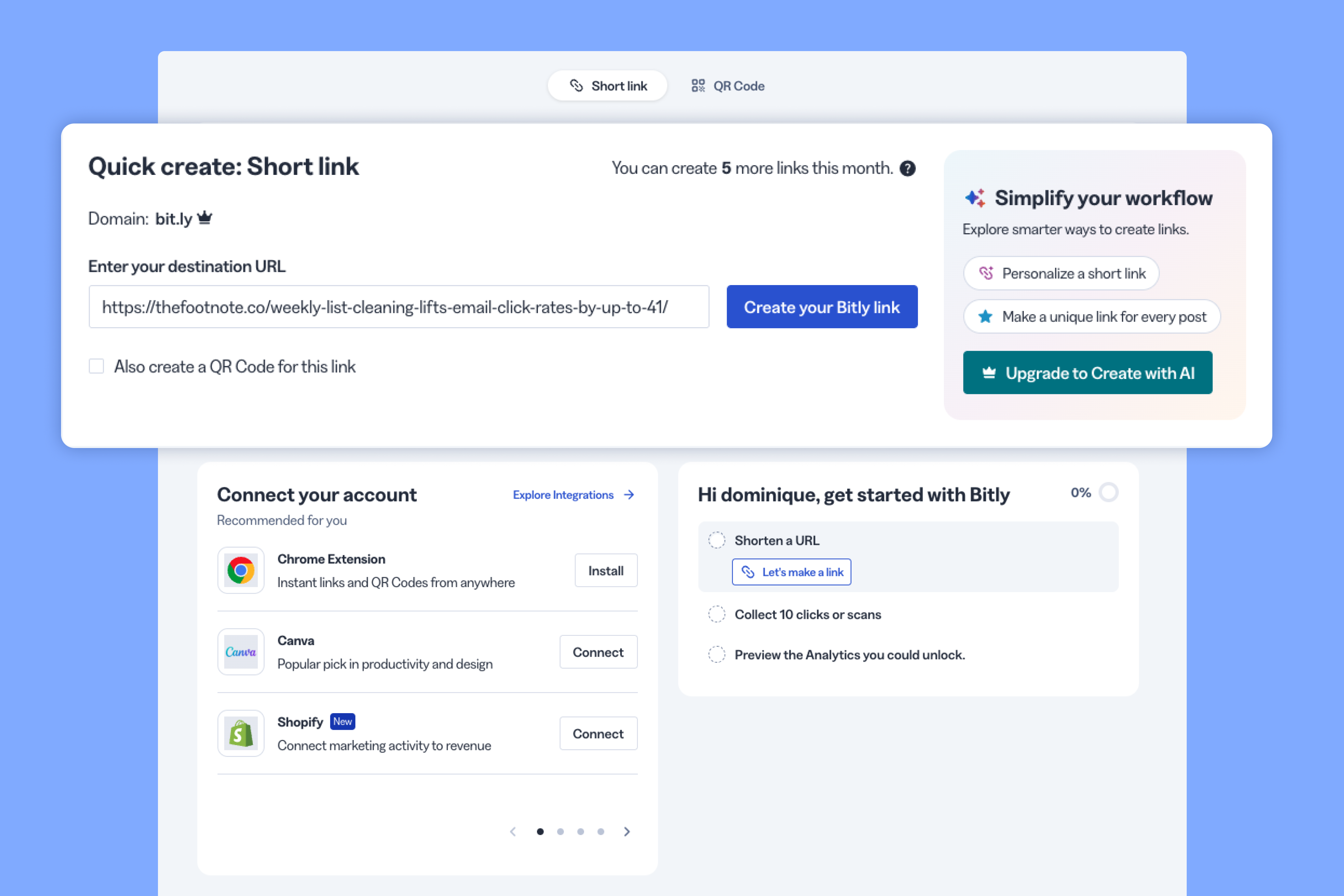
Yes, but the Free plan is closer to a demo than a starter tier, with 5 short links and 2 QR codes a month.
One of the biggest downsides is that Bitly’s free accounts show visitors a page with a preview of the destination and an ad before they reach your link. That’s fine for sending a link to a few people who won’t mind the extra step (i.e., personal use), but as a business I wouldn’t use it for anything customer-facing.
If you just want to see what Bitly looks like, with the understanding that most features will either be limited or paywalled, then the free plan is an option. But businesses don’t really have a reason to use it.
Is Bitly Core worth $10 a month?
Core costs $10 a month, but it’s billed annually and doesn’t include branded links, which are what make a short link look like it came from your business.
You get 100 short links and 5 QR codes a month, plus 30 days of click data. That’s enough for someone shortening a handful of links who doesn’t care what domain they sit on or who’s clicking them (you also don’t get access to Analytics on this plan).
If that’s you, I’d look at some Bitly alternatives before committing to a year up front.
What do you get on the Bitly Growth plan?
Growth is the lowest plan that makes sense for a business because it adds branded links, but it caps you at 500 short links and 10 QR codes a month.
I tested Growth for my review, and the pricing page matched what I saw in the app, with no surprises on the limits.
Growth includes one complimentary custom domain, but it's tied to your subscription. So if you downgrade to a plan without a custom domain, Bitly won't renew the registration, and links on that domain stop working when it expires.
Beyond branded links, the Growth gives you:
- Dynamic link routing based on country and platform
- Bulk creation of up to 100 links and 10 QR codes per upload
- 120 days of click data
One issue I had with this plan (and Bitly’s pricing in general) is the ratio of QR codes to links. 10 QR codes isn’t a lot, so if you plan to use more, I’d look elsewhere. For instance, Rebrandly gives you a QR code for every short link you create.
Who needs the Bitly Premium plan?
Premium is best for teams running campaigns that go beyond occasional short links and need features like deep linking, more routing options, and far more links and QR codes.
For almost 7 times the price of Growth on annual billing, you get 20 times the QR codes and 6 times the links. According to Bitly, Premium also adds the following (I didn’t test it, so this comes from the pricing page):
- Campaigns
- Mobile deep links
- Routing by region and device
- City and device click data in analytics
- 1 year of click data
If you’re a single marketer at a startup or small business, it’s hard to justify this price. It’s definitely not the tier to start with since it’s geared more for companies dealing with a larger volume of links and more complex scenarios (e.g, serving multiple locations or using links for mobile apps).
However, I wouldn’t recommend this plan for companies managing links across multiple departments since features like group permissions, user management, and activity logs are only available on an enterprise plan.
Which brings me to the next plan.
What does Bitly Enterprise include?
Enterprise is custom-priced and built for companies where several people or departments create links and QR codes.
Bitly doesn’t publish a price, so you’ll need to request a quote. But beyond more volume, the enterprise plan adds:
- Multiple users and group permissions
- Single sign-on (SSO)
- Multiple custom domains
- 2 years of click data
Which Bitly plan do you need?
The right Bitly plan depends on what you want to do with your links, because each tier gives you different features and higher caps.
Find the situation closest to yours:
That said, for many cases, Bitly actually isn’t the best option, particularly if you’re considering a Growth, Premium or Enterprise plan. In most cases, Rebrandly offers more value than you’ll get from Bitly (more short links and QR codes, deeper analytics, conversion tracking, and more).
Compare the two before you make a decision. We created this guide to help: Rebrandly vs. Bitly: In-depth comparison
What should you know before you buy a Bitly plan?
Bitly plans auto-renew and it’s not refundable. So check the billing terms before you click.
The terms from Bitly’s help center that matter most:
- Self-service plans renew automatically, and to opt out you need to downgrade before the renewal date, since downgrading on the renewal day or later still charges you.
- All fees and subscription charges are non-refundable, including when you cancel the same day you sign up.
- Switching from annual to monthly billing takes effect at the end of the year you already paid for.
- Links or redirects bought from Billing and usage don’t carry over and expire at the end of the month.
Is Bitly worth the price?
Bitly’s pricing works best when you choose the lowest plan that covers what you need today. Most people don’t know how many links or QR codes they’ll use each month (unless you’ve used a link management tool before), so it doesn’t make sense to overpay for something you won’t use, especially when you can’t get refunded.
If I were choosing today, I’d count the links and QR codes I expect to create next month first and let that number pick the plan. But before you make a decision, I highly recommend comparing Bitly’s pricing against Rebrandly’s (see our pricing here).
FAQ
Does Bitly offer a free trial?
No, Bitly doesn’t offer a free trial, though it has a Free plan, and you can cancel a paid plan at any time and keep using it until the current billing period ends, according to Bitly’s help center.
Does Bitly offer discounts for nonprofits or schools?
Bitly doesn’t offer discounts, but tax-exempt organizations can submit their IRS determination letter. Eligible educational institutions and student organizations can get the Free plan without ads by signing up with their organization’s email domain.
How much does the Bitly API cost?
The Bitly API doesn’t have its own price. It comes with every plan, including Free, with monthly request caps of 1,000 on Free, 5,000 on Core, 25,000 on Growth and 50,000 on Premium, and Enterprise is custom, per Bitly’s pricing page. For what the API can and can’t do, see our Bitly API review.
Does Bitly charge for clicks or QR code scans?
No. Bitly’s pricing page lists unlimited clicks and QR code scans starting with the Free plan, and the limits apply to how many links and QR codes you create each month.