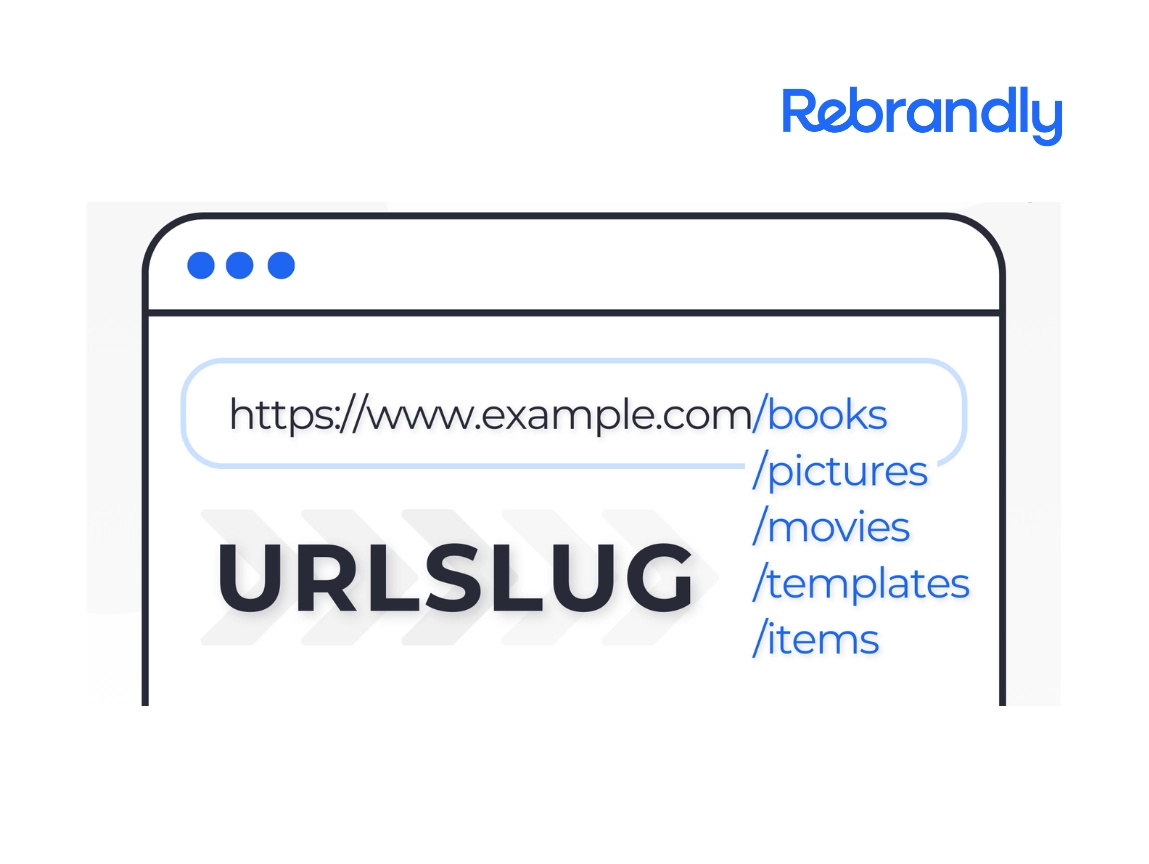
Personalized URLs are custom, campaign- or recipient-specific links that replace generic short links like rebrand.ly/3xR9k2 with something a reader recognizes, like yourbrand.com/spring-sale or yourbrand.com/for-sarah. They matter because the alternative, a mismatched or generic-looking link, is one of the fastest ways to lose a click before someone even reads your message.
Here's what a personalized URL is, why it changes click-through rates and trust, and how to build them into your SMS, email, direct mail, and social campaigns.
Key takeaways
- A personalized URL is a custom-branded, campaign-specific link (like yourbrand.com/spring-sale) that replaces a generic short link and signals who sent it and why.
- Consumers click search results from brands they recognize about twice as often as an unfamiliar top-ranked result, and a 2025 survey of 1,000 US consumers found 59% click on brands they already know, which is the same recognition effect that makes a personalized URL outperform a generic one.
- The four main types are audience-specific, channel-optimized, geographic or event-based, and recipient-based links, and each one maps to a different use case, not a one-size-fits-all format.
- A visible URL that doesn't match its actual destination is a known spam and phishing pattern, both to a reader who hovers before clicking and to email spam filters, which is a big part of why generic shortened links underperform.
- Building personalized URLs works best paired with a link management platform that can generate, route, and track them at scale instead of building each one by hand.
How your links look plays a bigger role in click-through rates than most marketers expect. Generic short links and messy URLs make people hesitate. They look suspicious, unprofessional, or just plain confusing, and the result is fewer clicks and missed conversions.
Personalized URLs solve this problem. These are custom-branded, campaign-specific links that look professional and trustworthy, so instead of generic alphanumeric strings, your reader gets a clean URL that represents your brand and campaign.
What is a personalized URL
A personalized URL is a custom short link that includes meaningful, campaign-specific, or recipient-specific information. Unlike a generic short link, a personalized URL reflects your brand and the purpose of the message, for example:
yourbrand.com/offer or yourstore.com/fall-sale
These URLs are hyper-relevant, easily readable, and branded for recognition. That's the key difference: the right links help with lead generation, user engagement, and overall response rates.
4 types of personalized URLs for marketing campaigns
Personalized URLs can take many forms depending on your campaign goals:
- Audience-specific links: Target distinct user groups with URLs like /new-users or /newsletter-subscribers.
- Channel-optimized links: Customize for specific platforms with URLs like /instagram-deal or /sms-promotion.
- Geographic or event-based links: Include location or event details like /nyc2025 or /expo-special.
- Recipient-based links: Create individual URLs like /offer-for-charlie or /jordan-deal for one-to-one campaigns.
Each approach helps you deliver more relevant content to the right people. Generic URLs feel impersonal, and they're easy to ignore and harder to trust.
You don't need to take that on faith. A 2025 survey of 1,000 US consumers found that people click on search results from brands they already recognize about twice as often as they click an unfamiliar top-ranked result, and 59% said they click on brands they know. A personalized URL borrows that same recognition effect: the reader sees something that looks like it was made for them, not scraped off a mail-merge list.
There's a more specific reason generic links underperform, too. One marketer who switched from shortened tracking links to personalized URL slugs in cold email put it plainly: a mismatched anchor text and destination URL is a known pattern in phishing detection, and readers who've been online more than a few years hover over a link before clicking it. When the visible text says "click here" and the real destination is a shortened, unrelated string, the hover check fails and the read doesn't recover, no matter how good the message is.
The difference is both psychological and practical. A personalized URL signals that you've put thought into the recipient's experience, it feels relevant and legitimate, and people can see exactly what they're clicking on, which gives them confidence to engage.
Personalized URL examples
Seeing a few side by side makes the pattern clearer:
Notice what changes in each example: the destination doesn't get more complicated, it gets more specific. The reader can guess what they'll find before they click, which is exactly what a generic shortened link can't offer.
Is a personalized URL the same as a vanity URL?
Not quite; they overlap but solve slightly different problems. A vanity URL is a short, branded link built for one destination and used everywhere ("yourbrand.com/sale" for every channel promoting the same sale). A personalized URL goes a step further and varies by recipient, campaign, or channel, so the same offer might route through several different personalized links depending on who's receiving it and where.
Benefits of personalized URLs for marketers
Personalized URLs solve the operational problems that come with sending links at scale: they fix the trust, tracking, and branding issues that pile up the moment you're sending thousands of links across multiple platforms. Without them, marketers struggle with:
- Link fatigue: Reusing generic links makes them less effective over time.
- Platform blocks: Social networks and SMS carriers flag generic links as potential spam. Branded links signal legitimacy.
- Lost attribution: Generic links make it hard to track what drives conversions or which campaigns perform best.
- Poor branding: Generic URLs don't reinforce your brand identity or build recognition.
- Trust issues: Generic links look suspicious and get mistaken for spam or phishing attempts.
- Limited analytics: You can't segment traffic by audience, channel, or campaign without proper link structure.
- Character limits: On platforms like TikTok, Twitter, Instagram, or SMS, every character counts.
Personalized URLs solve these problems by letting you tailor links for different audiences, platforms, and goals. They look professional, build trust, and give you the tracking data you need.
People click branded links because they recognize and trust the source, and clean, intentional URLs also avoid spam filters and platform blocks.
When you combine personalized URLs with a link management platform, routing, attribution, and reporting all live in one place, so you're comparing campaigns against each other instead of reconstructing the picture from a spreadsheet after the fact.
Managing personalized URLs at scale
The examples above work fine for a single campaign. They get harder to manage the moment you're running several at once, across several channels, for several audience segments.
Building a different URL for every segment sounds like a lot of manual work, and by hand, it is. The workflow below is built around automating that generation step, so personalization scales without turning into a full-time job.
A workflow worth setting up before you scale:
- Pick a naming convention up front (channel, then audience, then campaign) and stick to it so anyone on the team can read a slug and know what it is without opening a spreadsheet.
- Route personalized URLs through a link management platform rather than hand-building each one, so every link gets tracked the same way automatically.
- Group links by campaign or workspace so click and conversion data rolls up cleanly instead of scattering across individual URLs.
- Set an expiration or review date for campaign-specific links, so old personalized URLs don't quietly keep collecting spam traffic after the campaign ends.
How to create personalized URLs that convert
Creating a personalized URL starts with choosing the right custom domain. Use a custom domain (like yourbrand.com) to build trust and maintain consistency, then customize the back half to reflect your campaign or audience.
Here are a few naming best practices:
- Keep it short and memorable: Avoid long slugs or complex codes.
- Use dashes to separate words: yourbrand.com/spring-sale works better than /springsale2025.
- Be consistent: Maintain a uniform structure so your team and audience know what to expect.
- Avoid random strings: Use keywords that signal intent and reinforce your brand.
Following these practices creates a consistent experience across all your campaigns.
How to incorporate personalized URLs across channels
Personalized URLs add value to every channel and campaign. Here's how these links work across different types of marketing.
SMS marketing
SMS links should be concise, trustworthy, and mobile-optimized. A personalized URL on your own domain skips the carrier spam-filtering that generic shorteners often trigger, and you can even set up dynamic destinations based on user segments.
Wonder Cave, a messaging technology company sending up to 10 million SMS messages a day, runs 97% of its campaigns through branded, personalized links and saw a 60% increase in click-through rate as a result. Vinnie Rossi, the company's CTO and co-founder, put it simply: Rebrandly can generate that volume "with the highest deliverability and performance, more than a million links in a minute."
Direct mail
Create memorable URLs for print campaigns like yourbrand.com/for-sarah, and pair these with QR codes for easy scanning and built-in tracking.
Email marketing
Track clicks at the subscriber or segment level and send tailored content based on behavior, using click data to personalize follow-up messages.
Social media
Match your links to the platform context with URLs like yourbrand.com/insta-guide or /linkedin-report. This helps you provide relevant resources for each channel.
Print advertising
Whether on billboards or brochures, personalized URLs help measure engagement from offline campaigns, and they're easy to remember and type.
QR code campaigns
Send personalized QR codes in mailers or on event badges. They're easier to scan and remember when people are on the go, and QR code tracking tells you which physical touchpoint actually drove the scan.
Three Rivers Park District, a public parks system serving 14.3 million annual visitors, uses trackable QR codes across 25 parks and logs more than a million scans a year, saving over 300 physical signs from replacement because the destination URL can be updated without reprinting anything.
Influencer partnerships
Give influencers branded links like yourbrand.com/from-alex to promote. This builds trust with their audience while keeping attribution clear.
It doesn't matter what kind of campaign you create; personalized URLs make for a better experience across the board.
How to increase CTR with personalized URLs
A personalized URL alone won't fix a low click-through rate. Pair it with a few habits that compound the effect:
- Match the link to the message. A URL that echoes the subject line or offer (/spring-sale for a spring sale email) reads as intentional, not generic.
- Keep the slug short. A personalized URL still needs to be quick to read and type, especially for SMS or print, where a reader might be copying it by hand.
- Test branded against generic in the same campaign. Split a send between a personalized URL and a standard shortened link if you want your own data on the lift, rather than relying on someone else's benchmark.
- Watch position alongside clicks. A link that's already reaching people but not converting often points to the link itself, not the offer behind it. A good CTR benchmark gives you something concrete to test against.
Getting your links to look like they were made for the person reading them
Modern consumers expect brands to put thought into their experience, and a generic link is one of the fastest ways to signal that you haven't. Personalized URLs aren't a trick. They're closer to the digital version of addressing a letter correctly instead of writing "Current Resident" on the envelope.
The mechanics are simple enough to set up in an afternoon: a custom domain, a naming convention, and a way to route and track the links at scale. What takes longer is remembering to actually build the personalized version instead of defaulting to the fastest, most generic option, which is usually the one that costs you the click.
Ready to start using personalized URLs? Rebrandly is a link intelligence platform, not just a shortener: it makes it easy to create, route, and track secure, on-brand links, including the click and conversion data that shows which personalized URL actually drove the result.
FAQ
What is a personalized URL?
A personalized URL is a custom, branded short link that includes recipient-, campaign-, or audience-specific information, like yourbrand.com/for-sarah instead of a generic shortened string. It looks like a link made for one person or one campaign, because it is.
What is the difference between a personalized URL and a custom URL?
"Custom URL" is the broader term. It just means a link built on your own branded domain instead of a generic shortener. A personalized URL is a specific kind of custom URL that also varies by recipient, audience segment, or channel rather than staying the same for everyone.
How do you personalize destination URLs for different audiences?
Route each audience segment to its own version of the link, either by creating a distinct personalized URL per segment or by using dynamic link routing that sends different visitors to different destinations based on rules you set (location, device, or a tag on the link itself), all while keeping one shareable link on the front end.
How do personalized URLs increase click-through rate?
They remove two of the biggest reasons people hesitate to click: an unfamiliar destination and a link that doesn't match the message around it. A link that echoes the brand and the offer reads as intentional rather than templated, which is also the same recognition effect that makes people click search results from brands they already know roughly twice as often as an unfamiliar one.
Can I use a personalized URL for direct mail and QR codes?
Yes, and it's one of the more common use cases. A personalized URL printed on a mail piece or embedded in a QR code lets you track exactly who responded to a specific physical touchpoint, without asking the recipient to type in a tracking code or answer "how did you hear about us."
Do I need a link management platform to use personalized URLs?
Not for a single campaign with a handful of links, but it gets impractical fast once you're running more than one campaign at a time. A link management platform handles the domain setup, generates and routes links at scale, and gives you click and attribution data in one place instead of a spreadsheet you're maintaining by hand.